Participant
January 13, 2022
Question

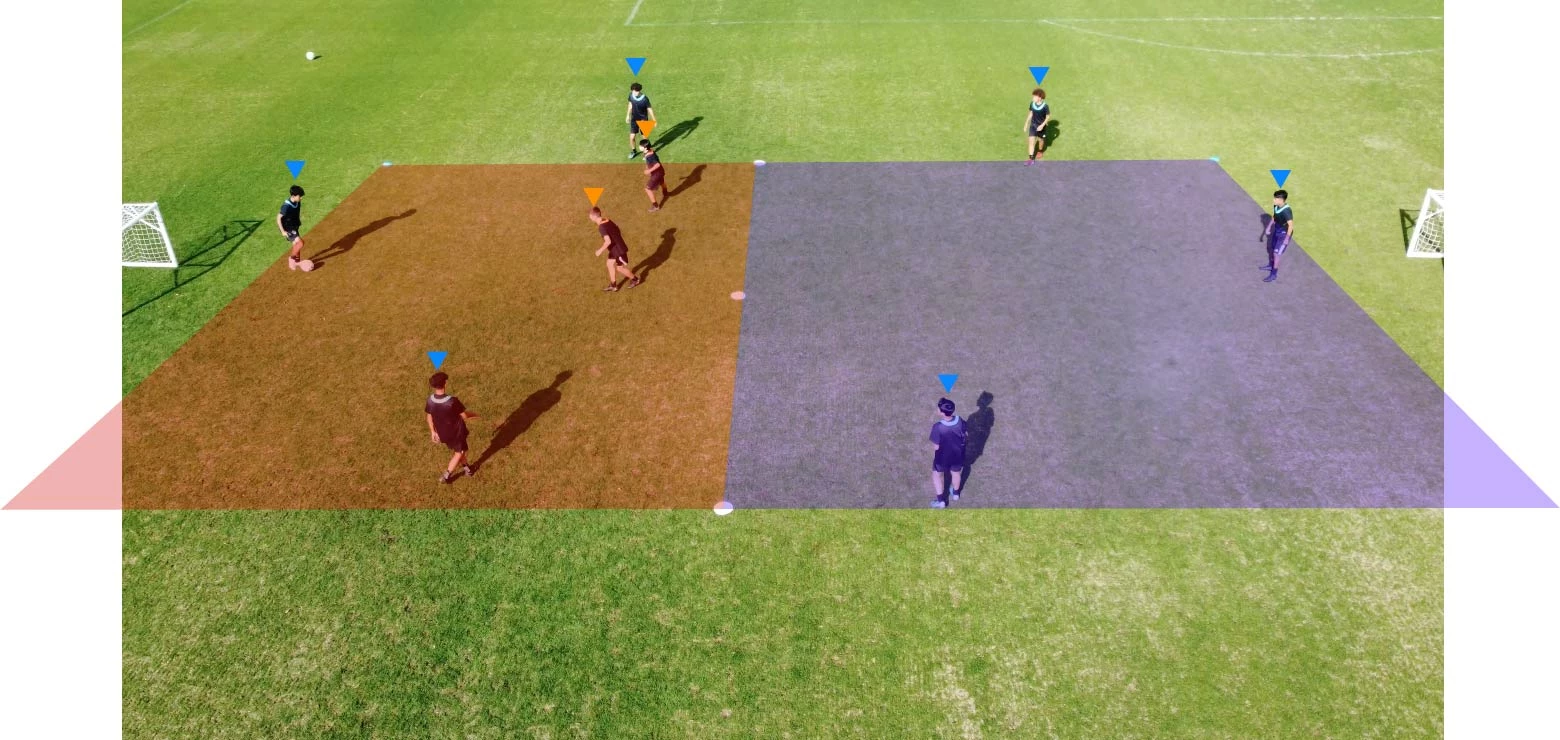
How to Set the color Shape layer bellow the player
  • January 13, 2022
  • 2 replies
  • 321 views

 how can I set the color shape bellow the player 

This topic has been closed for replies.

2 replies

Kyle Hamrick
Community Expert
Community Expert
January 13, 2022

You'll first need a way to extract the players - either with rotoscoping, or you might be able to get away with using a color keying effect. You'll then place your colored shapes between two copies of your layer - one with the extracted players, and the original clip. 

Your layer stack will look like this: 
Clip: Extracted Players
Colored Shapes
Clip: Original

EDITING TO ADD: It's unlikely you'll get all the players easily extracted with a single instance of an effect or single setting, so you may end up having a separate layer for each extracted player. The idea remains the same, though - they need to be extracted and sit above the colored shapes.

Participant
January 13, 2022

Thank you for your suggestions. But it is lots of work. I have blended shape layer  with soft light . And its looks ok to me 

Kyle Hamrick
Community Expert
Community Expert
January 13, 2022

Yep - cutting out portions of a video is indeed a LOT of work! I'm glad the blending mode solution was satisfactory. Much easier!

Mylenium
Legend
January 13, 2022

What layer? Without a screenshot of the actual timeline we can't realyl tell you much. If you want to just color the lawn but not the players you have to put in extra work, anyway, and rotoscope them out with Rotobrus, masks or perhaps a simple greenscreen key based on the grass. It's realyl not clear what you are asking.


Mylenium