
Participant
November 3, 2025
Question

How to show up the gradient edit handle for layer style
  • November 3, 2025
  • 1 reply
  • 81 views

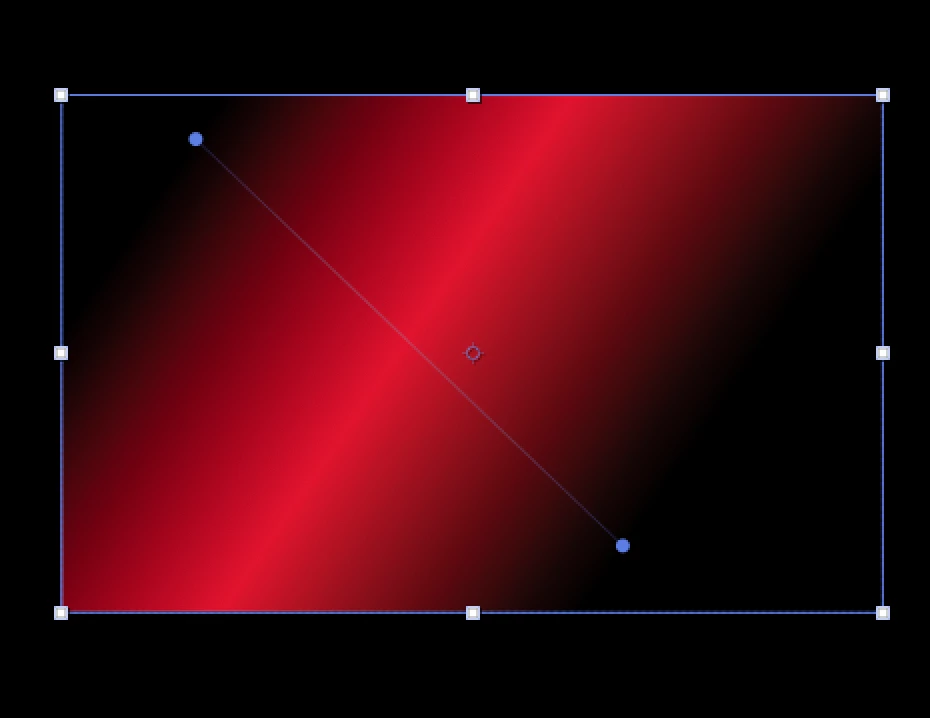
the gradient start and end point edit handle is shown up in shaplayer gradient fill

but there is no edit handle in comp layer style - gradient overlay

I had found the workaroud to show it up that was active the target area switch button like below years ago
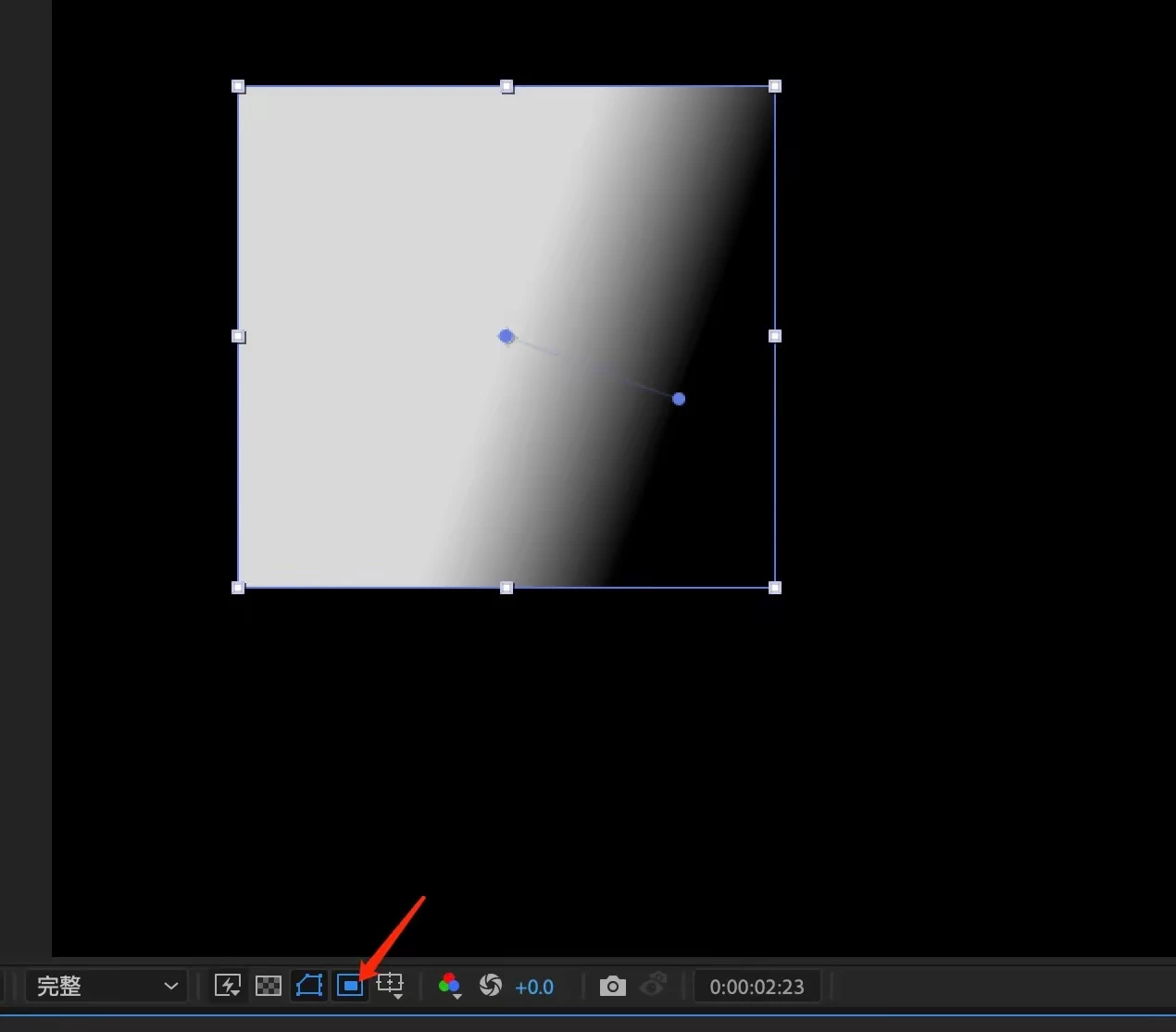
 

but after the update, this is not available anymore

is that a bug or suppose to be?

how can I adjust the gradient start and end point in gradient overlay?

1 reply

nishu_kush
Community Manager
Community Manager
November 6, 2025

Thanks for reaching out.


I think it is how it's designed. I have tested in older versions as well, and the gradient handle doesn't show up. Which was the last version in which you were able to do so? To edit the gradient overlay, expand the layer properties (see the screenshot).

Let me know if there are any other questions.


Thanks,
Nishu

shall123Author
Participant
November 7, 2025

Hi Nishu,


Thanks for your reply. I'm not sure the exact version, but I posted the tutorial on Sep. 2023 for this workaround in our design community which I used the lasted version on that period, and I learned this from a post on Reddit.


The handle can be showed up when active the target area button (don’t know if it is the correct English name I highlight below). And the handle you can find the screenshot on my previous post.


Thanks~


nishu_kush
Community Manager
Community Manager
November 7, 2025

Thanks for getting back. If possible, can you share the link to that tutorial? It'll be easier for me to report this to the product team if we have it on the screen recording.

Looking forward to your response. 


Thanks,
Nishu