S_ A
Inspiring
October 17, 2025
Answered

How to smooth hold keyframes

  • October 17, 2025
  • 2 replies
  • 184 views

Hi,


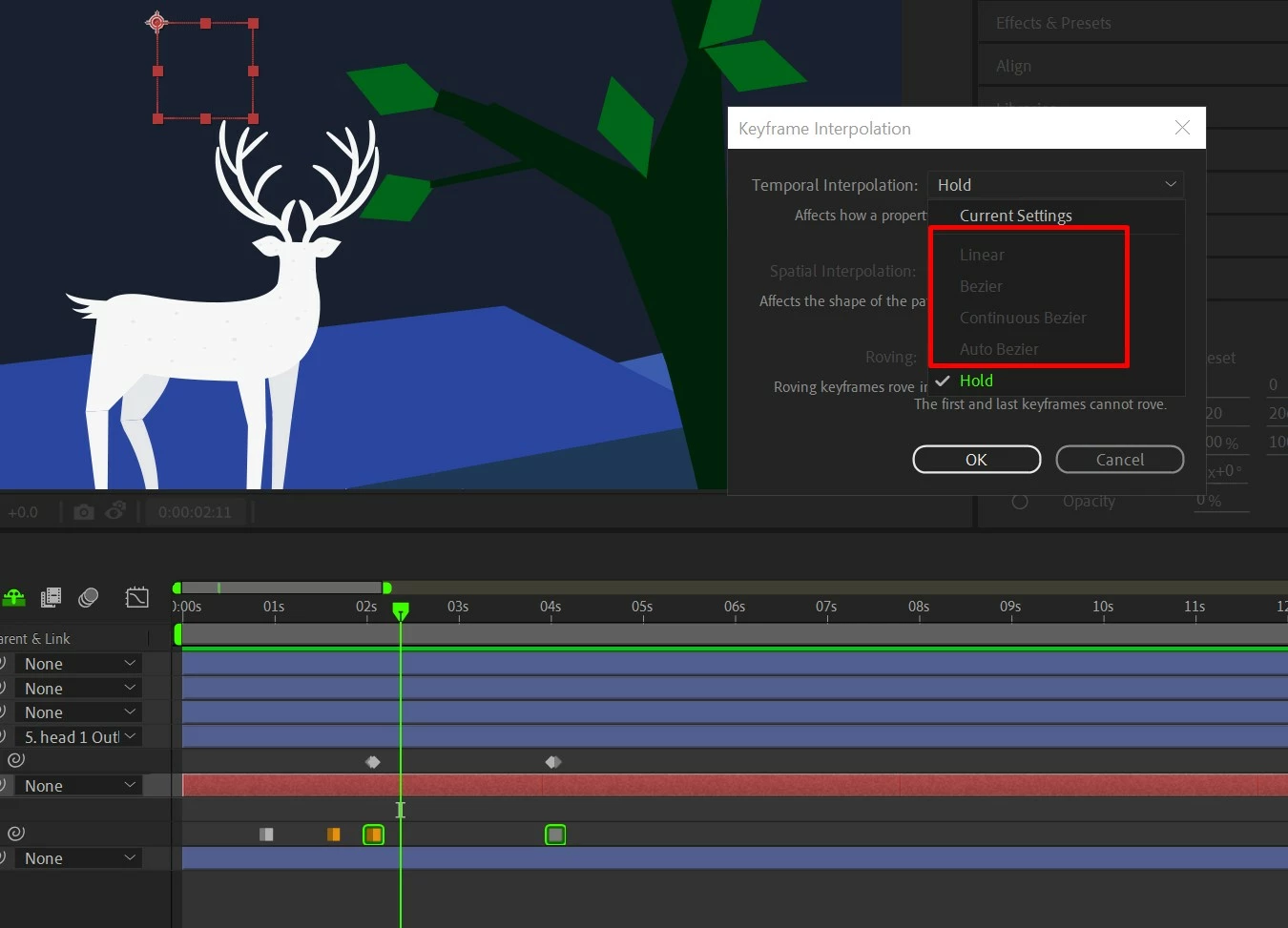
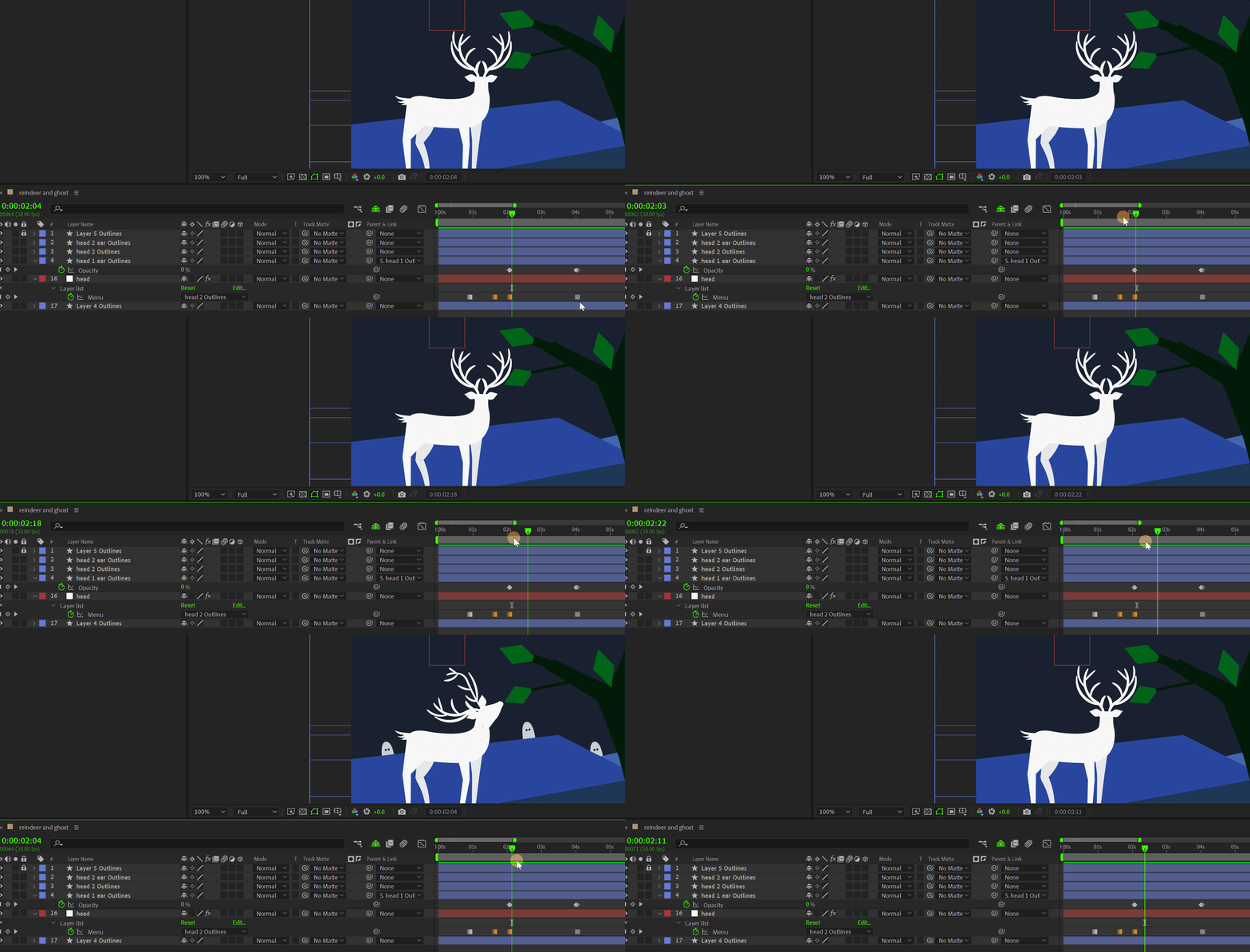
I need some guidance. I am using Duik angela to rig a head for  head turning. But the motion is so abrupt. Any tricks from the seniors here to make the motion smooth? how can I make the hold keyframes smooth? please. 😥


Correct answer Kyle Hamrick

Hold keyframes are, by their nature, abrupt. A hold keyframe prevents tweening, where After Effects moves smoothly between values.


In your particular example, though, I would say that the keyframes are not the issue. If you want a smooth transition between those two states of the deer's head, you'll need to draw/create more - that's just too big of a change to smoothly animate between, no matter what keyframe types you're using. Start with something halfway between those two extremes - smooth enough? If not, add two more halfway between those, and so on, until you're happy with the way it looks.


2 replies

Kyle Hamrick
Community Expert
Kyle HamrickCommunity ExpertCorrect answer
Community Expert
October 17, 2025

Hold keyframes are, by their nature, abrupt. A hold keyframe prevents tweening, where After Effects moves smoothly between values.


In your particular example, though, I would say that the keyframes are not the issue. If you want a smooth transition between those two states of the deer's head, you'll need to draw/create more - that's just too big of a change to smoothly animate between, no matter what keyframe types you're using. Start with something halfway between those two extremes - smooth enough? If not, add two more halfway between those, and so on, until you're happy with the way it looks.
S_ A
S_ AAuthor
Inspiring
October 17, 2025

wow!! This is so cool. I am gonna do that, Thank you so much.

ShiveringCactus
Community Expert
Community Expert
October 17, 2025

You can apply Easy Ease on a hold keyframe, so the movement will slow to a stop.  Then to ease out of the movement, you can just use a regular keyframe with easy ease.  You might find more luck if you use regular keyframes for all the movement, then use Window > The Smoother.  This is a great way to see how smoothing works.

S_ A
S_ AAuthor
Inspiring
October 17, 2025

Thank you so much for your guidance.