Participant
May 6, 2021
Question

How to speed up render time in AE?

  • May 6, 2021
  • 2 replies
  • 692 views

My PC

Ryzen 5 3600X

RX 580 8GB

16 GB RAM

240 GB SSD, 1TB HDD

I know adobe recommends Intel and Nvidia products, but is there a way to speed up render time on AMD CPU and graphics card?

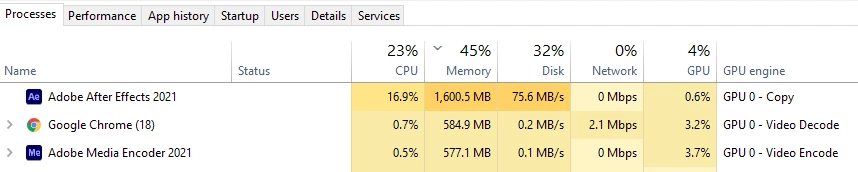
AE doesn't use my CPU's full power and the graphics card isn't load at all. Can I do something to force AE to use my CPU's full power?
This topic has been closed for replies.

2 replies

Community Expert
May 6, 2021

The most efficient way to speed up rendering is to use a 3rd party background rendering solution. I have five of them. My favorite is RenderGarden | Mekajiki. It will run in the background, create an MP4 for client review or distribution, and a production master at the same time and on my quad-core MacBook Pro a comp that takes 20 minutes to render in the render queue will render in about 7 or 8 minutes while I'm using AE to work on another project.

Participant
May 7, 2021

Thanks for advice

nishu_kush
Legend
May 6, 2021

Hi Giorgi5E20,


Thanks for writing in.

After Effects doesn't use all the CPU cores and uses GPU only if you've applied GPU accelerated effects. The good news is that the Multi-frame rendering has been introduced in the After Effects beta that uses resources more efficiently. You can give it a try. Here's how to install the beta version: https://helpx.adobe.com/in/x-productkb/global/creative-cloud-public-beta.html 

Hope it helps.


Thanks,

Nishu

Participant
May 7, 2021

Thanks, I'll try.