Inspiring
May 4, 2025
Answered

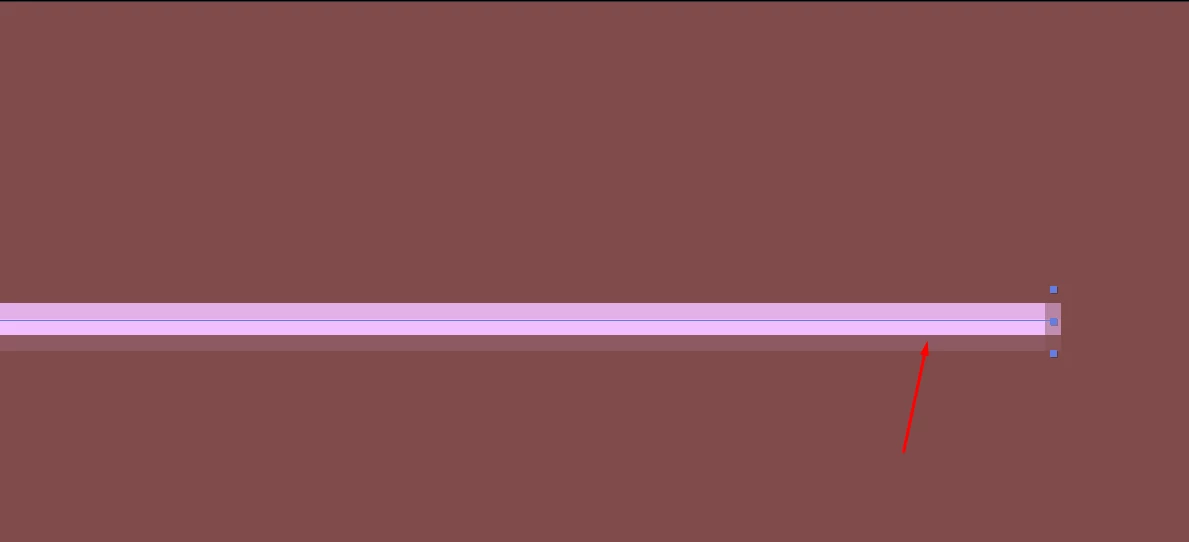
How to tuck in this semi transparent pixel

  • May 4, 2025
  • 1 reply
  • 143 views

Hi community.


When I make a line using the pen too, on both edges there's semi transparent pixel. how can I make the edges to be sharp when ever I make a line, if its possible to not have an half pixels projecting from the main shape?


I'm always moving the shapes up down, left and right to try get it pixel perfect.


Thank you.


Correct answer nishu_kush

Thanks for writing in, Stefan.


In my opinion, this is not a problem. It's not visible until you zoom in more than 100%. However, you can enable the Quality and Sampling button on the layer to get rid of it, but it may not work well on the curved edges.

Hope it helps. Feel free to reach out if there are any other questions.


Thanks,
Nishu

1 reply

nishu_kush
nishu_kushCorrect answer
Legend
May 5, 2025

Thanks for writing in, Stefan.


In my opinion, this is not a problem. It's not visible until you zoom in more than 100%. However, you can enable the Quality and Sampling button on the layer to get rid of it, but it may not work well on the curved edges.

Hope it helps. Feel free to reach out if there are any other questions.


Thanks,
Nishu