Answered
How to use puppet tool in AE?
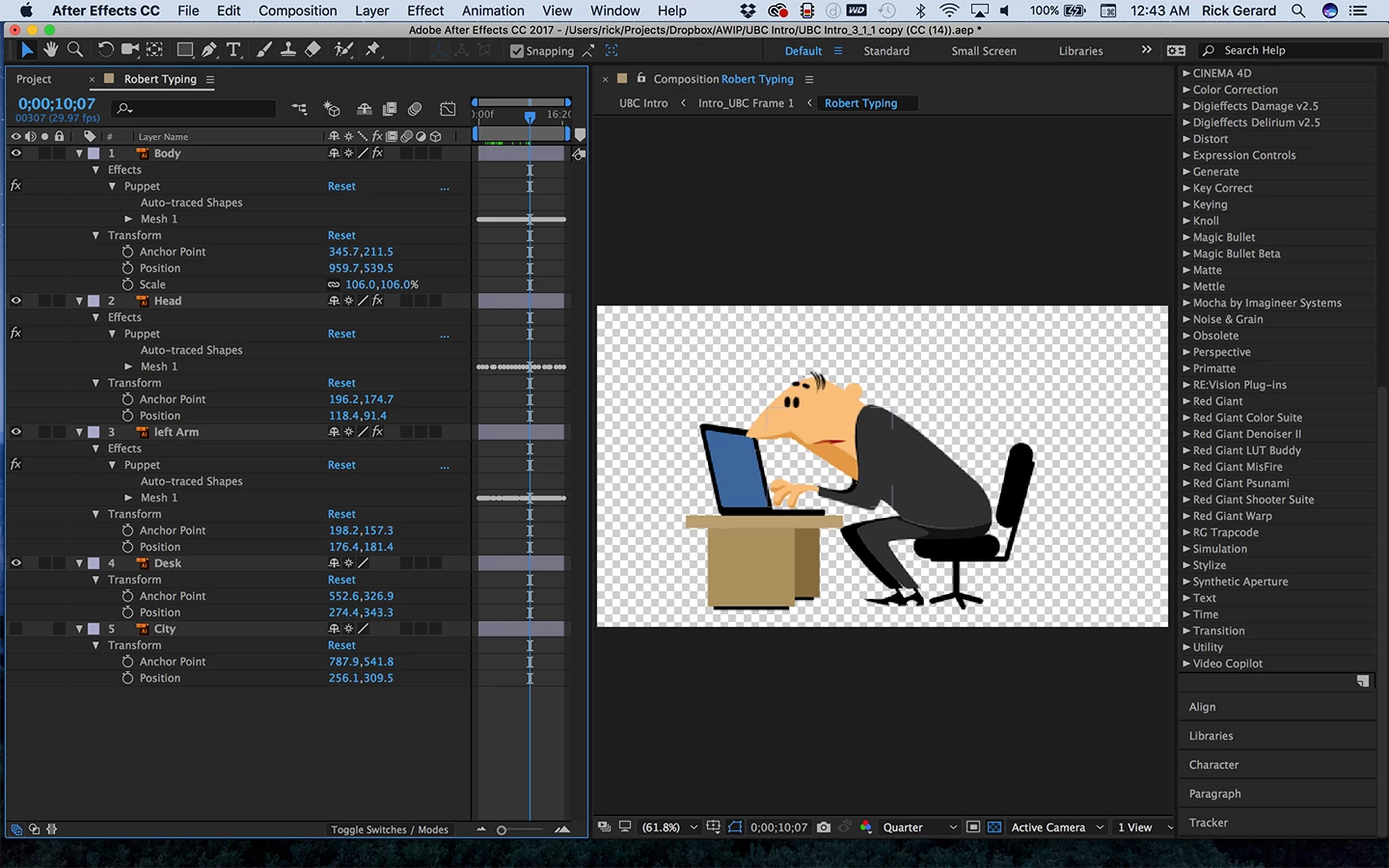
I tried using the puppet tool to move certain parts of a photo in after effects but the whole picture moves. How do I seperate the layers in after effect so just one part moves for example a finger?

I tried using the puppet tool to move certain parts of a photo in after effects but the whole picture moves. How do I seperate the layers in after effect so just one part moves for example a finger?
You have to put the finger on a separate layer. Here's a sample from a recent explainer video that I did where the left arm, right arm and body of the character are separated to different layers so I can make the character peck away at the keyboard.

Here's the rest of the character - the panels have been rearranges so you can see more of what I have done.
Already have an account? Login
No account yet? Create an account
Enter your E-mail address. We'll send you an e-mail with instructions to reset your password.


 AdChoices