

S_ A
Inspiring
July 12, 2024
Question

how to write expression in such case-5

  • July 12, 2024
  • 2 replies
  • 708 views

Hi,


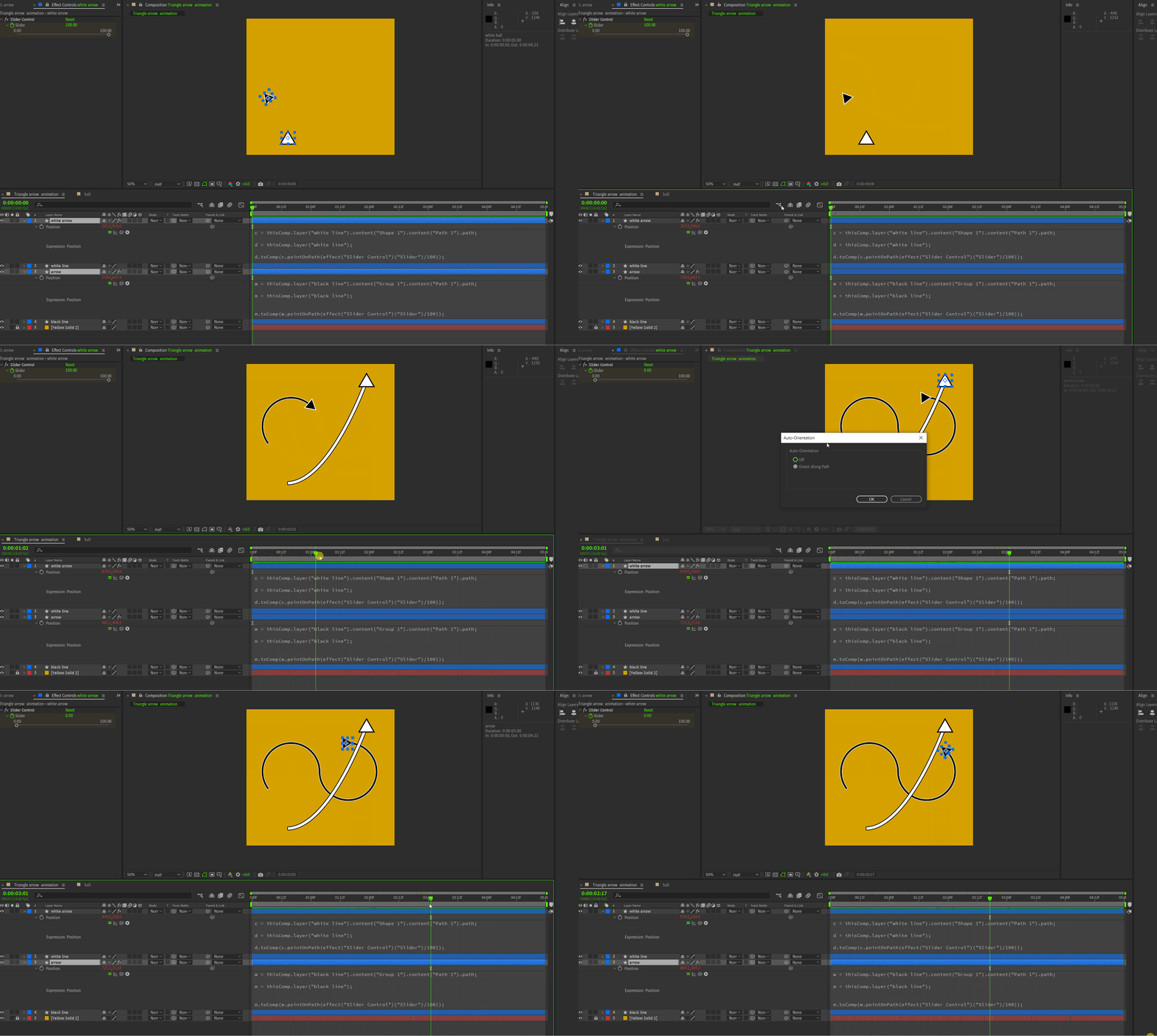
I am experimenting pointOnpath. I animated some stuffs using this expression. but somthing happens when it is applied on 'triangle' shape. I activate 'orient along path'. but smhow it stops working at trim path 'end' point and flips back.


both in 'round' head and 'traingle' head the anchor points are set in the 'middle'.


I need guidance.  😥 😭 
 

This topic has been closed for replies.

2 replies

Community Expert
July 12, 2024

Usually, all you have to do is click on the last position keyframe, open Keyframe Interpolation (Alt/Option + Ctrl/Cmnd + K), and change the Bezier Interpolation. It takes about 2 seconds.

Legend
July 12, 2024

It's a small bug, you can fix it by removing the Auto Orient Along Path option and using this expression on the

rotation property:


endTime = effect("Slider Control")("Slider").key(2).time;
if(time < endTime){
  v = position.velocity;
  value + radiansToDegrees(Math.atan2(v[1], v[0]))
} else{
// Add your correct value here
}


The idea is to retrieve the rotation value just before the bug and use it for the rest of the animation.

S_ A
S_ AAuthor
Inspiring
July 12, 2024

😥😥😥😥😥😥 I cant make it. I failed 😣 . Kindly check the attached file


Thank you so much.

Legend
July 12, 2024

You need to put 0°