



how to write expression in such case.
I am very new into expression world, I am experimenting to learn.
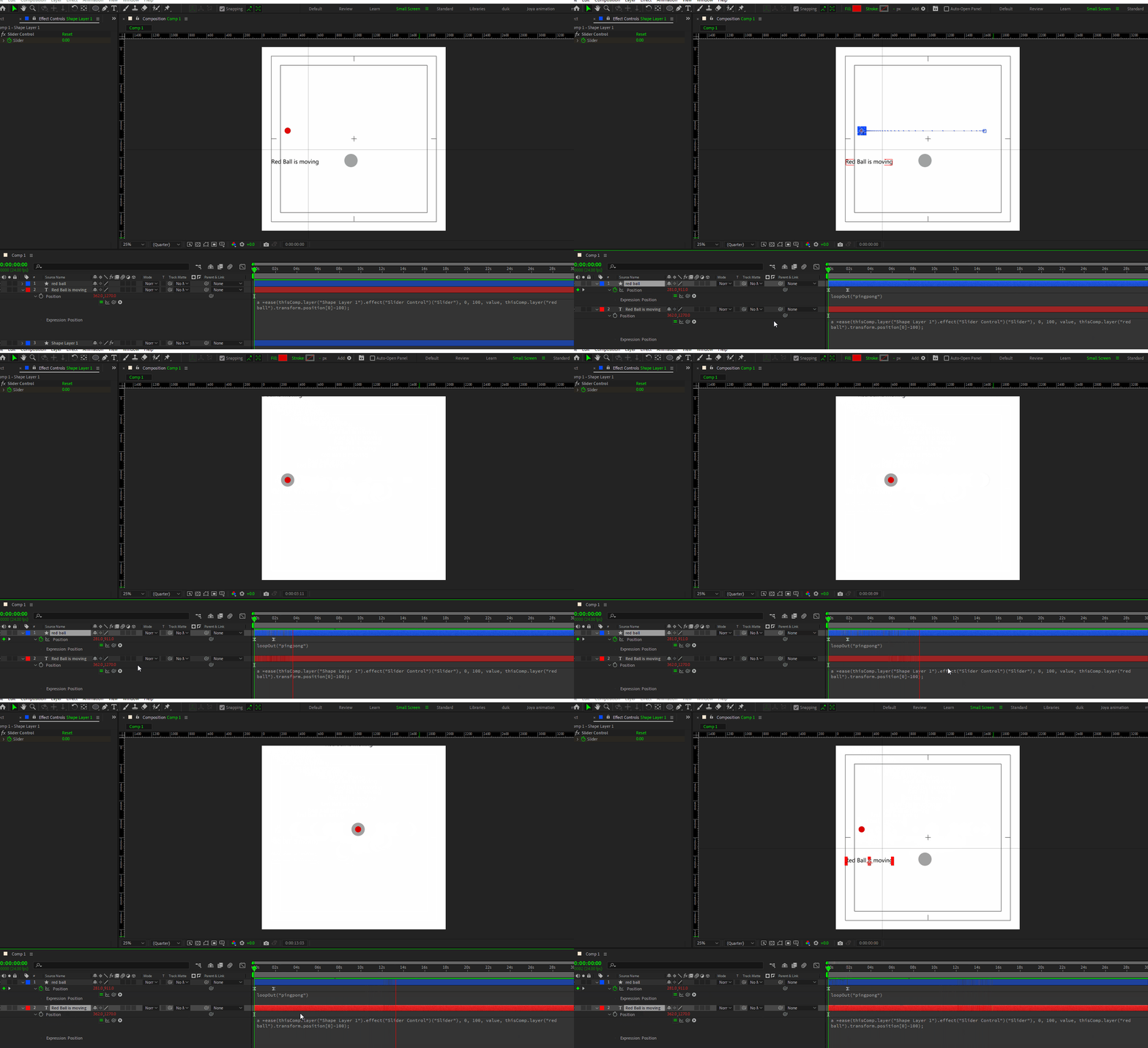
In this animation I want the text layer (‘Red ball is moving’) to follow the red ball, but the position will be slightly beneath the red ball, it will follow the whole poingpong animation but from below, not like the grey ball, which is exactly aligned with the red ball.
I know that if the value is ‘array type’ then I have to be very specific in expression writing, so that after effects know which value I want to manipulate and which one I dnt.
Here I specified that I want position [0] to be 100 pixels beneath the red ball.
Hence I wrote position [0]-100; But it throws the text away the from the comp and animating it in an odd place, which I dnt want.
I don’t know how and what should I write to tell after effects that keep the Y axis same for the text layer.
I tried many things like position[1, value], so that Y axis from position remain same, but all end up in error.
Please guide me. I am lost.

 AdChoices