
frankiej123
Known Participant
July 22, 2022
Question

How toComp(value) works with Shape layers?

  • July 22, 2022
  • 2 replies
  • 3006 views

Hi,

Felt had ok understanding of Comp and Layer space, but something is throwing me.


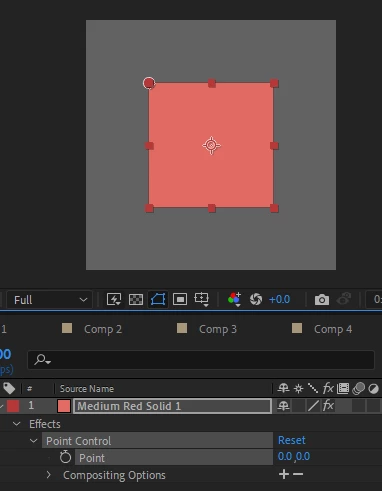
If have SOLID with Point Control [0,0] the Point is Top Left corner of the solid. It moves with the Solid as expected, as the Point Control Effect is working in the Solids Layer space so [0,0] is always top left corner regardless of position in Comp of Solid.
If add toComp(value) to Point Control, it converts the point to Comp Space so [0,0] becomes say [200,50], so the point moves that amount from the Top Left [0,0] Layer Space position. So isn’t Top Left of Solid anymore, is pushed to the right and down a little, because Effect is still operating in Layer Space it’s just using the Comp Space value of the point. This is as expected.
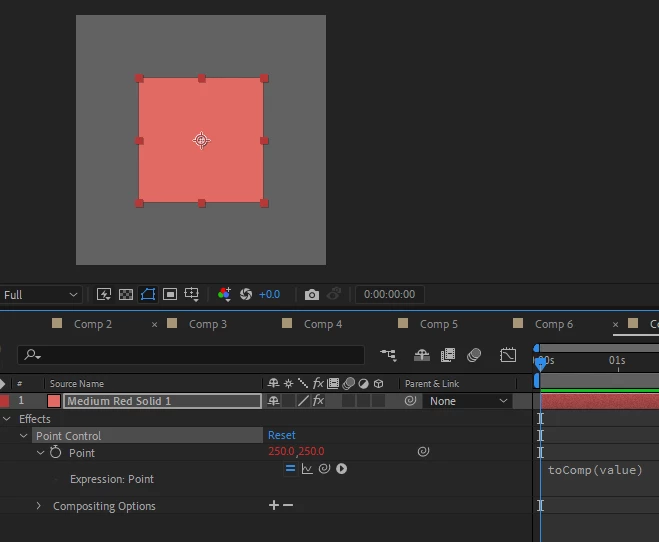
 

BUT This I don’t understand:

If have SHAPE with Point Control [0,0] the Point sits top left corner of Comp. Which I figured initially was because the Shapes "Layer Space" fills the size of the Comp. 
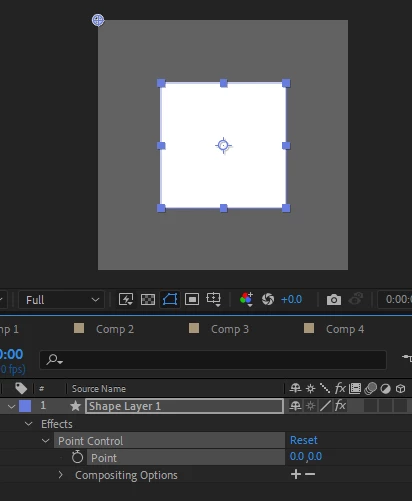
But shapes cant have a layer space (?) because the Point doesn't move with the shape:
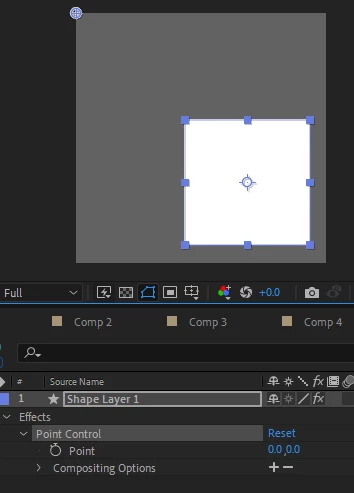
So assumed that Shapes operate by default in Comp space and therefore Effects on them also operate in Comp Space? BUT fromComp(value) offsets the Point (0_0) and the point now Moves with the Shape.
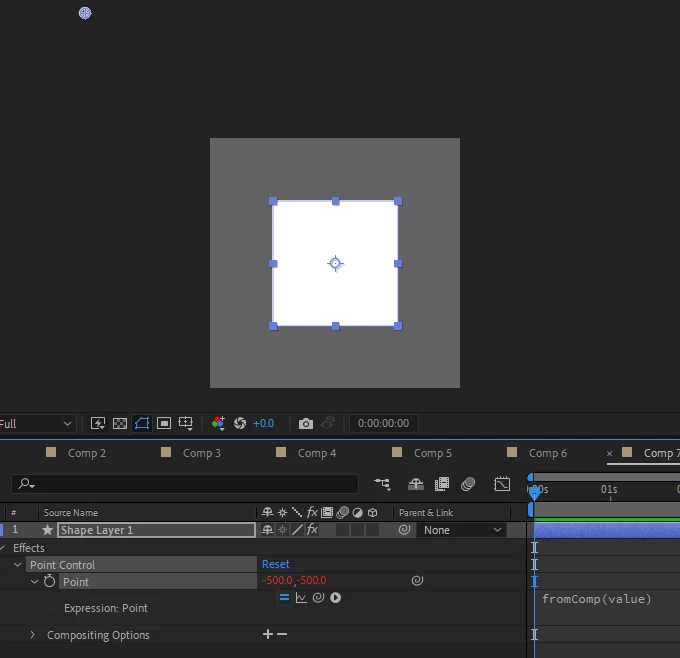
And toComp(value) also offsets it and makes the point Move with the Shape.
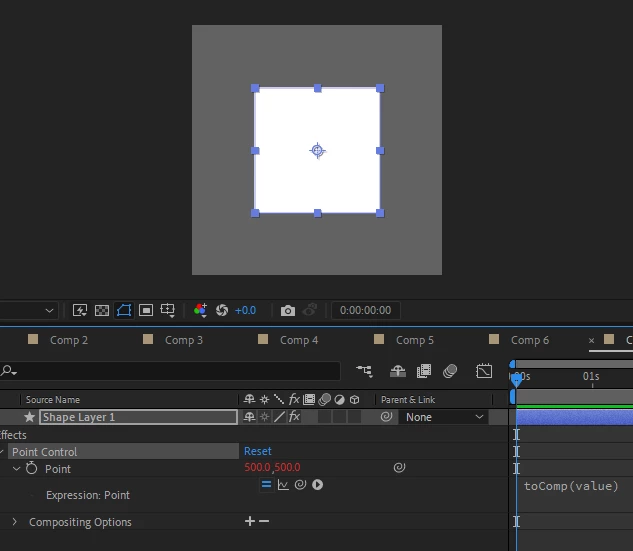
So what the fudge is going on here. I thought there was just one Comp coordinate system working from Top Left of Comp and one Layer coordinate system working from top left of each layer.

I don't get how converting Point Control [0,0] with Shapes toComp doesn't results in [0,0] as they both have same [0,0] TopLeft Comp origin. 

And why does fromComp have any effect as seems as shown above that Shapes dont have a Layer Space as by default the Point Control doesn't move with them.


ALSO what else does this mystery coordinate system apply to? Anything with Continually Rasterize * on? - is the same outcome with Text have found.

This topic has been closed for replies.

2 replies

Community Expert
July 22, 2022

A parametric shape like a rectangle has a Rectangle Path position that defaults to 0,0 when you draw a new rectangle. The rectangle also has a Transform Rectangle Anchor Point (default 0, 0) and Transform Rectangle Position, as well as Skew, Skew Axis, Rotation, and Opacity. The Transform Rectangle Position is based on the layer center, not the Layer Position or Anchor Point. The default is 0, 0.


The shapes' actual position on the screen is a combination of all of those factors, so if you want toComp or toWorld to have any relationship to Rectangle 1, you have to factor in Contents/Rectangle 1/Rectangle 1 Path/position and Contents/Rectangle 1/Transform Rectangle 1/Position and Anchor Point.  If the shape is a path, there is no Shape/Position property to deal with, so the calculations are a little easier to come up with.


Exactly what are you trying to accomplish? The expression language toComp and toWorld operators are intended to return a layer's coordinates when nested. You'll have to throw in the shape layer coordinates to figure out where they should be, and I'm not sure what toComp or toWorld would have to do with that unless the layer was a Child of another layer or you needed 2D values to relate to the 3D position of another layer.  


If you want to fix something to the entire contents of a shape layer, you can use sourceRectAtTime(). You can easily find the center, corners, or center of the edges with a simple expression.


ref = sourceRectAtTime(); // your source layer
w = ref.width;
h = ref.height;
l = ref.left;
t = ref.top;

center = [l + w / 2, t + h / 2];
topLeft = [l, t];
topMiddle = [l + w / 2, t];
topRight = [l + w, t];
rightMiddle = [l + w, t + h / 2];
bottomRight = [l + w, t + h];
bottomMiddle = [l + w / 2, t + h];
bottomLeft = [l, t + h];
leftMiddle = [l, t + h / 2];

topLeft


This works for any layer and can be modified to factor in layer scale, toWorld, toComp, and rotation. You cannot compensate for masks, but maybe something like this will get you where you need to go. 


That expression, along with an Effect/Expression Controls/Drop Down Menu Control, is one of my top 10 Animation presets for Anchor Point.


One more thing. A Shape Layer size is always the same as the comp size, and the Anchor Point is always at 0, 0 by default unless the Shape Layer was created from a Vector Layer (AI file). In that case, the Shape Layer size is the same size as the Vector Layer used to create the Shape Layer and the Anchor Point is in the middle of that layer. If you are converting Illustrator layers to Shape layers to create masks or motion paths, you have to compensate for the Anchor Point and position properties of the original Illustrator layer. 


frankiej123
Known Participant
July 22, 2022

Paragraph 1 I understand, that pretty basic.

Paragraph 2. The shape in all of the above screenshots has been zeroed out. Because obviously cant test anything without doing that.

Paragraph 3, doesn't help. ToComp(value) is used a lot for points on shapes e.g. Bend It, allowing transforms without clipping (because it causes the points to move with the Shape layer). 

Paragraph 4, isn't what I asked about, but useful to put out there.

Paragraph 5, not what asked about, but good to hear about your workflow.

Paragraph 6, yes I appreciate this, but it doesn't answer why the Point Control does not follow the Shape layer transforms prior to toComp(value) being applied.


Thanks for the time answering, but it doesn't address the underlined questions above, they are very specific, just the underlined bits. I know how to use layer spaces, I want to understand why it differs for shape layers on a fundamental level.


I dont know if Dan is about, maybe he's got some insight as he seems to be very good with the inner workings and such?

Community Expert
July 22, 2022

The Control Point value is based on the layer space. Tying it to the shape position requires sourceRectAtTime(), or it requires adding the Contents/Shape transforms to the value. Am I still missing something?

Mylenium
Legend
July 22, 2022

Shape layers use a centrered coordinate system and thus the actual values will always be offset by half the comp height and width. You manually have to account for that in your expressions code. I agree that the behavior is inconsistent due to this design decision, but that's just how it is. Using continuous rasterization will similarly require a different approach using toWorld() and fromWorld(). Everything perfectly doable, there are just a few more layers of code to this than the typical tutorials on YouTube may make people think.


Mylenium

frankiej123
Known Participant
July 22, 2022

Ok that would explain the offset between toComp and fromComp. 


I feel im still missing knowledge here though because (apologies for underlining, just want to be really really clear about where my lack of knowledge is):


To me this doesnt explain why toComp and fromComp causes the Point Control to start moving / be fixed to the Shape layer? I thought fromComp / toComp were just a coordinate system switch, but if the offset set is always half comp height / width, that's a static value, but the point moves with the Shape after expression is applied, meaning the value cant be static?


And also doesn't explain why the Point Control (without expression) doesn't move by default with the Shape layer i.e. do shape layers have a layer space, what is causing this?


Also im not sure that explanation of toWorld / toComp is correct. I don't understand how continuous rasterization would have a different effect on 2D layers using World vs Comp space. I understood world space only affects 3D coordinates because Comp space is relative to camera position, whereas World Space isnt? Obviously not a factor for 2D layers - isn't that why you can fix a 2D layer to a 3D point with toComp([0,0,0])?