
How would I create a cascading list that scales dynamically?
I'm looking to create a repeating list of words, that when animated go from around 40% scale at the top and bottom to 100% scale at the center, also the words should go down in opacity at the extremities.
I've set up my composition with the list of words arranged vertically, a null at the center and the following script on each text layer (anchor point on each text layer is set to the middle left)...
For Scale:
distMax = thisComp.layer("Center Null 1").effect("DistanceMax")("Slider");
distMin = thisComp.layer("Center Null 1").effect("DistanceMin")("Slider");
scaleMax = thisComp.layer("Center Null 1").effect("ScaleMax")("Slider");
scaleMin = thisComp.layer("Center Null 1").effect("ScaleMin")("Slider");
pos = length(position, thisComp.layer("Center Null 1").position);
sca = easeOut(pos, distMax, distMin, scaleMax, scaleMin);
[sca, sca]
For Opacity:
distMax = thisComp.layer("Center Null 1").effect("DistanceMax")("Slider");
distMin = thisComp.layer("Center Null 1").effect("DistanceMin")("Slider");
opacMax = thisComp.layer("Center Null 1").effect("OpacityMax")("Slider");
opacMin = thisComp.layer("Center Null 1").effect("OpacityMin")("Slider");
pos = length(position, thisComp.layer("Center Null 1").position);
opac = ease(pos, distMax, distMin, opacMax, opacMin);
[opac]
I set slider controls on the Center Null so I can control the values of the minimum and maximum scale and opacity, as well as the distance from the Center Null that those min's and max's should apply.
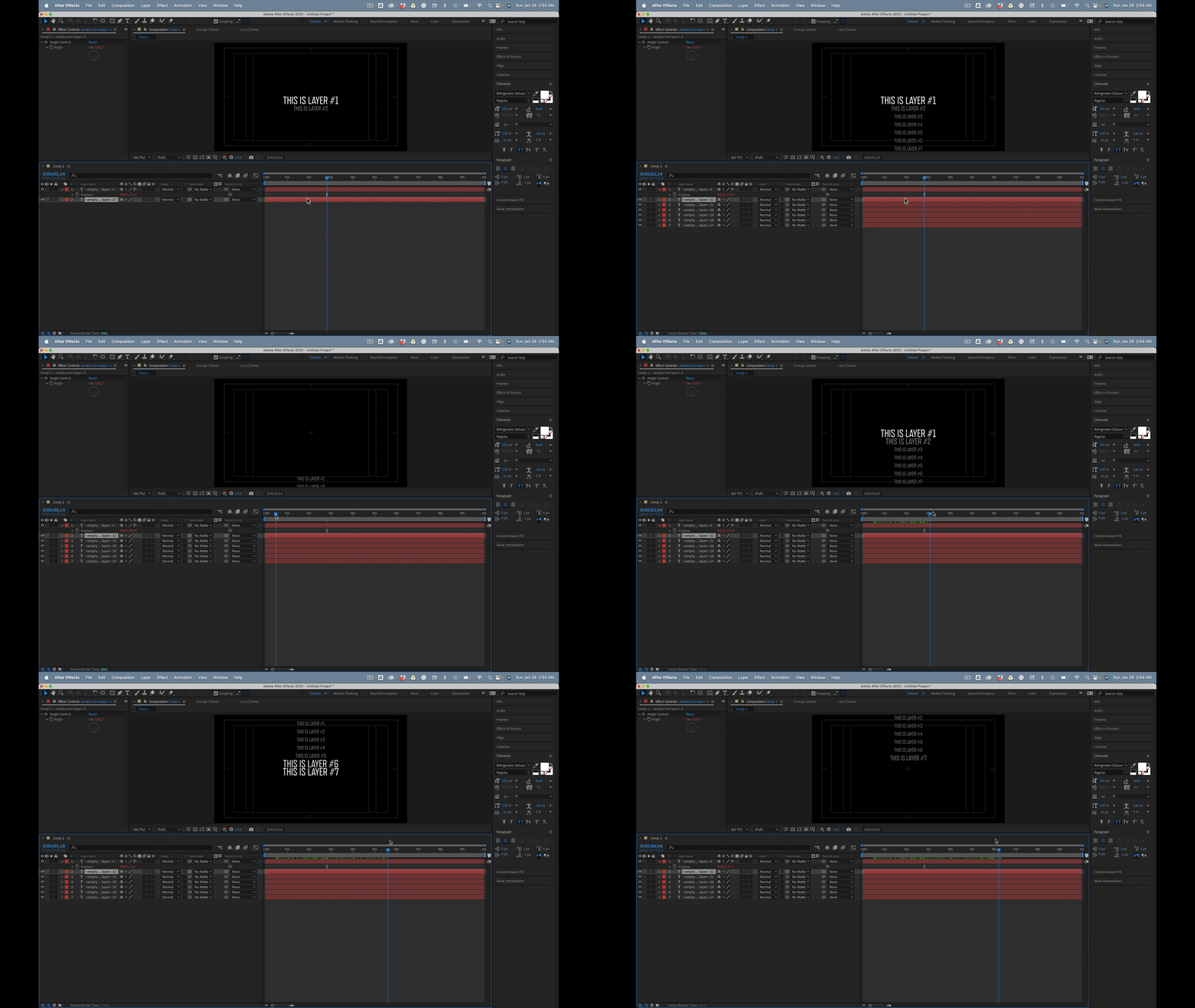
So far I've got half what I'm looking for (see below)

However, I'm looking to have the leading (line spacing) scale proportionally with the text scale (see below)

I tried creating a padding script to the position property, but it seems to work correctly when the list is in one position, but bunch up the text when it's in another (script below)...
distMax = thisComp.layer("Center Null 1").effect("DistanceMax")("Slider");
distMin = thisComp.layer("Center Null 1").effect("DistanceMin")("Slider");
padMax = thisComp.layer("Center Null 1").effect("PaddingMax")("Slider");
padMin = thisComp.layer("Center Null 1").effect("PaddingMin")("Slider");
mid = length(position, thisComp.layer("Center Null 1").position);
pos = easeOut(mid, distMax, distMin, padMax, padMin);
pad = thisComp.layer(index-1).transform.yPosition;
[pad-pos]
What am I missing, and how could this be achieved?


 AdChoices