
Participant
June 30, 2018
Question

I can't implement a simple box blur

  • June 30, 2018
  • 1 reply
  • 843 views

Hi,

I'm very new to Adobe AE plug-in development and image processing in general, so I'm probably missing something very basic. I'm trying to implement a simple box blur using the supplied convolve method in the WorldTransformSuite1, but I am unable to achieve the blurring effect. I'm doing this just as a practice - I am aware of the FastBlur function in the AEGP suite.

Original image:

Output image:
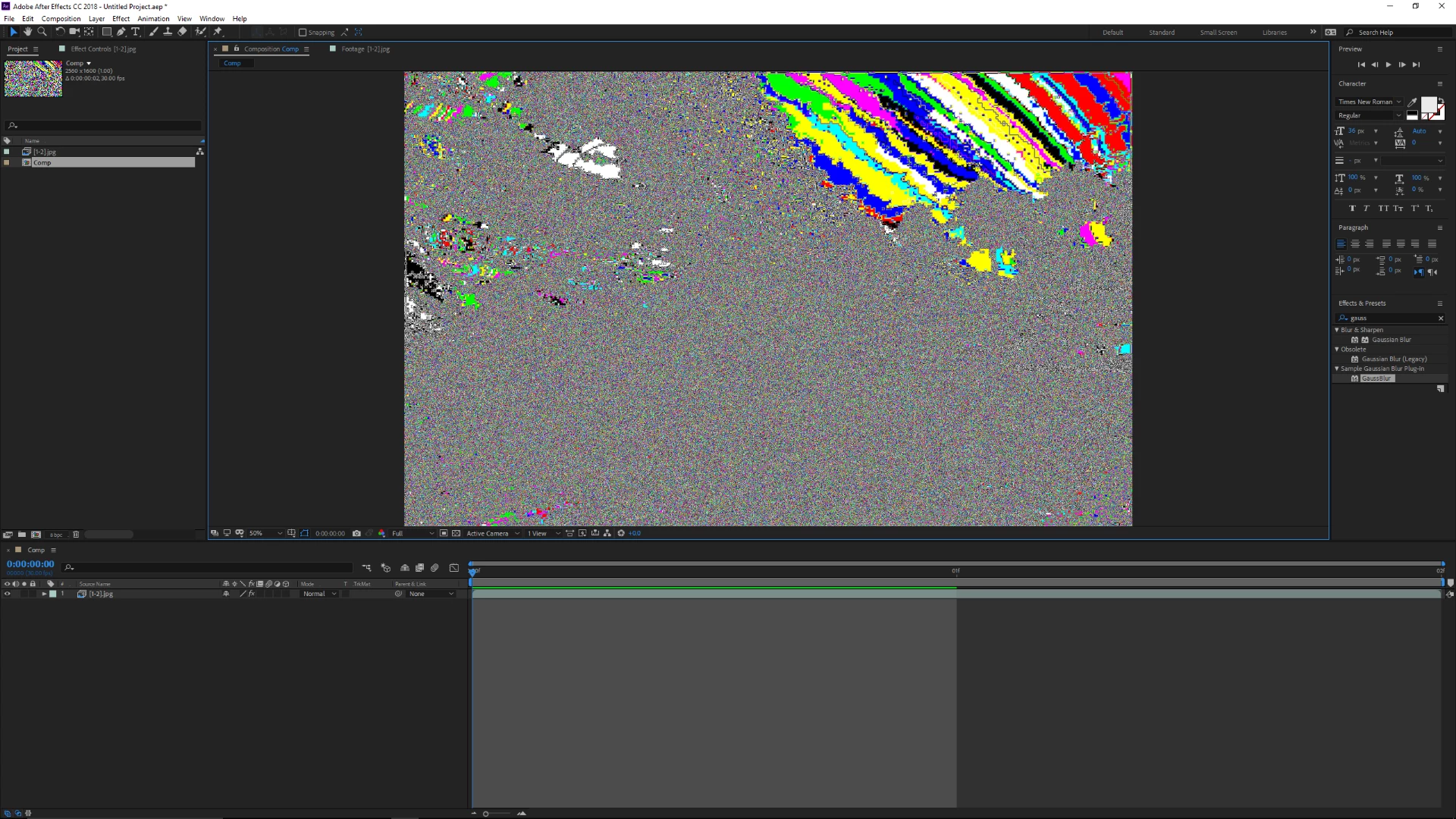
The code in Render:

PF_FpLong convKer[9] = { 0.111f, 0.111f, 0.111f,

                                            0.111f, 0.111f, 0.111f,,

                                            0.111f, 0.111f, 0.111f };

ERR(suites.WorldTransformSuite1()->convolve( in_data->effect_ref,

                                                                             &params[BBOX_BLUR_INPUT]->u.ld,

                                                                             &in_data->extent_hint,

                                                                             PF_KernelFlag_2D | PF_KernelFlag_CLAMP,

                                                                             KERNEL_SIZE,

                                                                             convKer,

                                                                             convKer,

                                                                             convKer,

                                                                             convKer,

                                                                             output));

I have mostly been referring to the Convolutrix sample provided with the SDK, and my code looks (almost) identical to the sample. I can't figure out what exactly I'm doing wrong.

This topic has been closed for replies.

1 reply

gabgren
Inspiring
July 4, 2018

Can't get it to work either.

I also tried creating a kernel with PF_GAUSSIAN_KERNEL, like this guy: AE SDK Convolution : Adobe After Effects

but it gives the same weird results.

Maybe convolve is not made to do blurring but only what it does in the "convultrix" example. I did not find any trace of a comment or example on how to use gaussian_kernel, and convultrix seems to be the only example. Maybe shachar carmi knows an old SDK code that had this as an example?

I ended up doing my blurring with PF_Iterate8Suite1 and a side function that calculates each pixel values to mimic a kernel.. not sexy but surprisingly not slower than the convultrix example.

Participant
July 5, 2018

I got it to work by making the sum of the kernel to equal 256*9. (Example kernel used in Convolutrix uses 255*9 and Paramarama uses 256*9). I just don't know how to change the "radius" of a box blur, but that's a question for another time I guess. I'm not sure why the method expects the sum of the weights to not equal 1, though.

You can find some more description for the gaussian_kernel method in AE_EffectCB.h (line 604), where it says:

gaussian_kernel

     Generate a kernel with a Gaussian distribution of values.

     This looks for kernel flags:

          1D or 2D

          Normalized or Unnormalized

          Use longs-chars-fixeds

     This filter will be the same high and low quality.

     Parameter Notes:

          multiplier:  this value is multiplied by every value generated;

               in general, you should pass 1.0, but this lets you adjust

               the "fuzziness" of the kernel.

          diameter:  actual integral width of generated kernel;  this will

               always currently be (int)ceil(kRadius) * 2 + 1;  you need to

               know this because the "kernel" array must be already allocated

               upon entry to this routine.

          kernel:  kernel is a "diameter" by "diameter" array of values

               allocated by you, of longs, chars, or Fixeds.  It points to

               the kernel upper left corner.

I hope this helps when you need to use this method again in the future. Anyways, after getting the box blur to somewhat work, I tried to make a Gaussian blur, but when using this method to create a kernel with sigma = 1 and kernel size of 3, my GPU ran out of memory.

I'll try out the iterate suite. Thanks for the idea!