
anthohknee
Participant
August 17, 2017
Answered

I can't see any of my transform or effect changes in Layer tab, but can see them in Composition tab

  • August 17, 2017
  • 3 replies
  • 2570 views

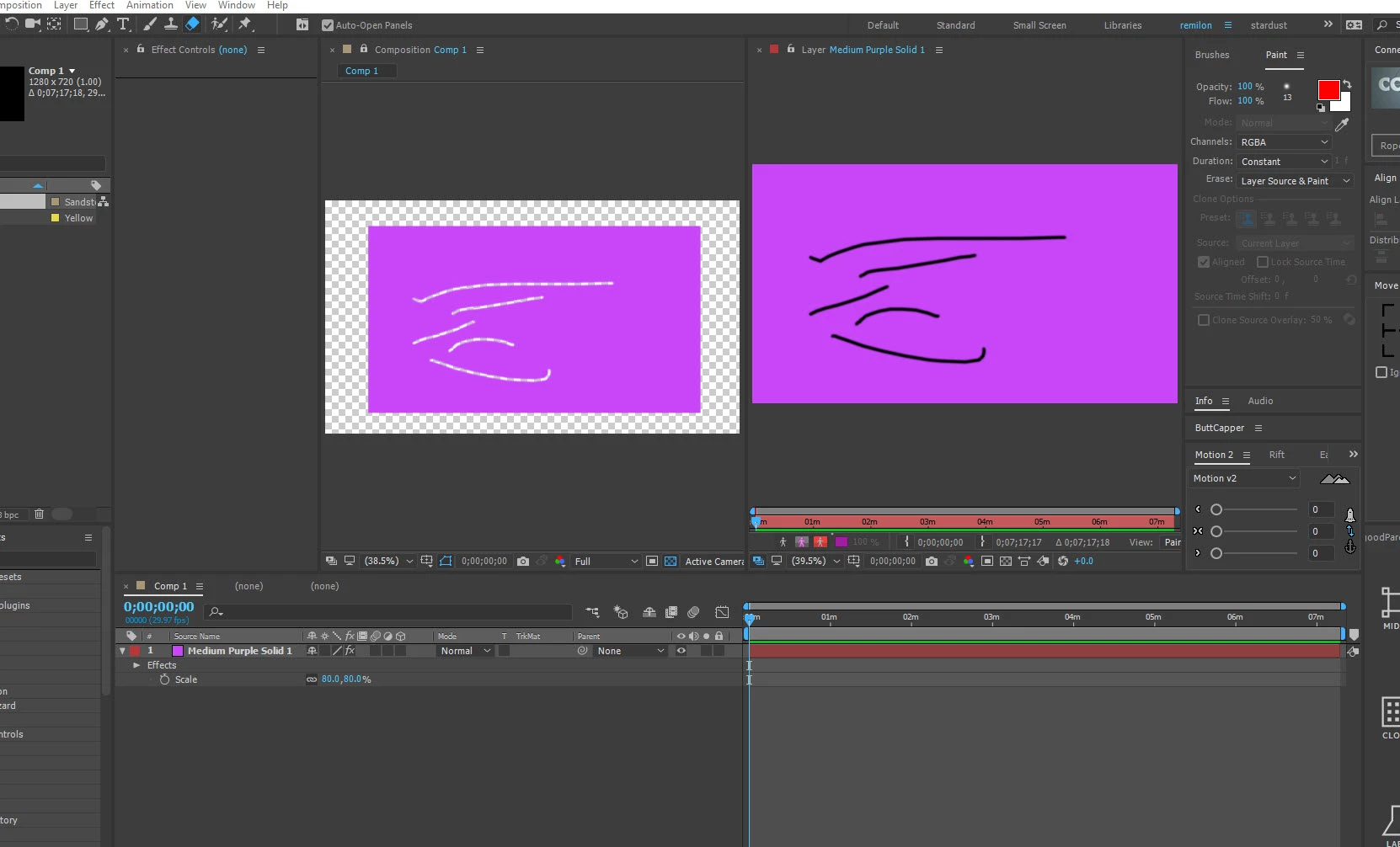
I'm trying to keyframe a clip to zoom-out of a subject's eye and I want to erase the subject's eye to reveal the content in the layer below, but when I try to keyframe the Scale properties of the clip from let's say 100% to 600% it will just stay at 100% in the monitor and won't show any of my changes or keyframes unless I switch it to composition. Same thing with the eraser, I can erase no problem in Layer mode, but it only darkens the clip's content and when I switch to Composition it will show the erasing I did and the layer I'm trying to reveal. I'm testing it with everything and even added a simple Light-Leak effect to the clip in Layer mode and it won't show during playback unless I switch to Composition.

Please help!

Thanks.
This topic has been closed for replies.
Correct answer P.M.B

Put the comp and layer window side by side (so you can see what you're doing)

3 replies

anthohknee
Participant
August 17, 2017

Thanks guys! Got it. I just dragged the composition layer on my second monitor while I erased over the layer on my MacBook.

Community Expert
August 17, 2017

The composition panel reveals what is going on in the timeline of the composition. The layer panel reveals what is in the layer before you do anything to it. The paint tools, and several other tools are used in the Layer Panel and the work you do shows up in the composition panel.

If you are having this much trouble using AE in the most basic ways I suggest you learn how to use the UI and figure out how the program works by starting here: Basic AE.​ It's almost impossible to learn the program by just opening up the program and fiddling with the knobs.

P.M.B
P.M.BCorrect answer
Legend
August 17, 2017

Put the comp and layer window side by side (so you can see what you're doing)

~Gutterfish