
Participant
June 7, 2020
Answered

I can't see the preview in composition once I choose to make an environment layer on properties

  • June 7, 2020
  • 3 replies
  • 2491 views

Hi

When I want to take a jpg picture to use for environment background, I choose "environment layer" in options. At this moment my preview doesn't show anything - I can't explain why, I did all the tutos on YT, need help 🙂


Thank you 
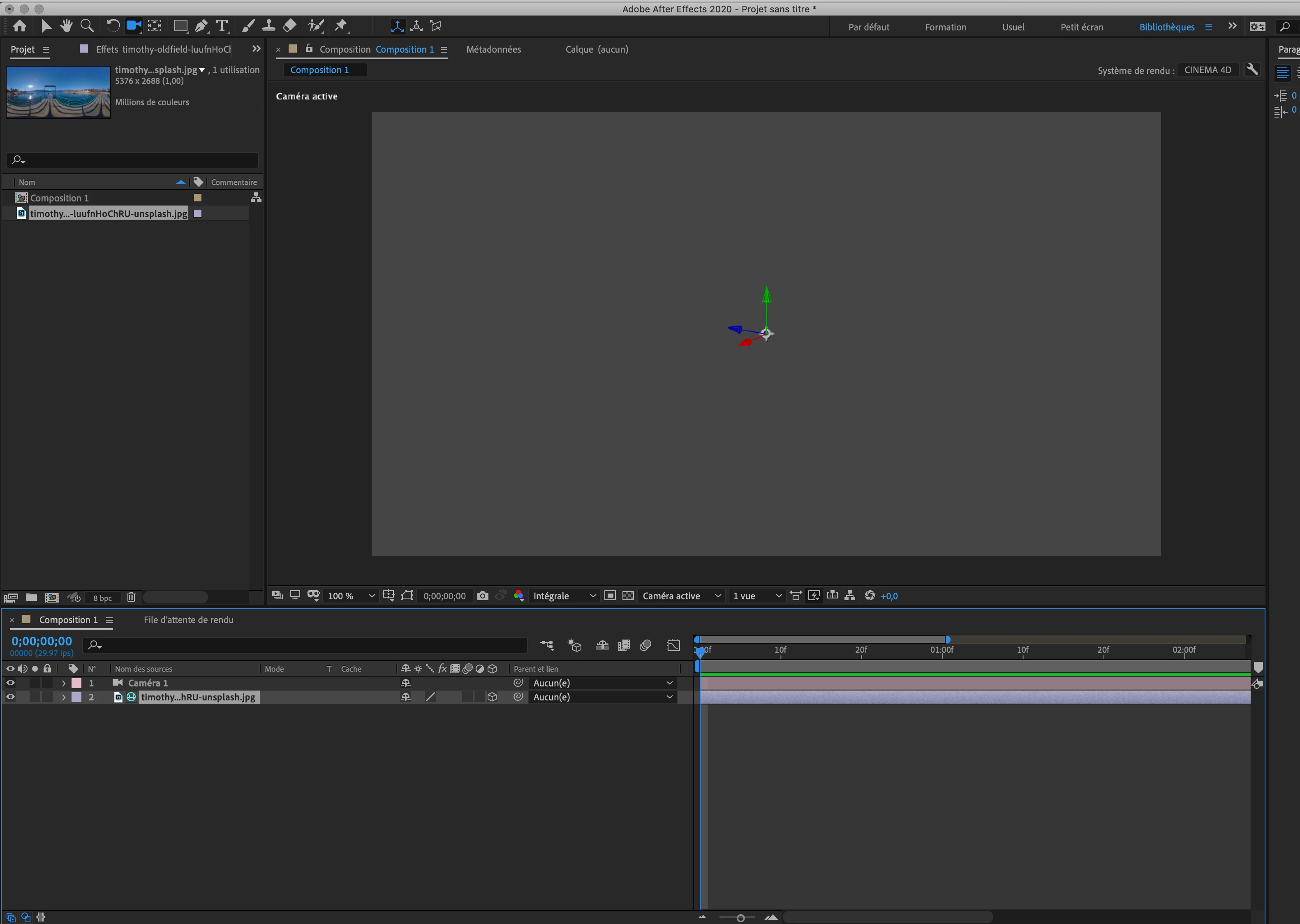
I'm running on version After effects v17.1 - Mac OS 10.15 - Imac 2019-27' 40gb RAM - 8go Vram

This topic has been closed for replies.
Correct answer Rick Gerard

Environment layers don't show up as background layers. You need a layer to reflect the environment. Add another layer to the timeline, make it 3D, press the 'a' key twice to reveal the material options, then start cranking on the reflection Intensity and the other options to see anything.  Environment layers never show up as background layers.

3 replies

Sergey Shrubovich
Participant
January 7, 2021

If they are never displayed, then how did Andrew Kramer do it?
(1 min) https://www.youtube.com/watch?v=IUQt7tDnq9k

Community Expert
January 7, 2021

Andrew is using an entirely different workflow and a plug-in called element 3-D.

Community Expert
January 7, 2021

Thanks for the answer! At 1 minute of the video, Andrew does not use the Element 3D plugin.


Andrew's tutorial is based on CS6 and the Ray-traced rendering option. The C4D rendering option is the only one available in the current versions and it works differently. The environment layer reflects on other 3D layers if you turn up the reflection value. Find the material options by selecting a 3D layer and pressing 'aa'. 


If you happen to have an old version of AE and can use the Ray-traced rendering option then Environment layers will show up as long as all the settings are correct. Environment layers appear in reflections only is clearly stated in the 3D rendering panel of Composition Settings:

Rick GerardCommunity ExpertCorrect answer
Community Expert
June 8, 2020

Environment layers don't show up as background layers. You need a layer to reflect the environment. Add another layer to the timeline, make it 3D, press the 'a' key twice to reveal the material options, then start cranking on the reflection Intensity and the other options to see anything.  Environment layers never show up as background layers.

Participant
June 8, 2020

Thank you ! I supposed it was a tricky and simple missing thing.

You made my day 🙂


Mylenium
Legend
June 8, 2020

Long and short: Those are hardware acceleration issues. Since you're on a Mac, you may be out of luck on that one, but feel free to play around with the various settings.


Mylenium