
garrisonj36838648
Participant
January 25, 2017
Question

I can't use After Effects anymore—Blank dialog box

  • January 25, 2017
  • 4 replies
  • 1972 views

Hey I have a really important issue with the new version of Adobe After Effects. I recently downloaded Adobe AE 2017.1 and cannot use it, I get a dialog box that can't be closed every time I open it. It does not even let the program startup, it says that the weird dialog box is After Effects and It does not show up on my taskbar. I run Windows 10 and I have never had this issue until I installed AE 2017.1, If you could tell me how to fix it or the Adobe AE team could send an AE 2017 installer then that would be great. I cant get the regular 2017 version back because when I reinstall AE it just reinstall's 2017.1, I am honestly freaking out about this and would love some feedback.

Here's a picture of the dialog box I get.
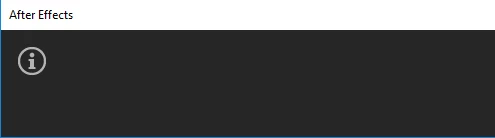
Please help!

Mod note: text added to title for reference

    This topic has been closed for replies.

    4 replies

    Szalam
    Community Expert
    Community Expert
    April 19, 2017

    This bug should be fixed in the update that released today. See Tim's post about it here. The After Effects CC 2017 update to version 14.2 is rolling out worldwide. It may take a day or so to show up for you depending on where you live. You also may need to log out and back in to your CC app or other funky things to get it to show up.

    Please let us know if this works for you.

    Szalam
    Community Expert
    Community Expert
    March 14, 2017

    Also, if you uninstall After Effects CC 2017 then install it, it may give you the 14.0 version and give you the option to update it. That's how it used to work with earlier versions, but I haven't had to try it, so I don't know if that's how it works anymore.

    Kevin J. Monahan Jr.
    Community Manager
    Community Manager
    March 14, 2017

    Hi GarrisonJ,

    Sorry for this frustrating issue. Please file a bug here. We are working on a resolution for this issue now.

    Thanks,
    Kevin

    Kevin Monahan - Sr. Community and Engagement Strategist – Adobe Pro Video and Audio
    Roei Tzoref
    Legend
    January 25, 2017

    this issue has been posted in numerous threads. all appear to be Windows 10.  still no sign of a proper solution - there is some lack of feedback to the responses that are offered. please review this thread and see if there is a fix for you there: Re: After Effects CC 2017 Won't Open! Shows Empty Box!

    Here are other threads with reports of this problem but currently no information or feedback provided by OP:

    Re: After Effects Blank Window

    Blank Window before starting AE

    Re: After Effects CC 2017.1 is not opening

    if the solution offered in the link above does not work, I would suggest seeing if you can update your Display driver through the manufacturer website.

    in any case, please come back with results so we can update the rest.