
Participant
April 30, 2019
Question

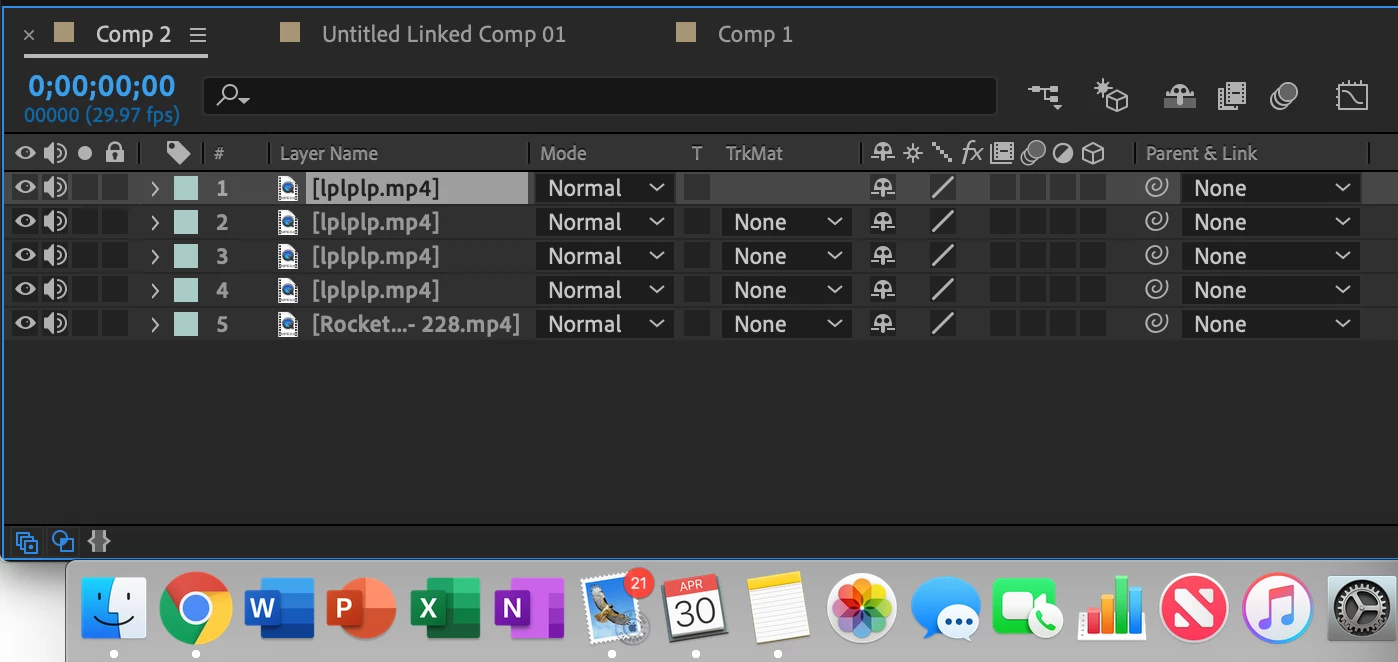
I cannot click on any layers in composition window

  • April 30, 2019
  • 7 replies
  • 10259 views

New to after effects so I'm sure this is a simple mistake but I can't seem to find the answer anywhere...

I'm trying to click on the layers in the composition window however it wont let me, the only way I can select a layer is through ctrl + left click? The only reason why this is such a problem is because I'd like to shift select multiple layers.

Not entirely sure on what I'm doing wrong...

Thanks in advanced.
    7 replies

    Participant
    February 26, 2025

    Solved –  turn on the  'toggle mask and shape path visibility'

    Participant
    May 7, 2019

    Update Solved the issue to 16.1.1

    August 7, 2019

    How did you solve the issue?

    Participating Frequently
    May 4, 2019

    This is a major problem, I have it also. It seems the left/right clicks to be reversed.

    Participating Frequently
    May 4, 2019

    The weird is that the left click is not working but actions are do with right click.

    It might be adobe's 16.1 software bug

    kirkeric
    Inspiring
    May 2, 2019

    This is an interesting problem.  So, you left click normal and it won't select but if you left click and use CTRL as if you want to select several layers and it does?

    Pardon my asking and it's purely a guess but can you check the batteries on any wireless mouse and or keyboard?

    Sometimes those are finicky.


    Eric

    Community Expert
    May 1, 2019

    Delete preferences so Ae returns to its factory settings.

    Byron.
    Participant
    May 2, 2019

    The Problem persists I even deleted the folder in library / preferences / adobe / after effects

    Participant
    May 1, 2019

    I have the same problem, if you find a way out let me know thanks