Participant
April 14, 2018
Answered

I did something wrong and can't reverse it

  • April 14, 2018
  • 2 replies
  • 474 views

I don't really know how to phrase this (I've included a picture) and I feel inherently stupid having to "ask" this in the first place, but since I can't articulate it I haven't been able to find a solution (?).

I did something while editing and now I can't reverse it.

The bit at the bottom of after effects where you edit the length of clips and add transitions etc. isn't there any more and I'm not sure how to get it back.
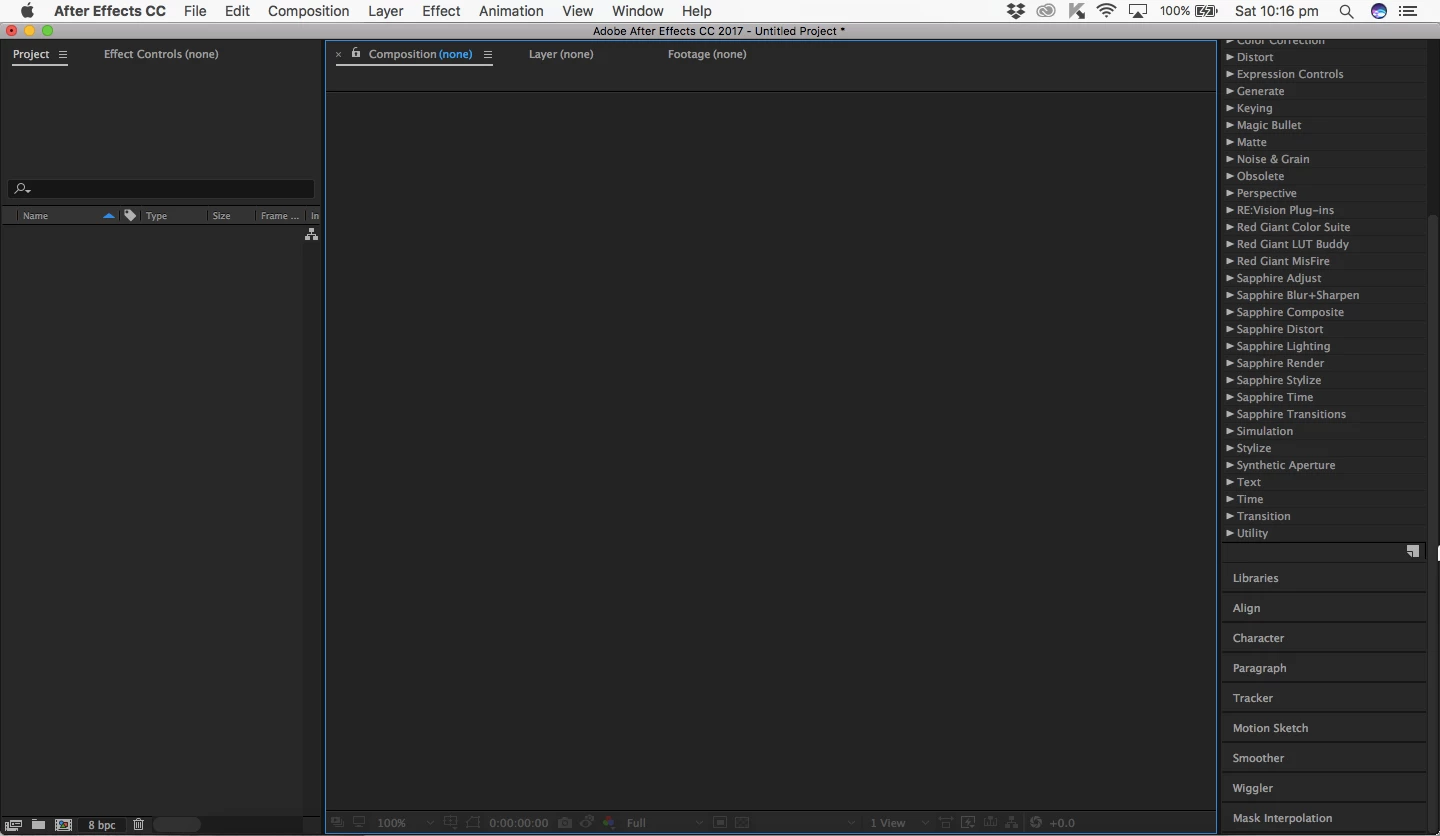
[Title edited for question clarity and future forum search... Mod]

[Here is the list of all Adobe forums... https://forums.adobe.com/welcome]

[Comments is to ask about the operation of the Forum, not a specific program]

[Moved from the Comments forum to the specific Program forum... Mod]

    This topic has been closed for replies.
    Correct answer RobShultz

    I’d go to the top pf the interface and click on Window/Workspace/rest to saved layout. Also, if that doesn’t work go in to the project panel on the left side of the interface. Look  for the comp icon (whire with colored shapes) and double click on the comp icon to re-open the comp.

    Hope that this helps.

    2 replies

    RobShultzCommunity ExpertCorrect answer
    Community Expert
    April 14, 2018

    I’d go to the top pf the interface and click on Window/Workspace/rest to saved layout. Also, if that doesn’t work go in to the project panel on the left side of the interface. Look  for the comp icon (whire with colored shapes) and double click on the comp icon to re-open the comp.

    Hope that this helps.

    italosan
    Community Expert
    Community Expert
    April 14, 2018

    First things first, try to give a better title to forum threads, so you could help users to understand the topic.

    However, have you tried restarting the workspace via the dedicated menu? Maybe change the workspace layout.