


Participating Frequently
October 26, 2023
Answered

I DO REALLY NEED HELP WITH THIS SCRIPT! 🙏

  • October 26, 2023
  • 4 replies
  • 477 views


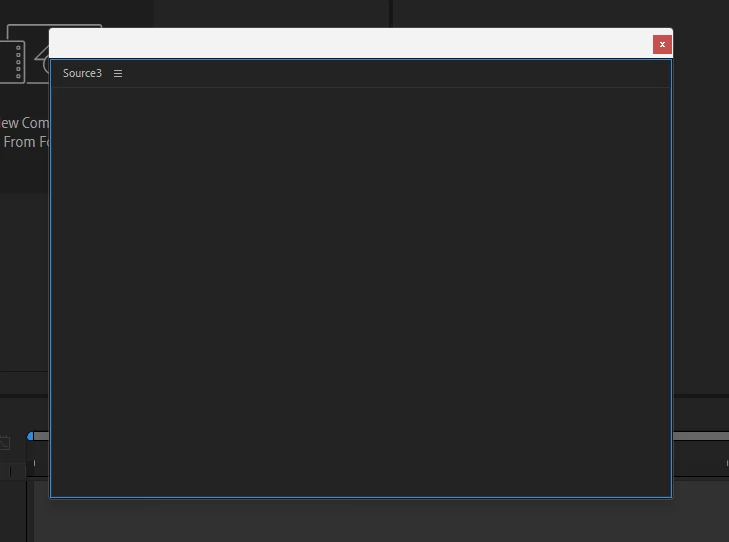
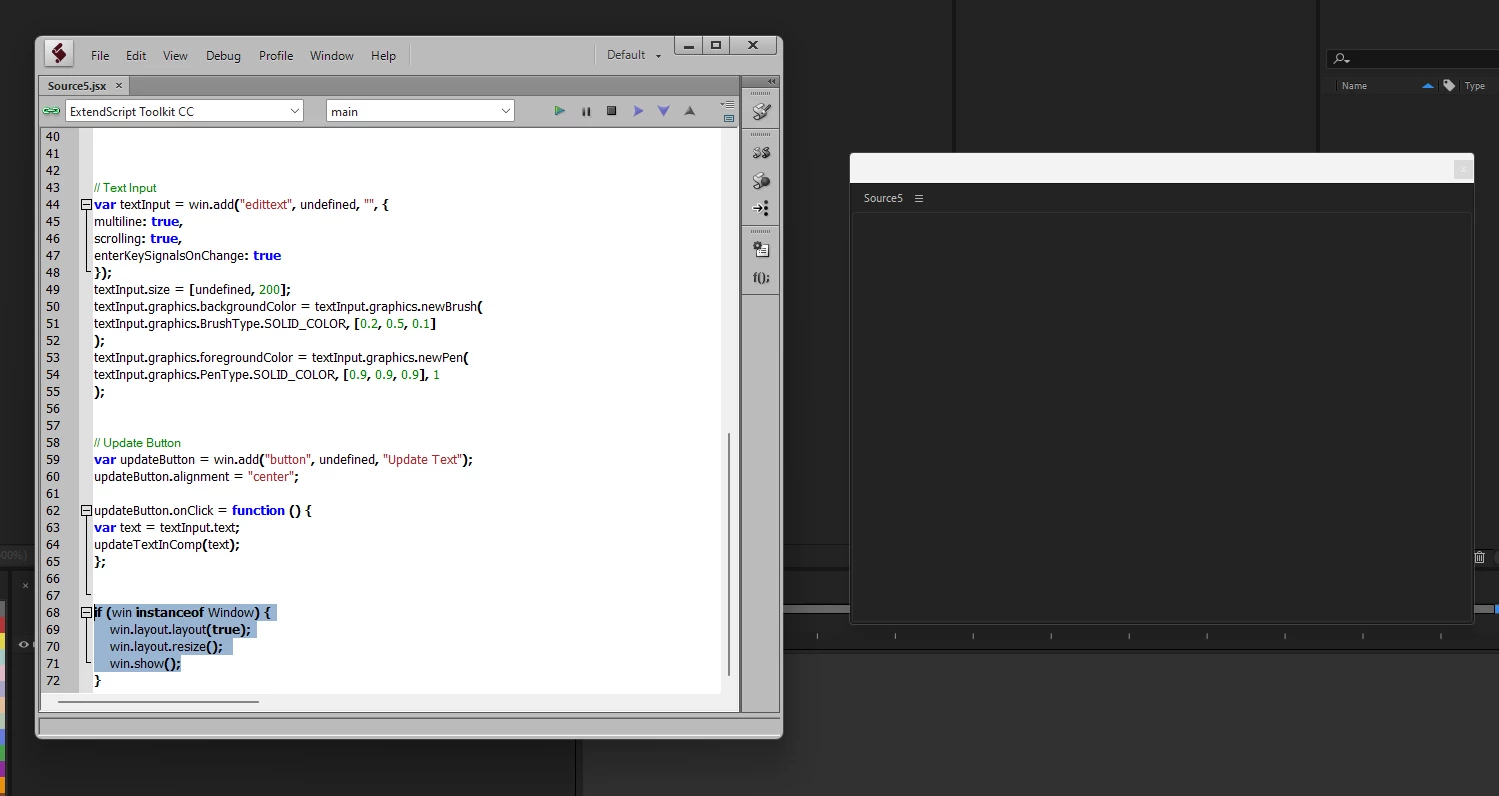
Hello, I have been trying to figure out how to fix this script because I want it to be dockable, but it only shows a blank window without the layout. I need help. Mathias has been helping me, but I honestly don't know what I am doing wrong. I am very confused. If someone could re-do it for me or help me find the mistake, I would really appreciate it ❤️

// Function to add or update text in the composition
function updateTextInComp(text) {
var comp = app.project.activeItem;

if (comp && comp instanceof CompItem) {
// Check if a text layer already exists
var textLayer = null;
for (var i = 1; i <= comp.layers.length; i++) {
if (comp.layers[i] instanceof TextLayer) {
textLayer = comp.layers[i];
break;
}
}

if (textLayer) {
textLayer.property("Source Text").setValue(text);
} else {
textLayer = comp.layers.addText(text);
textLayer.property("Position").setValue([comp.width / 2, comp.height / 2]);
textLayer.startTime = comp.time;
}
} else {
alert("Please select or create a composition first.");
}
}


// Create UI panel
var win = (this instanceof Panel) ? this : new Window("palette", "Text Editor");
win.size = [400, 300];
win.alignChildren = ["fill", "fill"];


// Title
var title = win.add("statictext", undefined, "Text Editor");
title.alignment = "center";
title.graphics.font = ScriptUI.newFont("Verdana", "BOLD", 16);


// Text Input
var textInput = win.add("edittext", undefined, "", {
multiline: true,
scrolling: true,
enterKeySignalsOnChange: true
});
textInput.size = [undefined, 200];
textInput.graphics.backgroundColor = textInput.graphics.newBrush(
textInput.graphics.BrushType.SOLID_COLOR, [0.2, 0.5, 0.1]
);
textInput.graphics.foregroundColor = textInput.graphics.newPen(
textInput.graphics.PenType.SOLID_COLOR, [0.9, 0.9, 0.9], 1
);

 
// Update Button
var updateButton = win.add("button", undefined, "Update Text");
updateButton.alignment = "center";

updateButton.onClick = function () {
var text = textInput.text;
updateTextInComp(text);
};


if (win instanceof Window) {
    win.layout.layout(true);
    win.layout.resize(); 
    win.show();
}


This topic has been closed for replies.
Correct answer Paul Tuersley

For scripts launched from the Window menu rather than File > Run Scripts,  After Effects hands the script a panel and you have to feed 'this' into your script and add the UI to it.

I've lifted this dual palette/panel UI framework straight from my own pt_TextEdit script. You might want to save yourself an awful lot of work and just get that instead!

https://aescripts.com/pt_textedit/


// Function to add or update text in the composition
function textEditor(thisObj) {

	function updateTextInComp(text) {
		var comp = app.project.activeItem;
		
		if (comp && comp instanceof CompItem) {
		// Check if a text layer already exists
			var textLayer = null;
			for (var i = 1; i <= comp.layers.length; i++) {
				if (comp.layers[i] instanceof TextLayer) {
					textLayer = comp.layers[i];
					break;
				}
			}
			
			if (textLayer) {
				textLayer.property("Source Text").setValue(text);
			} else {
				textLayer = comp.layers.addText(text);
				textLayer.property("Position").setValue([comp.width / 2, comp.height / 2]);
				textLayer.startTime = comp.time;
			}
		} else {
			alert("Please select or create a composition first.");
		}
	}
			
	function textEditor_buildUI(thisObj) {

		var win = (thisObj instanceof Panel) ? thisObj : new Window("palette", "Text Editor", undefined, {resizeable:true});
		win.alignChildren = ["fill", "fill"];

		// Title
		var title = win.add("statictext", undefined, "Text Editor");
		title.alignment = "center";
		title.graphics.font = ScriptUI.newFont("Verdana", "BOLD", 16);
		
		// Text Input
		var textInput = win.add("edittext", undefined, "", {
			multiline: true,
			scrolling: true,
			enterKeySignalsOnChange: true
		});
		textInput.size = [undefined, 200];
		textInput.graphics.backgroundColor = textInput.graphics.newBrush(
			textInput.graphics.BrushType.SOLID_COLOR, [0.2, 0.5, 0.1]
		);
		textInput.graphics.foregroundColor = textInput.graphics.newPen(
			textInput.graphics.PenType.SOLID_COLOR, [0.9, 0.9, 0.9], 1
		);
		
		// Update Button
		var updateButton = win.add("button", undefined, "Update Text");
		updateButton.alignment = ["center","bottom"];
		
		updateButton.onClick = function () {
			var text = textInput.text;
			updateTextInComp(text);
		};

		win.onResizing = win.onResize = function () {
    		this.layout.resize();
 		};

		return win;
	}

	textEditorPal = textEditor_buildUI(thisObj);
	if (textEditorPal != null) {

		if (textEditorPal instanceof Window) {
			textEditorPal.center();
			textEditorPal.show();


		} else {
			textEditorPal.layout.layout(true);
		}
	}
}

textEditor(this);


4 replies

Paul TuersleyCorrect answer
Inspiring
October 27, 2023

For scripts launched from the Window menu rather than File > Run Scripts,  After Effects hands the script a panel and you have to feed 'this' into your script and add the UI to it.

I've lifted this dual palette/panel UI framework straight from my own pt_TextEdit script. You might want to save yourself an awful lot of work and just get that instead!

https://aescripts.com/pt_textedit/


// Function to add or update text in the composition
function textEditor(thisObj) {

	function updateTextInComp(text) {
		var comp = app.project.activeItem;
		
		if (comp && comp instanceof CompItem) {
		// Check if a text layer already exists
			var textLayer = null;
			for (var i = 1; i <= comp.layers.length; i++) {
				if (comp.layers[i] instanceof TextLayer) {
					textLayer = comp.layers[i];
					break;
				}
			}
			
			if (textLayer) {
				textLayer.property("Source Text").setValue(text);
			} else {
				textLayer = comp.layers.addText(text);
				textLayer.property("Position").setValue([comp.width / 2, comp.height / 2]);
				textLayer.startTime = comp.time;
			}
		} else {
			alert("Please select or create a composition first.");
		}
	}
			
	function textEditor_buildUI(thisObj) {

		var win = (thisObj instanceof Panel) ? thisObj : new Window("palette", "Text Editor", undefined, {resizeable:true});
		win.alignChildren = ["fill", "fill"];

		// Title
		var title = win.add("statictext", undefined, "Text Editor");
		title.alignment = "center";
		title.graphics.font = ScriptUI.newFont("Verdana", "BOLD", 16);
		
		// Text Input
		var textInput = win.add("edittext", undefined, "", {
			multiline: true,
			scrolling: true,
			enterKeySignalsOnChange: true
		});
		textInput.size = [undefined, 200];
		textInput.graphics.backgroundColor = textInput.graphics.newBrush(
			textInput.graphics.BrushType.SOLID_COLOR, [0.2, 0.5, 0.1]
		);
		textInput.graphics.foregroundColor = textInput.graphics.newPen(
			textInput.graphics.PenType.SOLID_COLOR, [0.9, 0.9, 0.9], 1
		);
		
		// Update Button
		var updateButton = win.add("button", undefined, "Update Text");
		updateButton.alignment = ["center","bottom"];
		
		updateButton.onClick = function () {
			var text = textInput.text;
			updateTextInComp(text);
		};

		win.onResizing = win.onResize = function () {
    		this.layout.resize();
 		};

		return win;
	}

	textEditorPal = textEditor_buildUI(thisObj);
	if (textEditorPal != null) {

		if (textEditorPal instanceof Window) {
			textEditorPal.center();
			textEditorPal.show();


		} else {
			textEditorPal.layout.layout(true);
		}
	}
}

textEditor(this);


Leo BledoAuthor
Participating Frequently
October 27, 2023

Thank you very much Paul, it did work! 

ToolfarmJP
Community Expert
Community Expert
October 27, 2023

ChatGPT or Google Bard may help you to debug the scripts. Have you tried to use them?