Known Participant
April 11, 2018
Question

I don't have the slightest idea what is going on, help me!

  • April 11, 2018
  • 5 replies
  • 1425 views

I have a project due on Sunday for a motion graphics class. We need to use a JPG file in the project. I imported it into After Effects, and every time, this is what I end up with (see the screen shots, as I can not BEGIN to describe what the heck is going on here!)
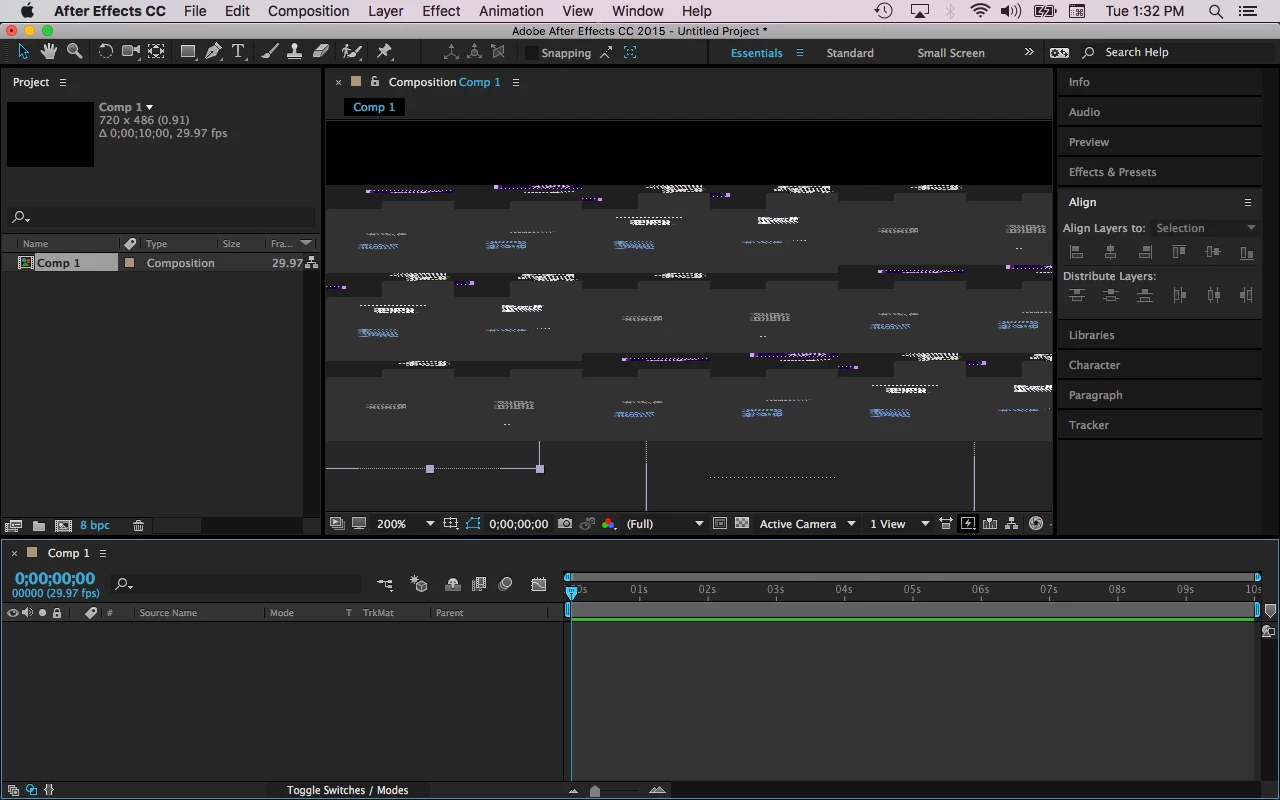
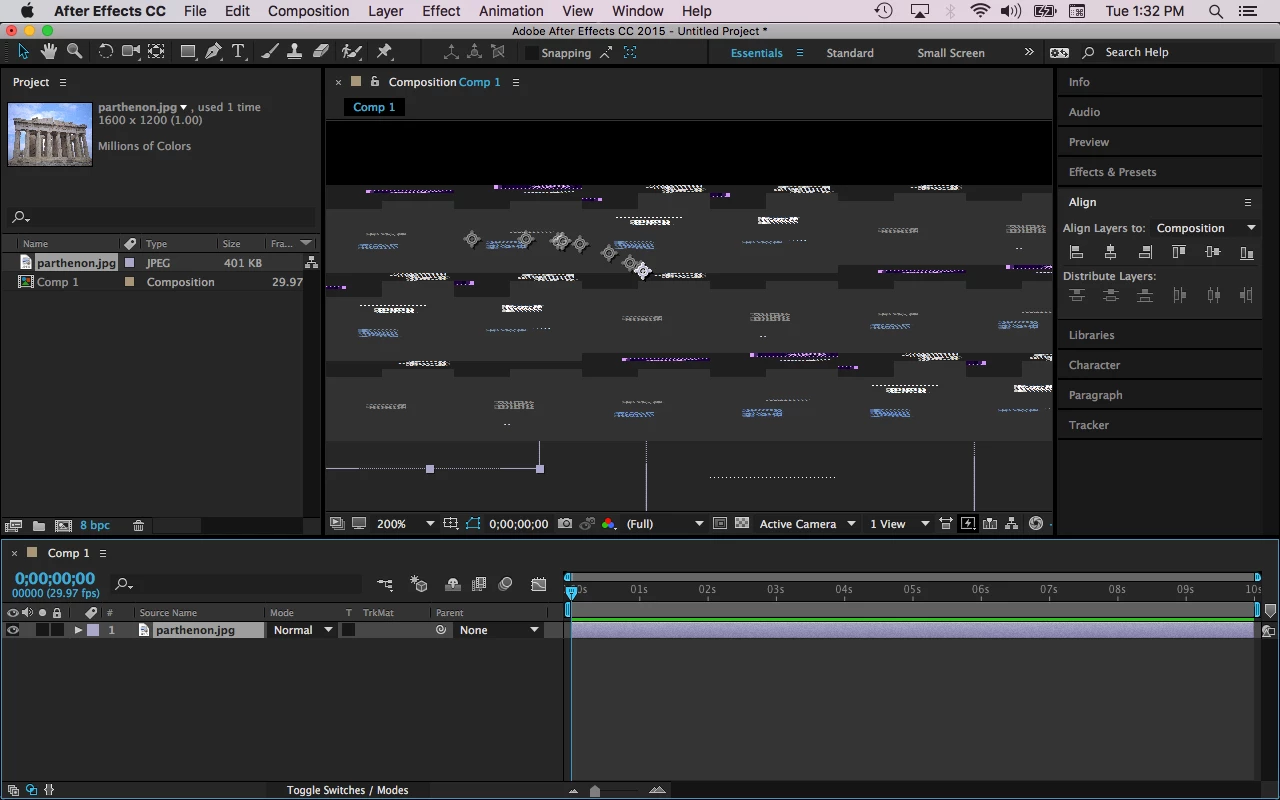
I'm using AE CC 2015, 2015.2 release, Version 13.7.2.3

My computer is a MacBook Pro, macOS High Sierra Version 10.3.4

And I updated my computer last Sunday

I have not used this program before, so I don't know what I'm doing wrong. My professor already suggested to reset the preferences, which I've already done, and that didn't help at all.

    This topic has been closed for replies.

    5 replies

    P.M.B
    Legend
    April 11, 2018

    Lots of issues with new version seem to be unique to MacOS High Sierra..

    Adobe is asking people with this OS experiencing problems, in addition to whatever else they are trying, to refer to this page

    macOS High Sierra (10.13) compatibility FAQ | Creative Cloud

    ~Gutterfish
    Known Participant
    April 11, 2018

    If this is the case, then I am royally screwed. I need to fix this issue by Sunday.

    Dave_LaRonde
    Inspiring
    April 11, 2018

    Backsave the project.  Do a Save As>CC 14.  Then download AE CC 2017, aka version 14.  Open the backsaved project file in it.  You ought to be in better shape.

    Known Participant
    April 11, 2018

    This is very similar to what I have experienced today but the problem is due to the fact that PP and AE are now unstable with PNG's.

    A workaround for now is to replace my PNG's with PSD's.

    I don't appear to have issues with JPG's but the PNG issue is so random it wouldn't surprise me if the same thing started happening with JPG's also.

    At first I thought it was my GPU but I tested it on two machines (both NVIDIA / High Sierra) with different GPU's and the problem is identical.

    Participant
    April 11, 2018

    Are you able to save and use the image in another format, i.e. TIFF or PSD?

    Known Participant
    April 11, 2018

    Nope. I still get the same thing.

    Jose Panadero
    Community Expert
    Community Expert
    April 11, 2018

    You can do a couple of things:

    1.- Have you tried to change the format of your JPG image?

    2.- You can try to purge the AE cache under Edit > Purge > All Memory and Disk Cache.

    3.- Enter into the Energy Saver pane into macOS High Sierra Preferences and change your graphics to Automatic Graphics Switching. This way you force your system and After Effects not to use the integrated Intel HD graphics and use the Nvidia one.

    Known Participant
    April 11, 2018

    I don't think it has anything to do with the photo, because PSD and TIF won't work, either. Also, when I try to use the brush tool on a new composition, this is what I end up with:

    Known Participant
    April 11, 2018

    Do you have the option to switch from CUDA to openCL in your project settings or vice versa?

    Known Participant
    April 11, 2018

    I have a desktop with a GeForce GTX 680 graphics card (a known problematic card).

    I get visual problems similar to this when the card runs out of memory (presumably). My solution is to try to reduce memory requirements on it by closing other apps, and only having necessary AE windows and tabs open. 

    I don't know for sure that it's a memory issue, but that seems to help.

    Known Participant
    April 11, 2018

    According to my system overview, my graphics information reads as: Intel HD Graphics 4000 1536 MB. And I only have AE open when I was working on it. Thanks anyway, though.