
I have a question about the Brush Tool
I want to paint a simple white stroke as the top most layer.
That way, it doesn't matter the layers bellow. It could be a shape layer, a text, some footage. Anything would be coverd by that white paint stroke.
I've found a way:
I create a Solid Layer and place it as top layer. Then I double click on it to open its layer panel, select the Brush Tool and stroke away. Finally I just click the "Paint on trasparent" check box and voilá. That white stroke is over everything else.
Only problem is: I can't be accurate. I'm not painting directly on the screen. I'm painting on a separate panel that doesn't show all the content bellow (all the layers bellow). So there is a especificaly spot I need to paint over but is hard to get there.
I have to paint over there to see the results over here. There is got to be a smarter way of doing it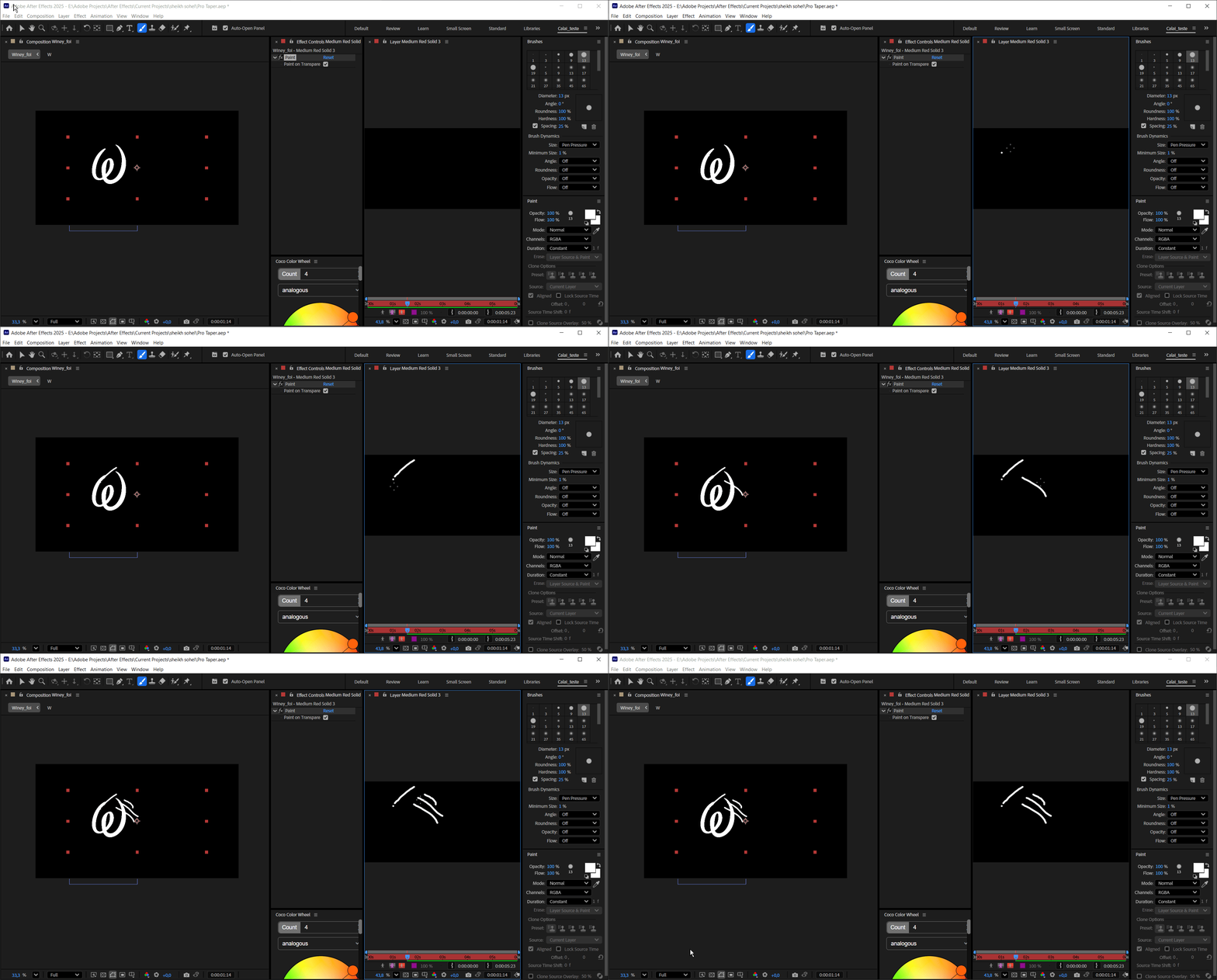
It's hard to be accurate when you're blind. I need to paint specifics spots of that of that W letter.


 AdChoices