
Participant
April 16, 2026
Question

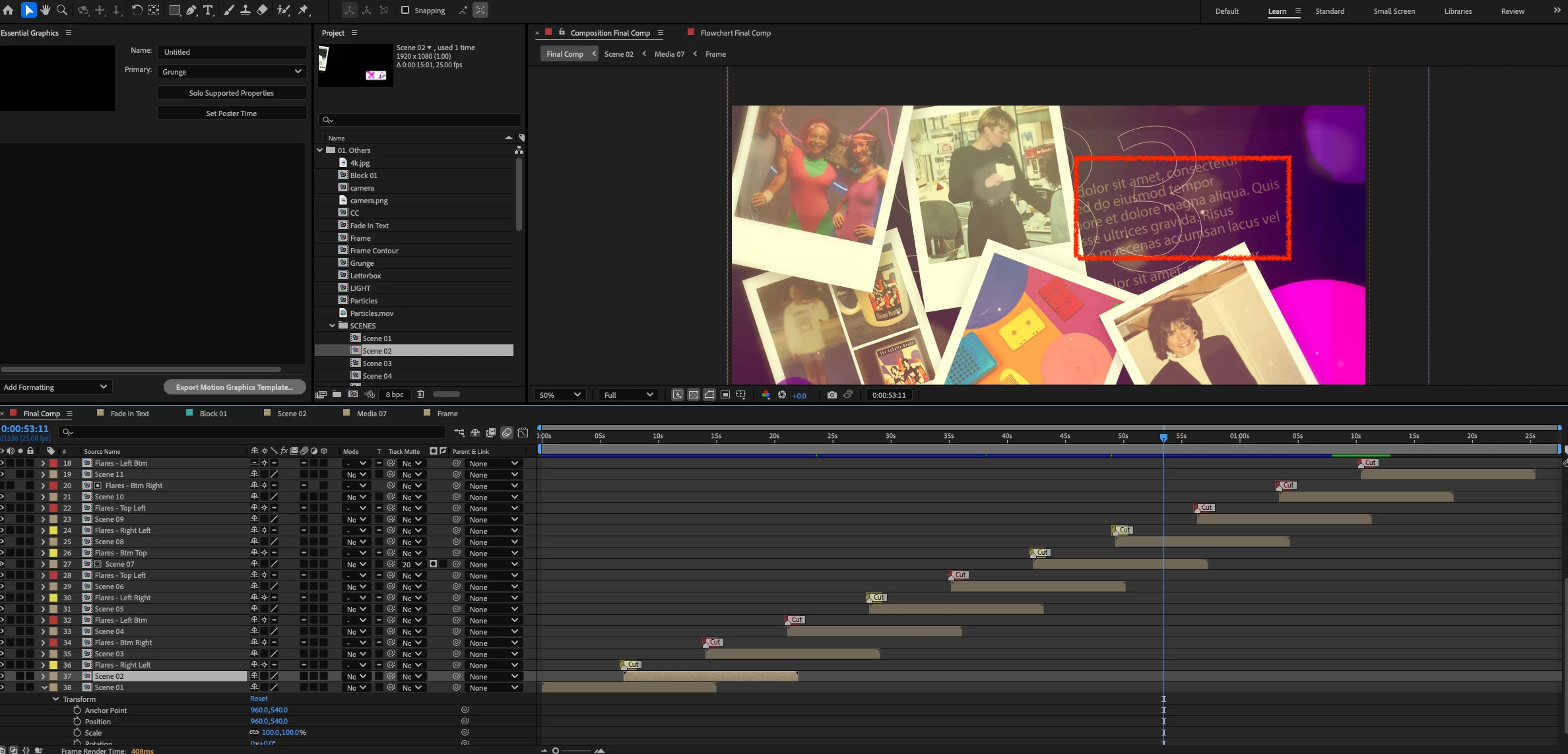
I have the TranSMaxX Nostalgic Polaroid Photo Slideshow with Cinematic Flares template from Videohive. There is lorem ipsum background text that I cannot find or delete. Has anyone used this template and knows where that layer is hidden?"

  • April 16, 2026
  • 4 replies
  • 20 views

I have the TranSMaxX Nostalgic Polaroid Photo Slideshow with Cinematic Flares template from Videohive. There is lorem ipsum background text that I cannot find or delete. Has anyone used this template and knows where that layer is hidden?"  I’m a long time AE user and I’ve never had such a hard time finding a layer!  Thanks!
 

    4 replies

    Participant
    April 18, 2026

    Thanks for the suggestions - I’m still stuck. So weird. I have torn this template apart and I still can’t find that crazy background text.  AfterEffects, you have beaten me!

    Nishu Kushwaha
    Community Manager
    Community Manager
    April 16, 2026

    Don't forget to disable the Shy button and check. This feature is very commonly used in templates.

    Hope it helps.


    Thanks,

    Nishu

    Participant
    April 16, 2026

    Thanks so much  - I have tried that, but it’s really buried in there.  Still haven’t found it.  Thanks again.

    ShiveringCactus
    Community Expert
    Community Expert
    April 16, 2026

    I’m invested now.  
     

    Some thoughts!

    1. It doesn’t disappear at all?
    2. You’ve not got hide layers turned on.  So it’s either part of an image or an expression.
    3. Not disappearing suggests an expression, but it is at an angle.
    4. Can you try exporting it as a PSD and using Photoshop’s select active layer option?  Not sure if that would work.
    5. In File Explorer, can you look through all the assets and see if you can spot it.
    6. If it’s not visibly itself, could it be a matte for another layer?
    ShiveringCactus
    Community Expert
    Community Expert
    April 16, 2026

    Just found the preview video.  Is there any chance it is burned into the background video?

    ShiveringCactus
    Community Expert
    Community Expert
    April 16, 2026

    This is my big problem with templates.  The creators go to great lengths to obscure how they do things.


    Best I can suggest is solo-ing each layer in turn, until you identify the nested comp.  Then open that and do the same again.  My guess is it will be 5 precomps deep.