

christineavatar
Legend
October 21, 2019
Question

I keep getting a warning to get rid of FXconsole.plugin - I can't find it.

  • October 21, 2019
  • 2 replies
  • 7644 views

It just began today. I haven't opened AE in a couple of days but I had no problem with it until today. When the program is opening up it comes up with a warning the product 'vcproducts.s3.amazonaws.com' should be thrown away, so, I push the option to throw it out.
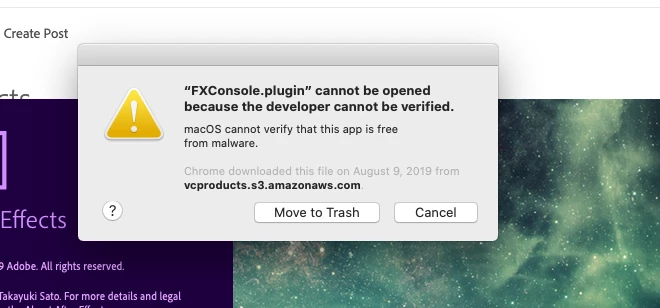
Then this sign comes on:
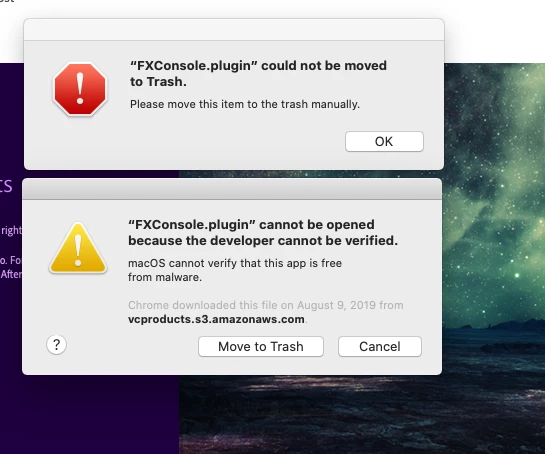
They are followed by:
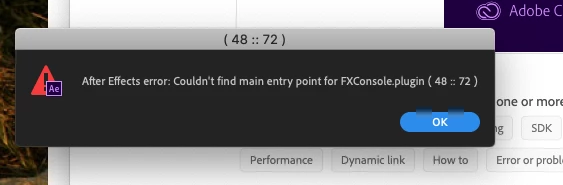
I have looked on the program and tried to find the FXConsole.plugin but there is none to be found. Help!

    2 replies

    Martin_Ritter
    Legend
    October 21, 2019

    It should be located in the plugins folder. However, you better re-install FXConsole and de-install it the proper way.


    https://www.videocopilot.net/blog/2018/05/fx-console-updated-to-v1-0-3/


    *Martin

    Community Expert
    October 21, 2019

    FX console is a free plug-in from Video Copilot. I'm having no problems with it. Usually the FXConsole.plugin is in the Plug-ins folder in the AE Program file directory. You'll also have a FX Console.jsx file in the Scripts/Script UI panel.


    Are you running OSX 10.15? It is not yet approved for Adobe most Adobe apps.