
Answered
I-Mark distraction
You can see there are "I" marks along the play head. It is a distraction when there is a keyframes, I do not know what is the purpose of this "I" marks. Is there any way to switch off this?
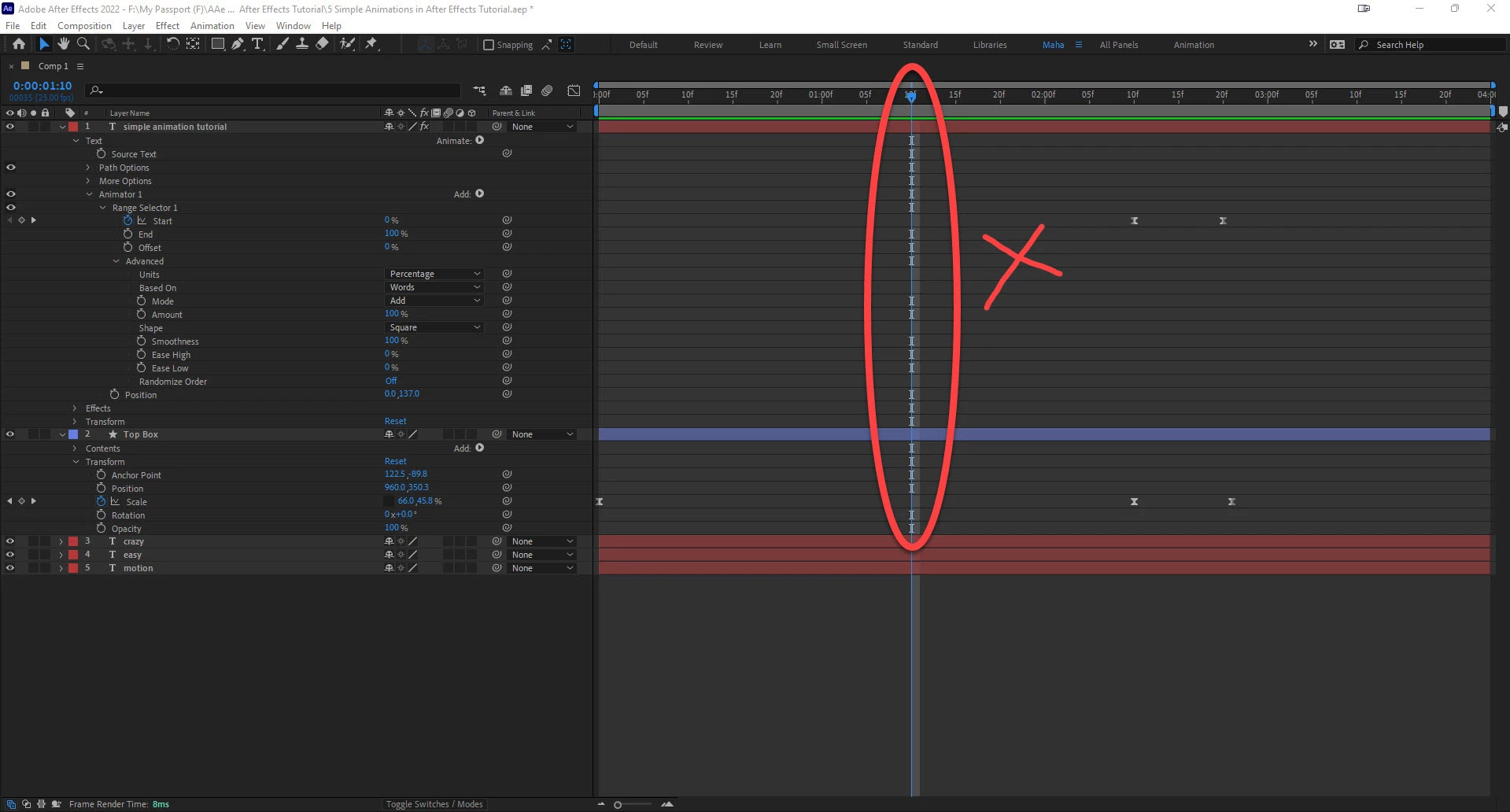

You can see there are "I" marks along the play head. It is a distraction when there is a keyframes, I do not know what is the purpose of this "I" marks. Is there any way to switch off this?
The I-beam icons make it easier for me to quickly navigate complex layers in the timeline. The icons indicate a property exists in that row or a row under the twirly (>), which can be keyframed. If there is no I-beam, you cannot animate that property.
Layer components such as Rectangles in shape layers will show the icon when collapsed because there are things under that row that can be animated. If you expand the Stroke property in a shape layer, you will find Composite, Line Cap, and Line Join. They all have no I-beam indicator. You can change them, but you cannot set keyframes.
Already have an account? Login
No account yet? Create an account
Enter your E-mail address. We'll send you an e-mail with instructions to reset your password.


 AdChoices