Inspiring
February 22, 2023
Answered

I need help with Shatter effect Animation

  • February 22, 2023
  • 3 replies
  • 2549 views

Hi forum,


I cant figure out, what settings I need to make  my animation longer with the shatter effect.

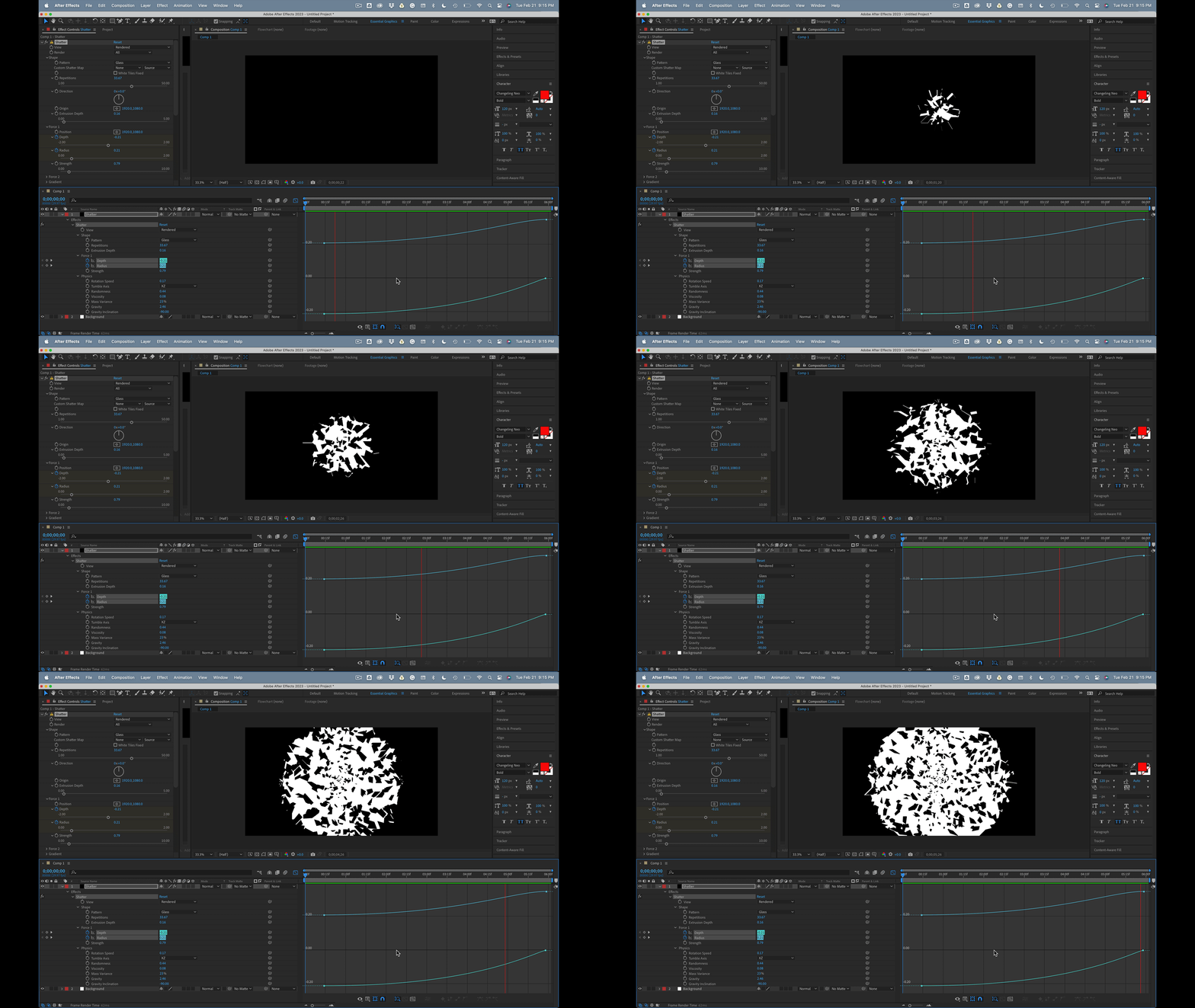
I'm trying to make the animation starting from the centre of the canvas and the cracks to gradually build up outwards. I can only get it happening up to 10 frames. I need at least 150 frames. Anyone can share their settings how to achieve this? 


Thank you.


This topic has been closed for replies.
Correct answer Rick Gerard

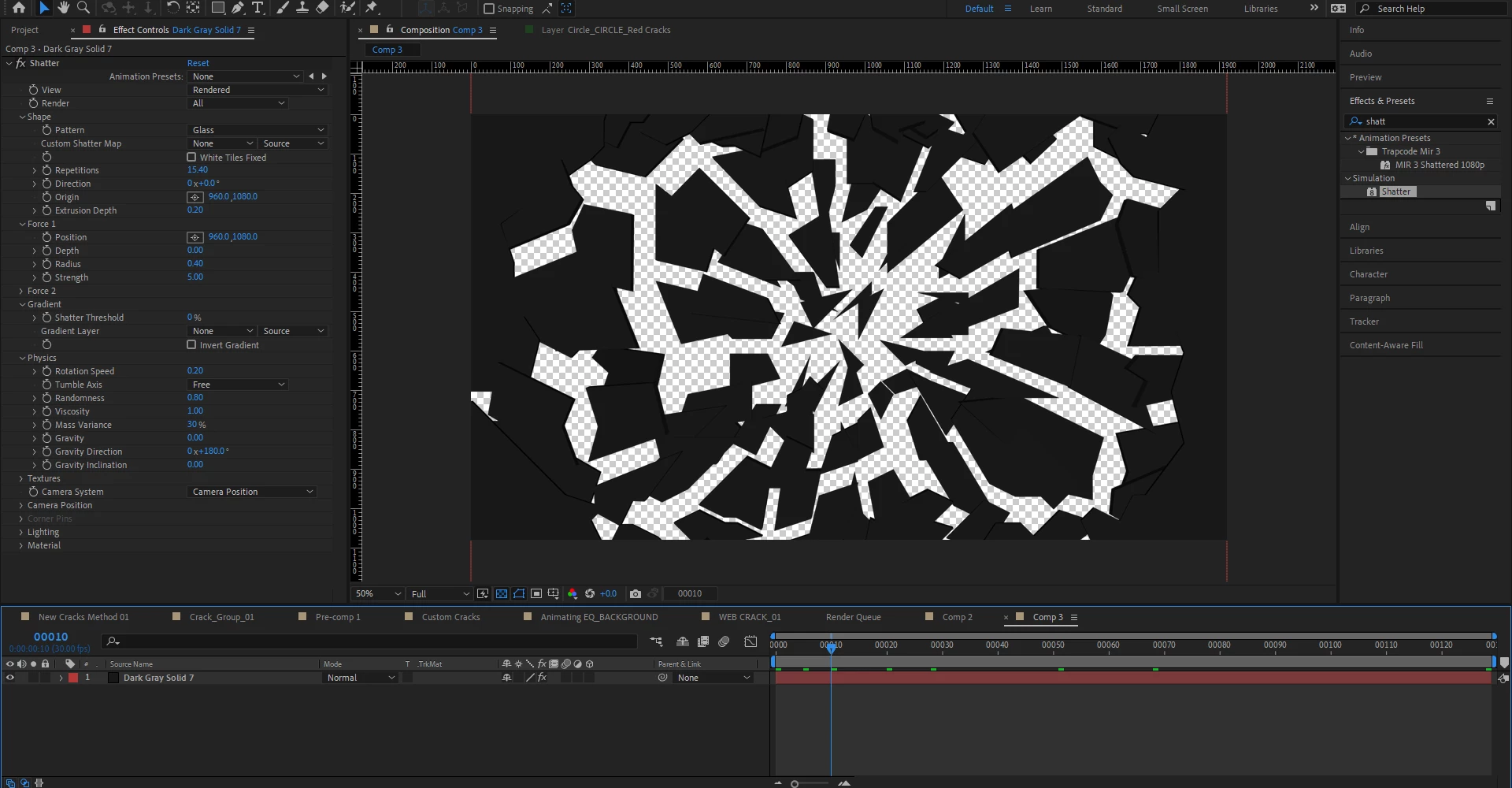
You can adjust viscosity, force strength, gravity, and a bunch of other properties to slow things down. You can even use gradients to control when various layer parts shatter. All of the values are fairly easy to understand. 


Your cropped screenshot does not tell us anything about your settings, but it looks Like you probably have not done much but set the shape to mirror and let everything run. Here are all the modified properties for this kind of shatter effect.


3 replies

Rick GerardCommunity ExpertCorrect answer
Community Expert
February 22, 2023

You can adjust viscosity, force strength, gravity, and a bunch of other properties to slow things down. You can even use gradients to control when various layer parts shatter. All of the values are fairly easy to understand. 


Your cropped screenshot does not tell us anything about your settings, but it looks Like you probably have not done much but set the shape to mirror and let everything run. Here are all the modified properties for this kind of shatter effect.


Inspiring
February 22, 2023

Life saver!


Kind regards.

OussK
Community Expert
Community Expert
February 22, 2023

One option is to precompose your composition and then apply time remapping on your precomp

 
Inspiring
February 22, 2023

I was recommended to time remap, but the animation is like ultra slow motion.  so I need 128 frames for this animation, and the statter effect stops at 20 frames. So the animation already doesnt have enough frames to time remap it. And when I tried it, it looks like every 10 frames I can see a crack appearing. 

Or is there a another FX in AE which can emulate like a crack appearing on a surface? 


Thank you.

Community Expert
February 22, 2023

You may want to try precomposing the effect and then go to the double brackets in the lower left corner of the timeline and try dragging the stretch numbers to slow down the animation.