
Answered
I receive a warning message when trying to create an essential graphic
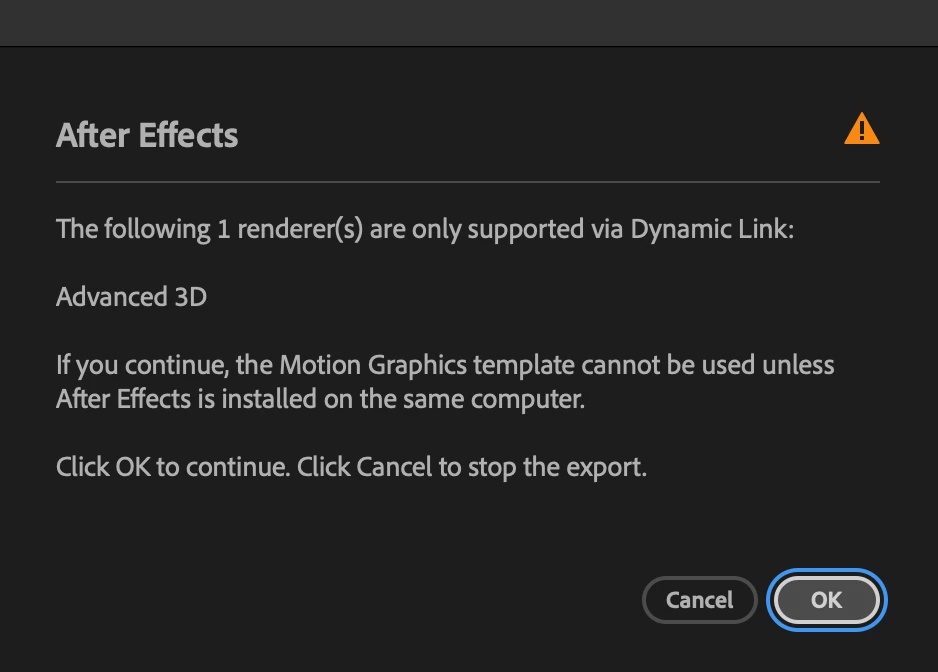
I am not using any 3D in my graphic, so I'm unsure how to fix it.

I am not using any 3D in my graphic, so I'm unsure how to fix it.
Hi @Jason laChance,
The Advanced 3D Renderer is used via Dynamic Link, which is why you're seeing this message. Open the Composition Settings, and select the 3D Renderer tab. Set the Renderer to Classic 3D, click OK.
You'll have to change this for each of your comps, then save, and re-export your mogrt.
Let me know if that does or does not solve the issue for you.
Theresa
Already have an account? Login
Enter your E-mail address. We'll send you an e-mail with instructions to reset your password.


 AdChoices