thisizR2R
Known Participant
August 27, 2018
Answered

I want my text to lean back.

  • August 27, 2018
  • 1 reply
  • 1830 views

Hi guys,
I am curious if it's possible to change text into shape that i desire. I just basically want my text box to be in a shape of a mathematical diamond/rhombus? Idk whats the word in english. But i`ll illustrate it:
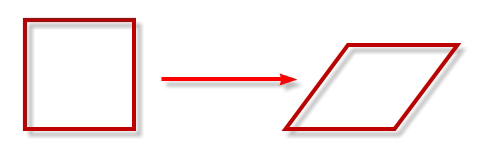
Imagine that square is my text:
116

This topic has been closed for replies.
Correct answer Mike_Abbott

Here's a couple of options:

1. Twirl down the text layer find the 'animate' buton (menu) in the timeline. Select 'skew'

Twirl down Animator 1 > Range selector 1 > Skew. Adjust value as required.

or...

2. Apply the transform effect (Effects > Distort > Transform). That has a skew property. You'll probably need to adjust the skew axis to -90 degrees.

1 reply

Mike_Abbott
Mike_AbbottCorrect answer
Legend
August 27, 2018

Here's a couple of options:

1. Twirl down the text layer find the 'animate' buton (menu) in the timeline. Select 'skew'

Twirl down Animator 1 > Range selector 1 > Skew. Adjust value as required.

or...

2. Apply the transform effect (Effects > Distort > Transform). That has a skew property. You'll probably need to adjust the skew axis to -90 degrees.