

BroMar
Participant
March 31, 2026
Answered

I want to change the color of the void in my 3D environment from black to blue

  • March 31, 2026
  • 2 replies
  • 92 views

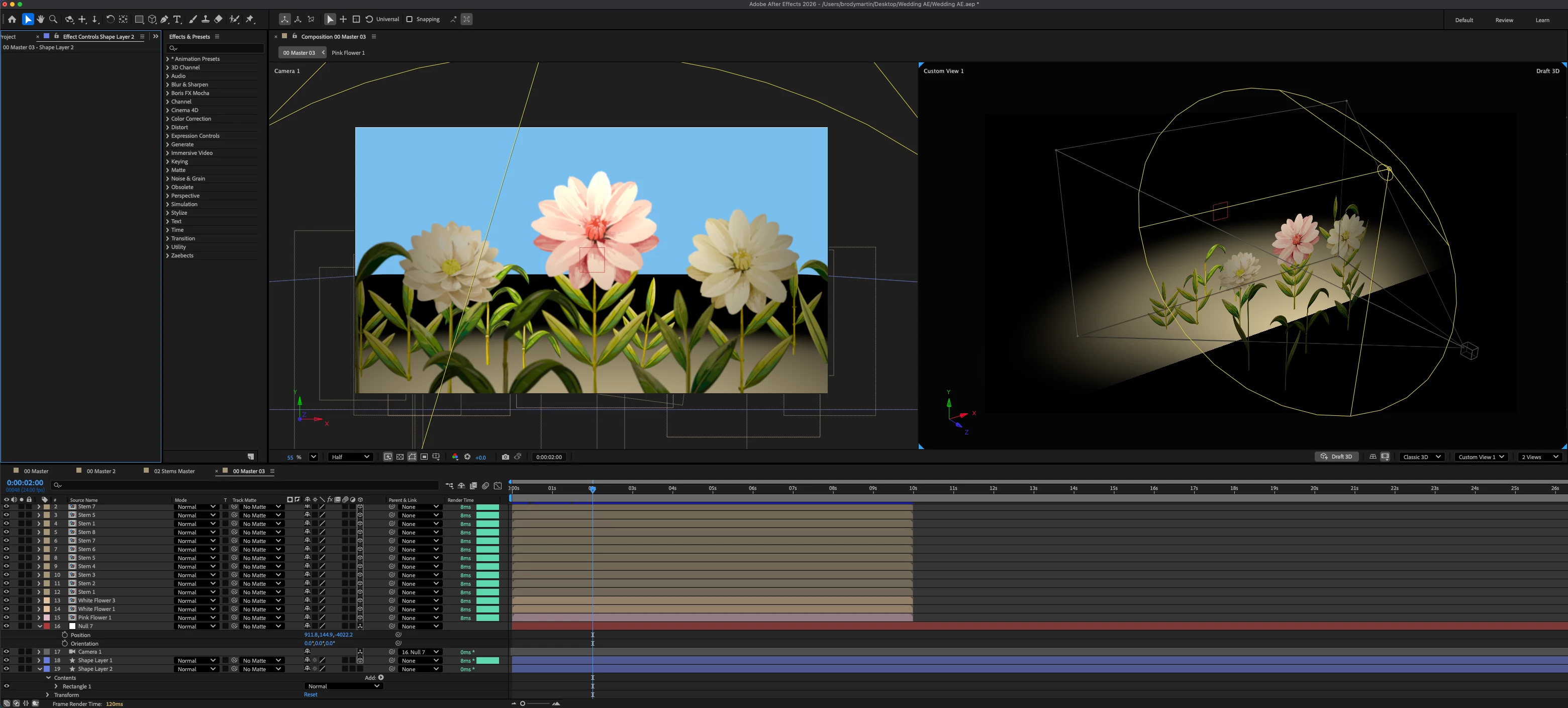
When adding a light, the environment changes to just show whats lit leaving everything else in black shadow. I want to change the shadow color to a sky blue so it looks like the objects are in an infinite blue space. While still having the use of the light. What’s a good work around/solution to this?


I’ve added a blue solid in the background to show what I’m going for.
 

    Correct answer Kevin J. Monahan Jr.

    Hi,

    Have you tried adding an ambient light?


    Layer → New → Light

    Set it to Ambient

    Change the color to a sky blue

    Lower the intensity (around 20–40%)


    Let me know if that works for you.


    Thanks,
    Kevin


    2 replies

    Nishu Kushwaha
    Community Manager
    Community Manager
    April 1, 2026

    Thanks for reaching out.


    You can use a cyc wall to create a seamless background. You can use a free script to create one. Here’s the link: https://www.jakeinmotion.com/cyc-wall-script?utm_source=youtube&utm_medium=description&utm_campaign=jan-sale_01-26

    Let us know how it goes.


    Thanks,

    Nishu

    BroMar
    BroMarAuthor
    Participant
    April 1, 2026

    This is really neat thank you!

    Kevin J. Monahan Jr.
    Community Manager
    Kevin J. Monahan Jr.Community ManagerCorrect answer
    Community Manager
    April 1, 2026

    Hi,

    Have you tried adding an ambient light?


    Layer → New → Light

    Set it to Ambient

    Change the color to a sky blue

    Lower the intensity (around 20–40%)


    Let me know if that works for you.


    Thanks,
    Kevin


    Kevin Monahan - Sr. Community and Engagement Strategist – Adobe Pro Video and Audio
    BroMar
    BroMarAuthor
    Participant
    April 1, 2026

    Thanks for the suggestion!

    I took your advice adding ambient lighting in combination with a massive sky blue sphere to put my all objects inside.


    Instead of making the ambient light sky blue I made it white with 60% intensity. This lit everything at once while still being able to keep my spot light and the natural color of my objects. 

    A key part was adjusting the emission intensity color on the sphere to get the lighting just right.


    Thanks,

    Brody