Answered

This topic is closed to new replies. Start a new post to keep the conversation going.
Go it.
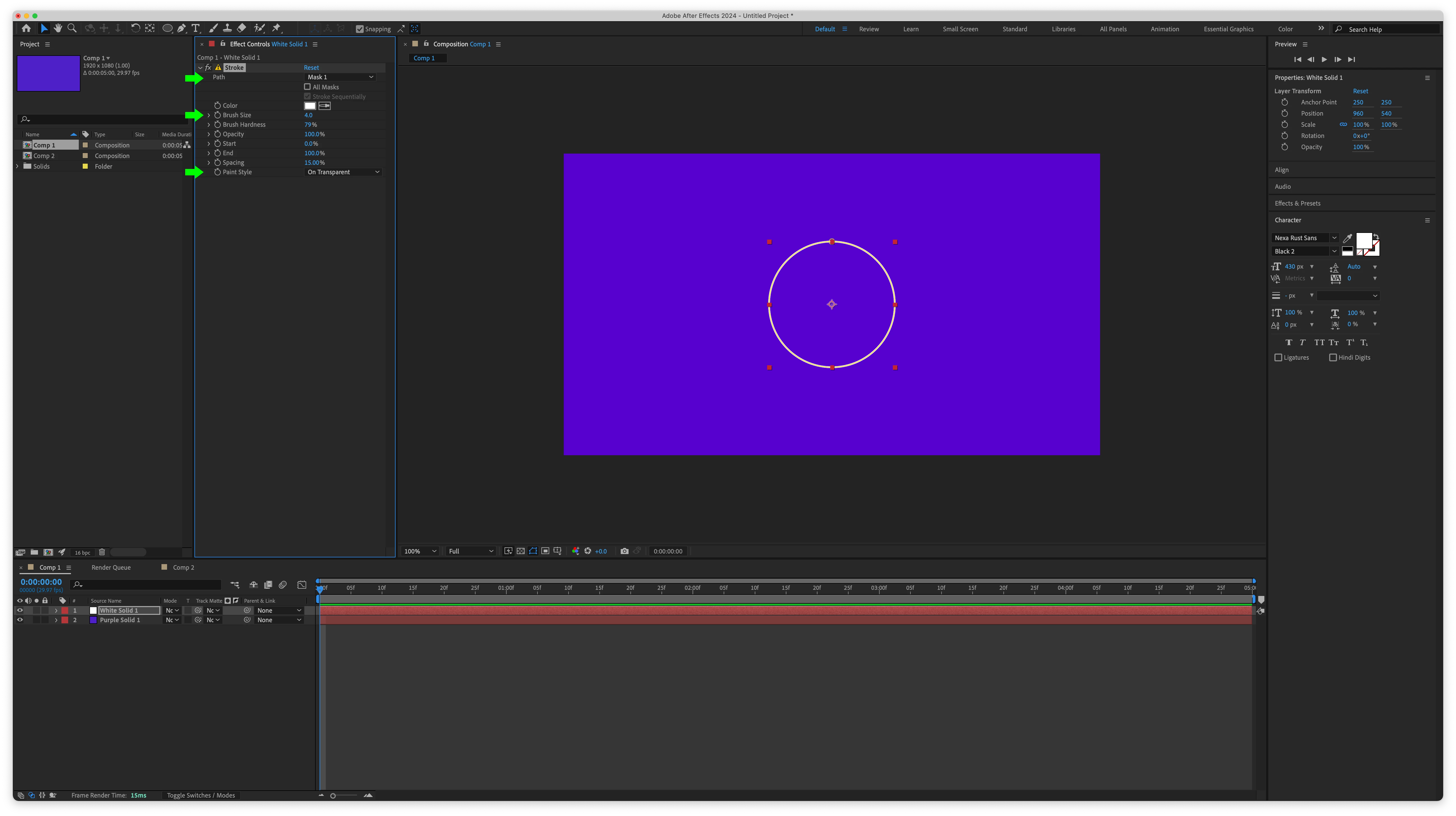
If the white circle is a Mask applied to a Solid, follow up by applying Edit > Generate > Stroke. Set the Path to Mask 1, the Color as preferred, the Brush Size as preferred, and the Paint Style to "On Transparent".
If the circle Mask is drawn to the edges of the Solid that it's applied to, the Stroke will clip. To address this, either reduce the diameter of the circle Mask or apply Effect > Utility> Grow Bounds to the Solid.
If the white circle is a Shape, expand the Contents, hide the Fill, and enable the Stroke. Then set the Stroke parameters as preferred.


Sign up
Already have an account? Login
To post, reply, or follow discussions, please sign in with your Adobe ID.
Sign inSign in to Adobe Community
To post, reply, or follow discussions, please sign in with your Adobe ID.
Sign inEnter your E-mail address. We'll send you an e-mail with instructions to reset your password.
 AdChoices