I would like the record (the Purple circle) to rotate IN PLACE! [stay directly where it is] PLEASE!!
Hey everybody, i'm extremely new to after effects and computer animation in general. I've been trying to make that circle that i highlighted in red rotate for days. What i am trying to do is make the circle rotate and it does, with the [time*] function But it won't stay in place and the whole object moves in rotation together. I've tried to focus on the little yellow line [HIGHLIGHTED IN GREEN] within the circle to give the impression of spinning, but to no avail. I've tried pinning the position of the yellow dash to the center. I have no idea what im doing wrong. 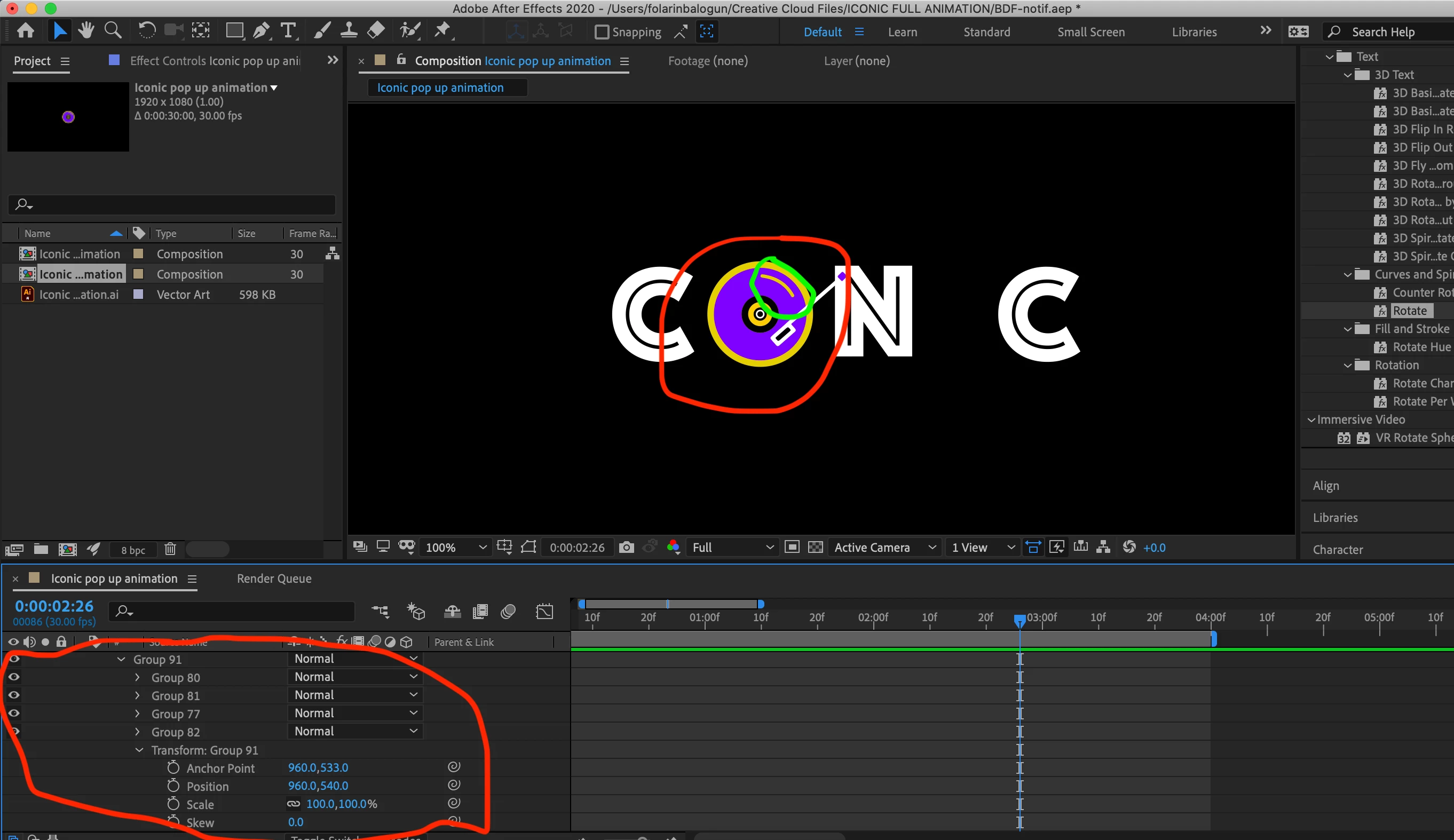
As of right now i can have it rotate relatively close to where it should STAY, but i would have to move everything in the composition for it to work and its STILL noticable too. Please any help would be greatly appreciated from the animation gods! Somebody please help me
 AdChoices