Participant
January 26, 2023
Answered

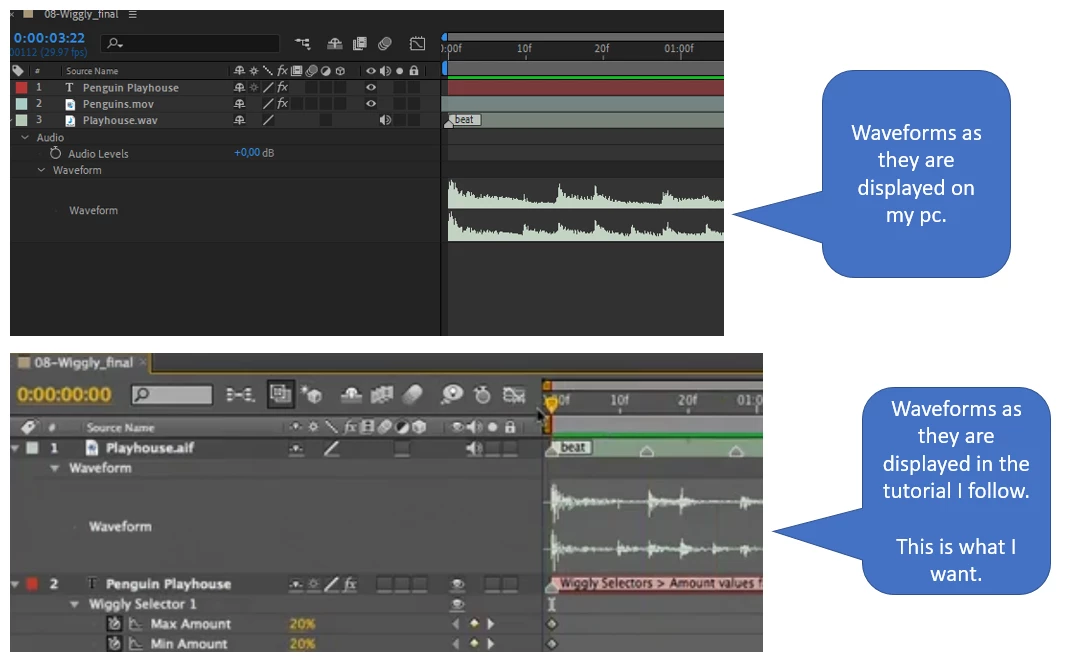
I would like to change the visual display of audio waveforms on the timeline.

  • January 26, 2023
  • 2 replies
  • 1108 views

Hey guys, I am relatively new to After Effects, but have some experience from Motion 5. Through my job I have access to LinkedIn Training, and I am at the moment following a tutorial there. The course I am taking discusses audio, and I see that the tutor's timeline displays the audio waveform as I would like to have it. I guess it is a simple switch somewhere, but I haven't found it. Is there someone out there who can help me?


The tutorial is from 2016, and the tutor uses the newest software at the time. I have AE2023 through Creative Cloud.


Regards, Bent.
Correct answer Rick Gerard

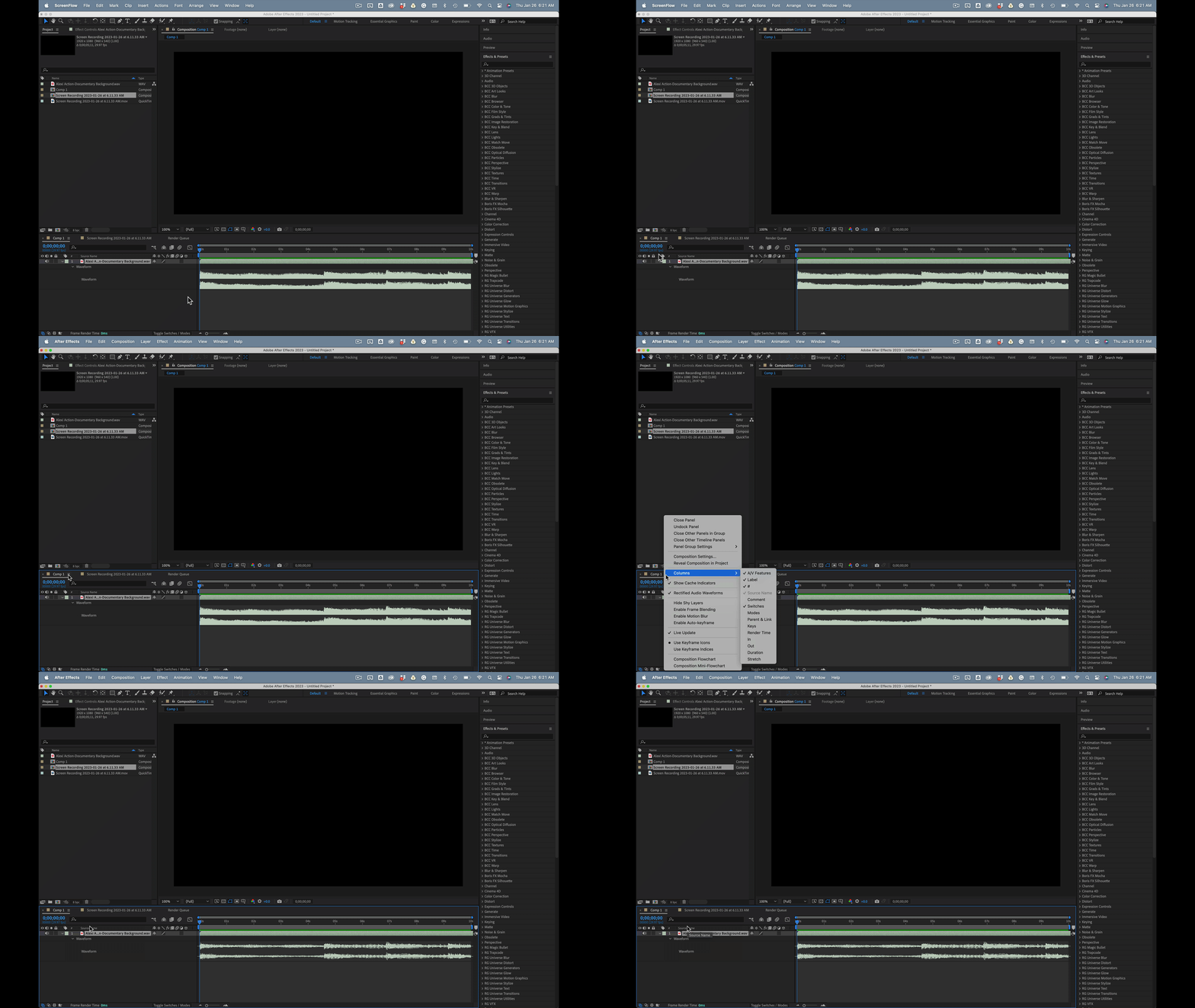
The current, and my preferred view because it looks more like the values you get in the Graph Editor, is Rectified Audio. The option is in the Timeline Panel Menu, the three little bars in the top left corner of the Timeline just to the right of the comp name.


2 replies

Rick GerardCommunity ExpertCorrect answer
Community Expert
January 26, 2023

The current, and my preferred view because it looks more like the values you get in the Graph Editor, is Rectified Audio. The option is in the Timeline Panel Menu, the three little bars in the top left corner of the Timeline just to the right of the comp name.


Bent K.Author
Participant
January 26, 2023

Hey Rick ... thank you so much. I knew it was something simple as that, but when you don't know where to look ... you don't. Eventually I'll get there. Thanks again.


Bent
Norway

Mylenium
Legend
January 26, 2023

This has been changed a few versions ago. I just can't seem to find the relevant bits in the online help.


Mylenium