amorrissen
Participant
June 21, 2019
Answered

If/Then statement error: Invalid token else

  • June 21, 2019
  • 3 replies
  • 29558 views

I'm wracking my brain trying to fix this basic if/then expression. I have a text layer(name "Position (l/r") whose value I want to control the opacity of other layers. I'm using this expression on the layers whose opacity I want to control and applying it to the Opacity property:

if(thisComp.layer("Position (l/r)").text.sourceText=="r")100 else 0;

AE gives me the following error: 

SyntaxError:Unexpected token else

I've used the exact same if/then expression format in other projects (only changing the layer name) and it works fine. I've copied this expression into another project and it works fine. If I copy the expression from a working project into the current project, it doesn't work.

I'm using AE 16.1.1.1 on Windows 10.

This topic has been closed for replies.
Correct answer OussK

this because the new javaScript engine in AE CC 2019,,

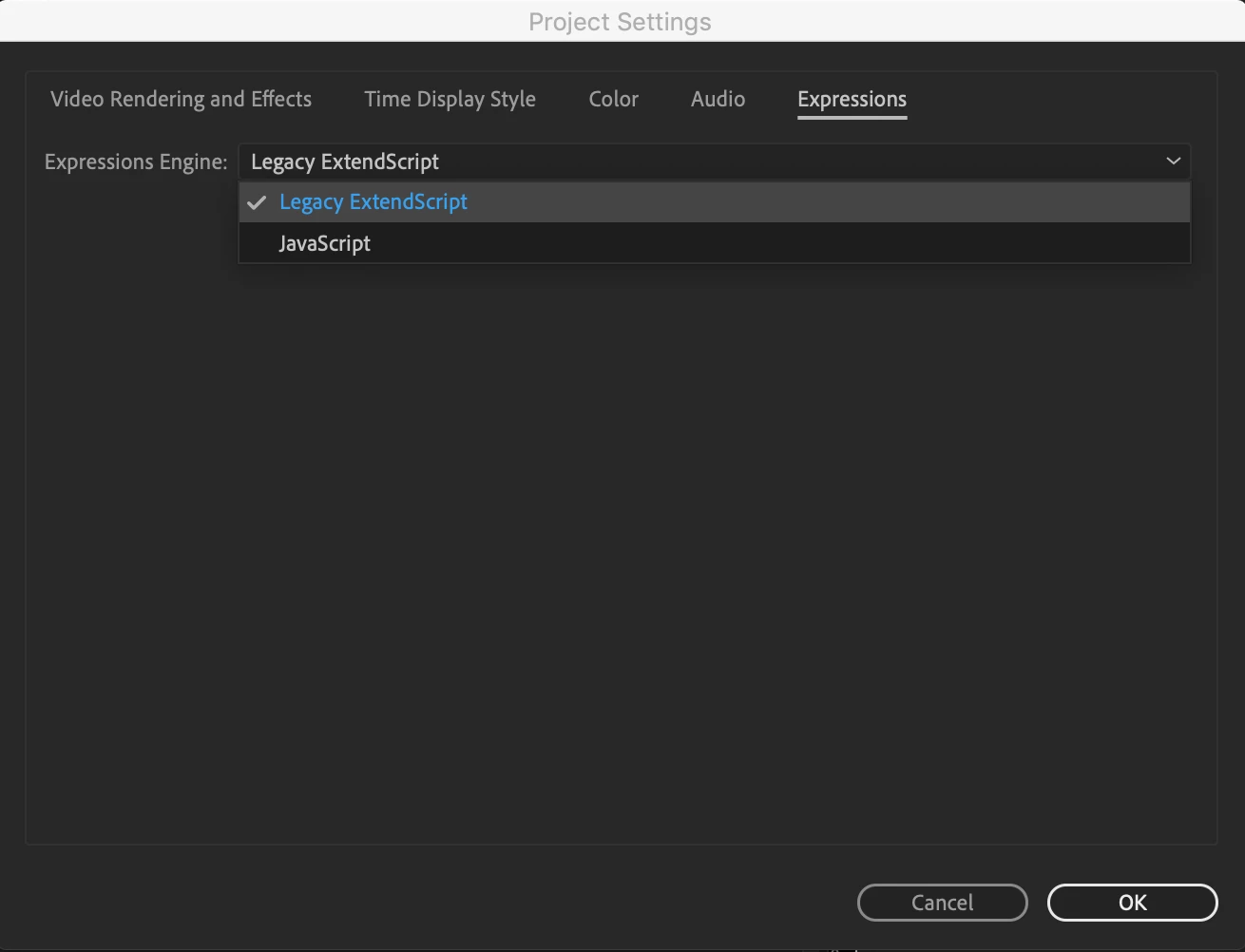
you have 2 option to fix this, you can run the legacy ExtenScript from project settings

Or put the if/else value inside curly bracket like this { 100 }else{ 50 }

3 replies

Participant
September 22, 2023

currently i have this problem woth my after effect 2023, anyone help me resolve this 

Participant
August 2, 2021

This thread helped solve the issue. Thank you fine people.. much appreciate!😃

OussK
Community Expert
OussKCommunity ExpertCorrect answer
Community Expert
June 21, 2019

this because the new javaScript engine in AE CC 2019,,

you have 2 option to fix this, you can run the legacy ExtenScript from project settings

Or put the if/else value inside curly bracket like this { 100 }else{ 50 }

amorrissen
Participant
June 21, 2019

Thank you!

I assume new projects are set to Javascript by default, because my old projects show "Legacy ExtendScript".