
Illustrator 2025 vectors pixelate in After Effects 2023 even with "Continuously Rasterize" ON
Hey everyone, I really need help with this issue.
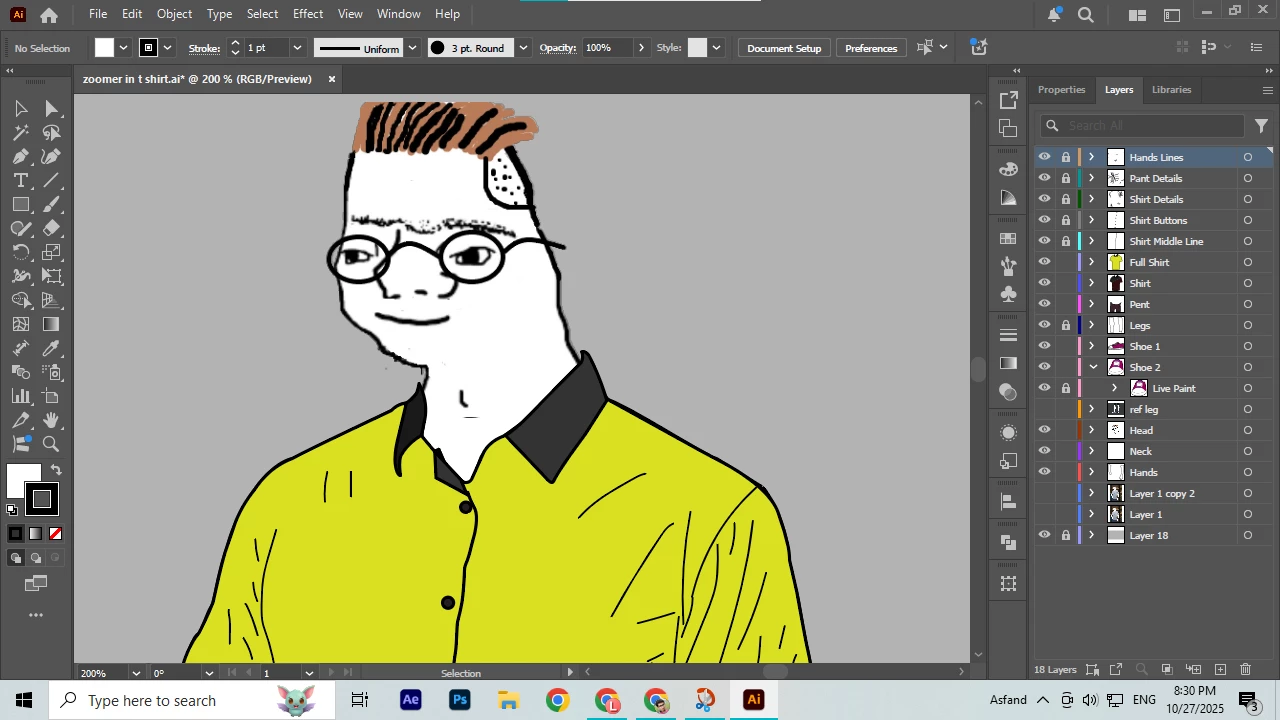
I made a character in Illustrator 2025 (pure vector paths using Pen and Brush tools).
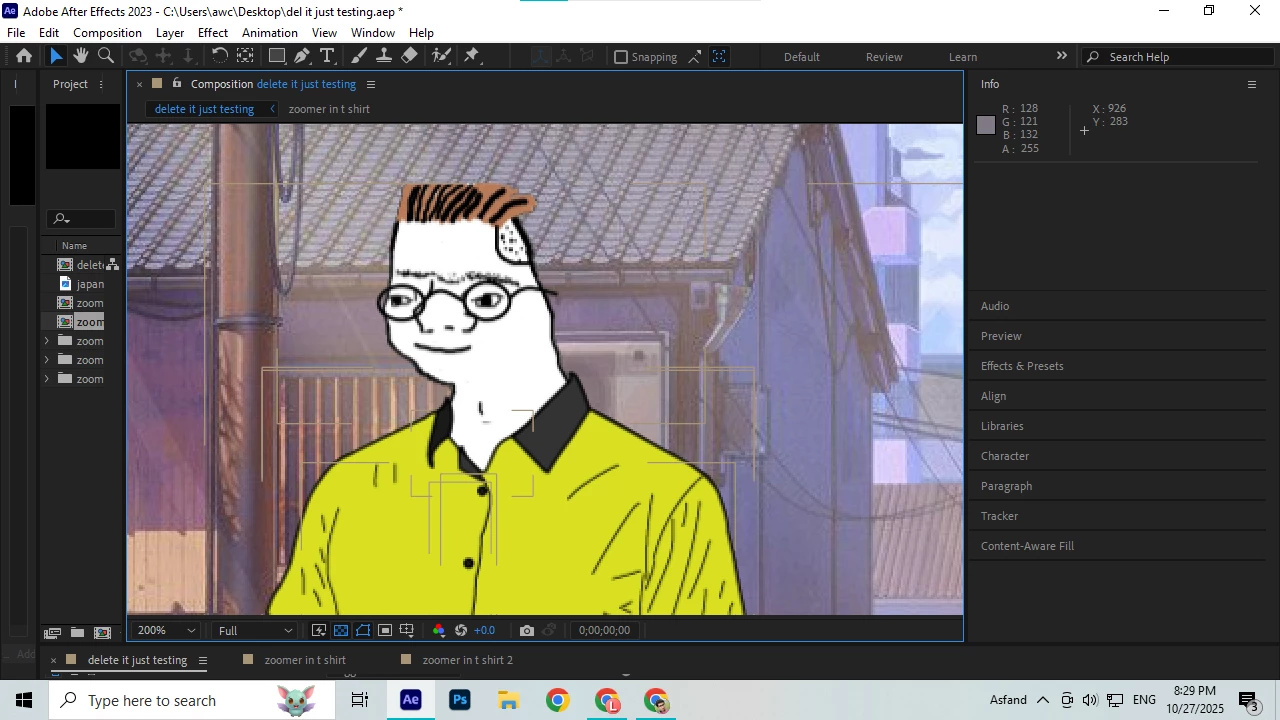
I saved it as PDF-compatible AI file and imported it into After Effects 2023 as "Composition – Retain Layer Sizes".
I’ve turned ON the ☀️ (Continuously Rasterize) switch, set Resolution to Full, and even tried converting to Shape Layer — but it still pixelates when I zoom or scale.
I’ve also tried:
- Saving AI as 2020 legacy version
- Using Mercury Software Only renderer
- Disabling Intel GPU (using AMD Radeon R5 340 only)
- Renderer settings, project color, etc.
Even a simple circle test from AI pixelates inside AE.
My specs:
- AE 2023
- AI 2025
- GPU: AMD Radeon R5 340 + Intel HD 530
- Windows 10
Does anyone know how to fix this vector pixelation problem? Is
it a known bug with AE 2023 and AI 2025?
(Attaching screenshots below)


 AdChoices