
Participant
July 4, 2018
Answered

Illustrator AI doesn't get imported in After Effects

  • July 4, 2018
  • 1 reply
  • 627 views

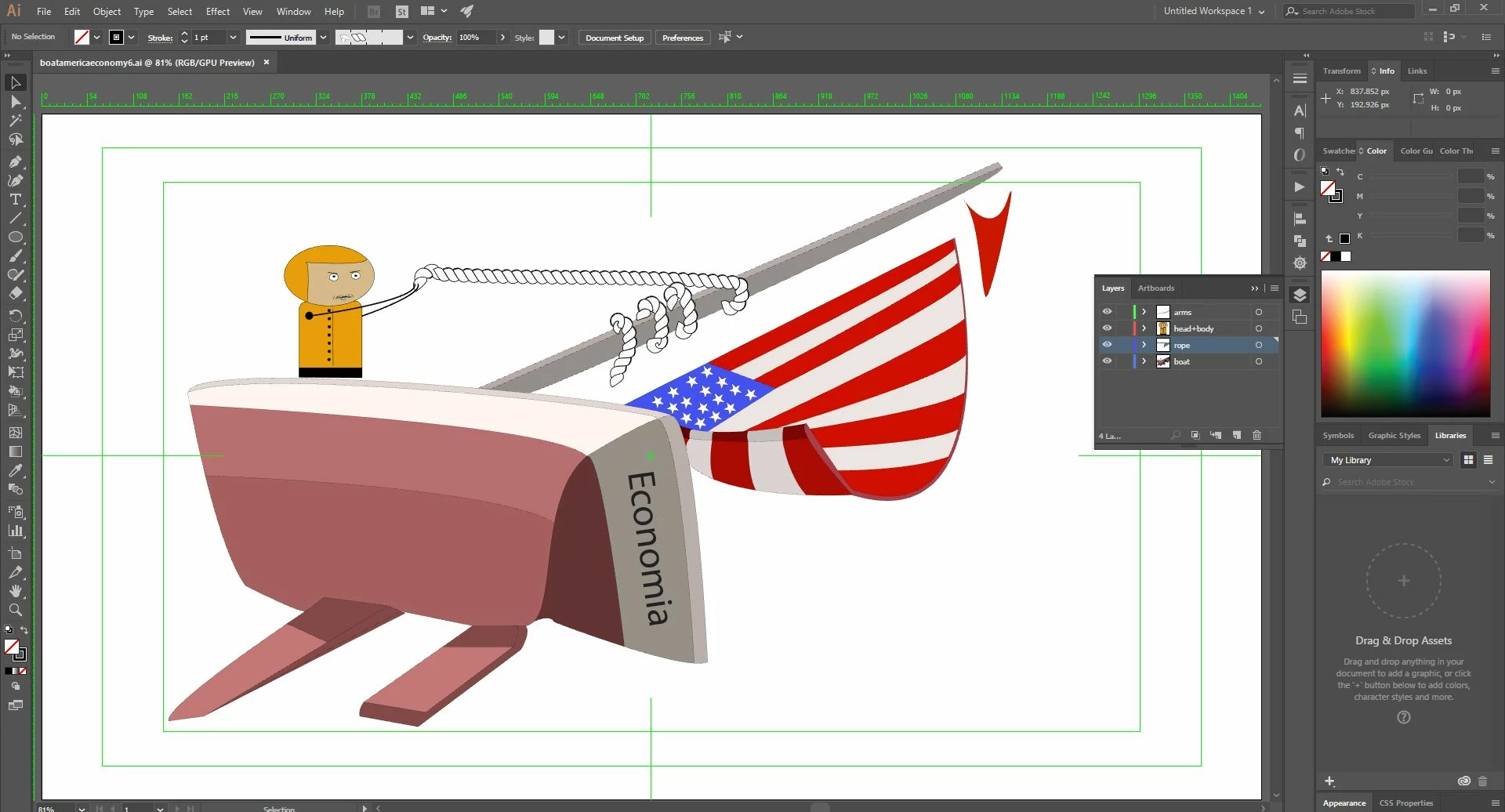
I am trying to animate a guy pulling the rope but when I import in After Effects, the guy is missing, also the rope and the text on the boat...

Here is the pic in Illustrator that I want to import
This is what gets imported in After Effects...
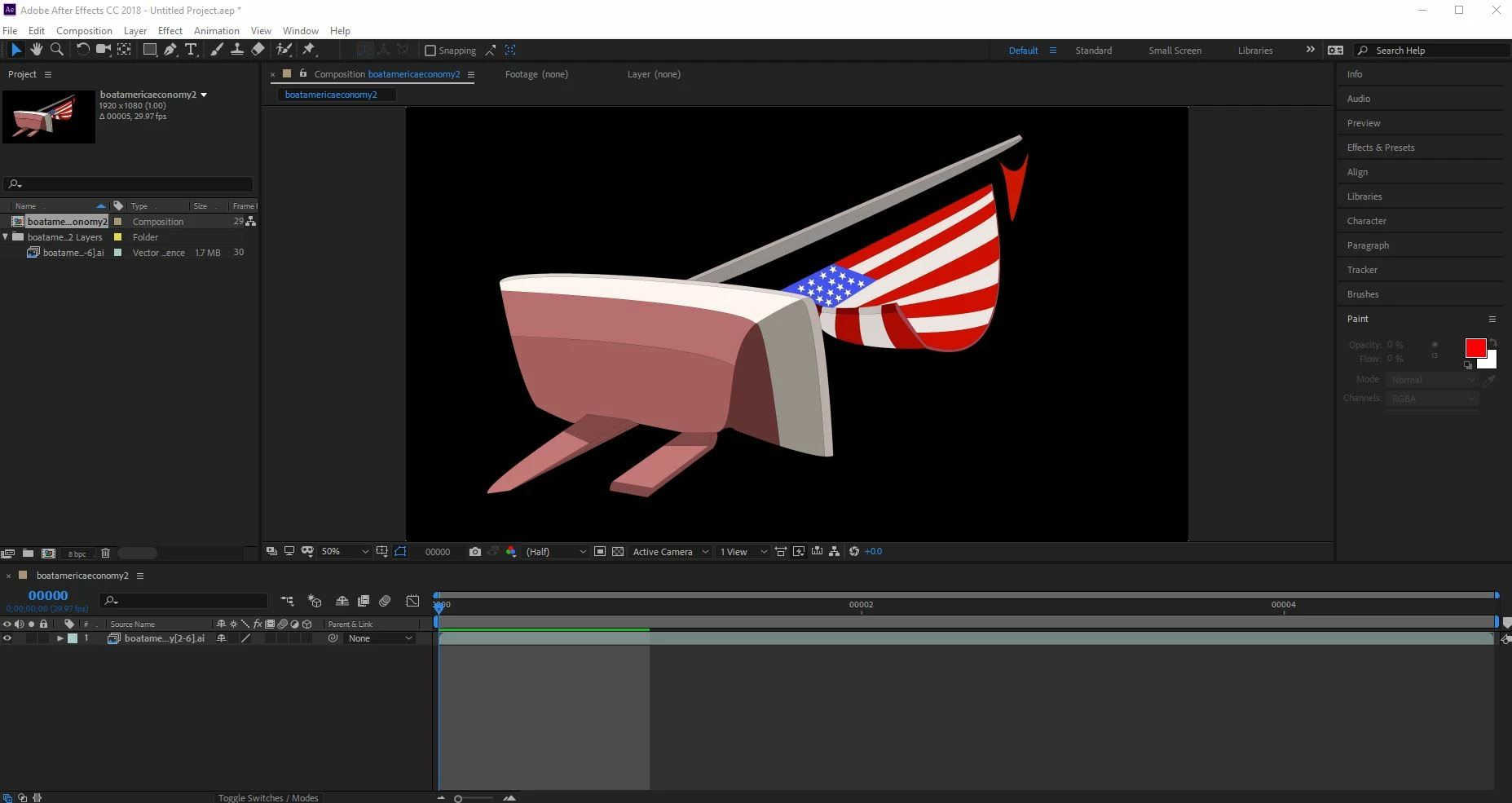
I deleted one artboard, so I have only one artboard left..but still, when I import the same layers are missing...

    This topic has been closed for replies.
    Correct answer cristil17595578

    Have you read how to properly prepare Illustrator files for use in AE?  If not, you should -- you'll save yourself a lot of grief.


    Yes, it helped me, appearently my document was not video/film, that was the issue!

    1 reply

    Kyle Hamrick
    Community Expert
    Community Expert
    July 4, 2018

    It looks like you've imported this as an image sequence - is that intentional?

    Are you using any clipping masks in the Ai document? Those can sometimes create confusion when importing to AE.

    Participant
    July 4, 2018

    No, didn't import it as an image, at least not from my intention.. and didn't use any clipping masks, only used live paint -> merge

    Dave_LaRonde
    Inspiring
    July 5, 2018

    Have you read how to properly prepare Illustrator files for use in AE?  If not, you should -- you'll save yourself a lot of grief.