Correct answer michaelk43115038

Try placing the different layers in one art-board.

5 replies

Participant
October 4, 2021

Had the same problem. Seems it occurs if multiple artboards are in play. 
Remember to save your art in different layers on the same artboard - this fixed the problem for me and made it possible to switch between layers when importing to AE.

Participant
June 14, 2018

I had this problem as well turns out I had multiple artboards and elements outside of the artboards. So I removed the extra artboards and made sure everything was within the borders of the artboard.

michaelk43115038Correct answer
Participant
January 25, 2018

Try placing the different layers in one art-board.

Participant
October 10, 2025

You are my man ! Thx... I use Ill and AE for so long time and I never had this problem before ! I didn't think about Artbord.

Perfect advice... short and efficient !

Roei Tzoref
Legend
December 13, 2017

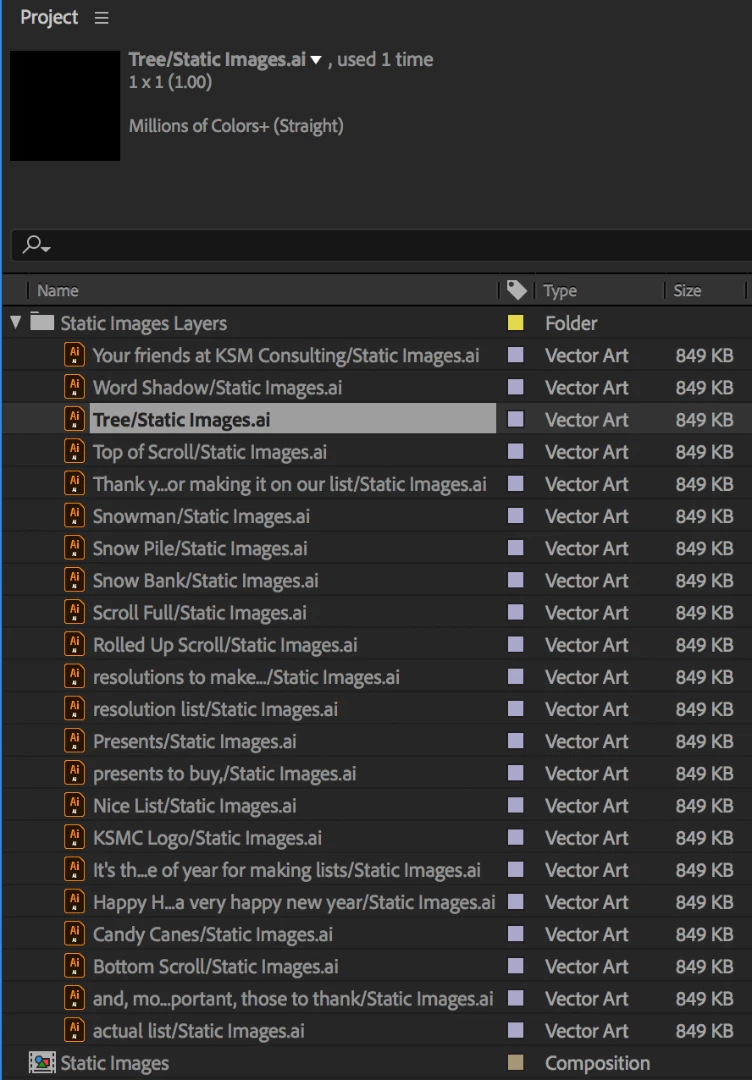
1x1 means possibly the Ae thinks the layer is blank.

make sure you read this carefully and follow the instructions on how to prepare your Ai files to Ae:

Preparing and importing still images in After Effects

especially the artboard section.

Mylenium
Legend
December 13, 2017

Without better info about your file by ways of e.g. a screenshot of the artboard and layers palette nobody can tell you anything. there could be a million reasons why it's behaving like that.

Mylenium