
Participant
November 25, 2021
Question

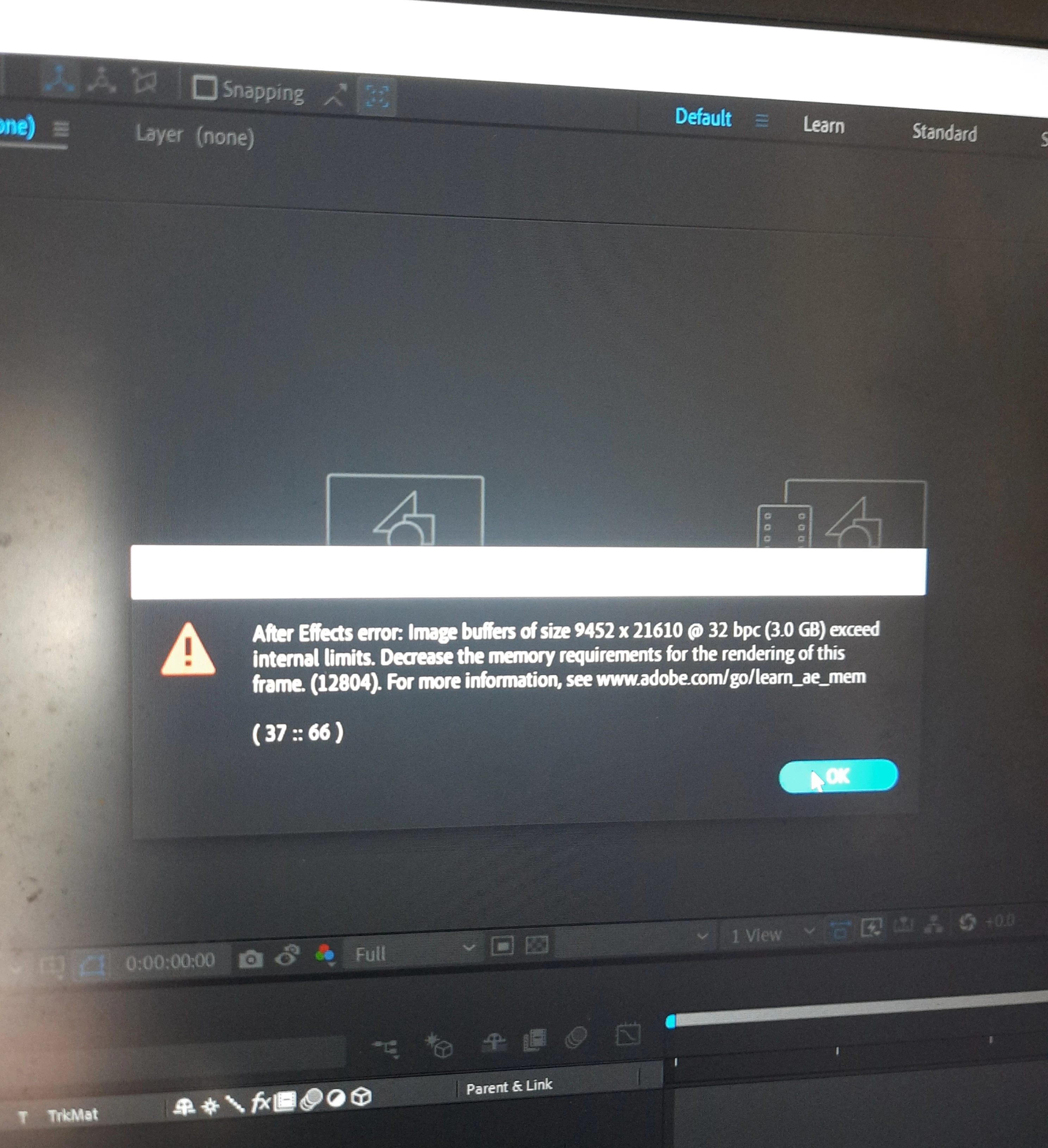
Image Buffer size exeed internal limit

  • November 25, 2021
  • 2 replies
  • 218 views

Hey guys any one can help me why it's happening and what's the solution for this?? I understood that it was happened cos of the Huge resolution. But i have to do this in this resolution. What should i do to fix this problem
This topic has been closed for replies.

2 replies

Mrtn Ritter
Participating Frequently
November 25, 2021

Yeah, thats pretty much: "I cannot process the resolution, because I'm running out of memory to do so.".


You should deactivate GPU acceleration to make sure AE is not trying to process this with the limited RAM of your GPU. Asign more (nearly all) of RAM to AE and close all other apps.

Check if you can reduce/remove effects. Some effects have limits and haven't been updated for years.

As last resort, split the comp in pieces to only render half or quarter of the image. Combine them afterwards in AE or Premiere or even ffmpg. This can potentially break your effects, depending on what you are doing. Some effects need the whole image to calculate correctly and if you only provide the half, the outcome might be different.


Add more details for more specific answer.


*Martin

Mylenium
Legend
November 25, 2021

What huge resolution? You are not making any sense. You need to provide a proper explanation onh when this error even comes up, what you do and of course all the technical information like the specs of your footage, any effects that may be used, info about your system and so on. otherwise nobody can advise on what to do. Most likely this is a fluke, though, so start by checking whether your footage is actualyl intact. Damaged sources can have all sorts of weird effects. everything else will require much more details.


Mylenium