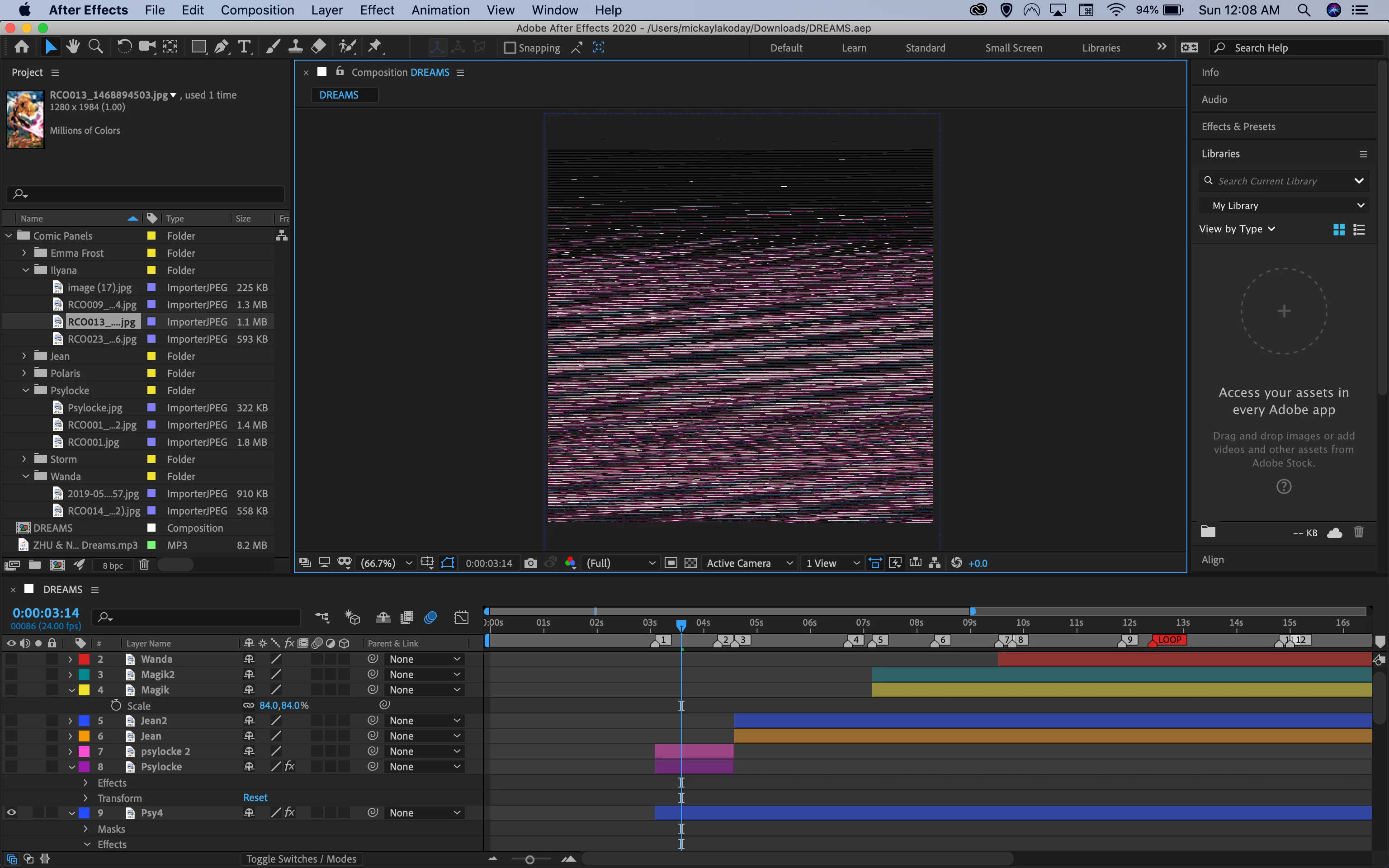
Image corruption (?) when not zoomed in + Preview not working?!?!
I've had so many issues with what I'm currently working on. To start my project crashed after using the rotobrush tool and after effects kept saying "After Effects Error: missing data in file. (33::4)" so I checked the forum and all the replies said this was an issue with 17.1 so I uninstalled that and installed 17.0 instead.
I am now able to open the project, but my images dont preview correctly unless I am zoomed in wayyy too much. I also have not been able to preview my work as it just freezes on the last frame i was on. I know it's not a problem with memory because this is a brand new Macbook Pro 16 in with 64GB memory. Any help is greatly appreciated because I have already spent hours masking these images and I realy dont want to have to start over.
Here is what shows up, this happens even if I make a new project with different files:
Same exact frame, but zoomed in:
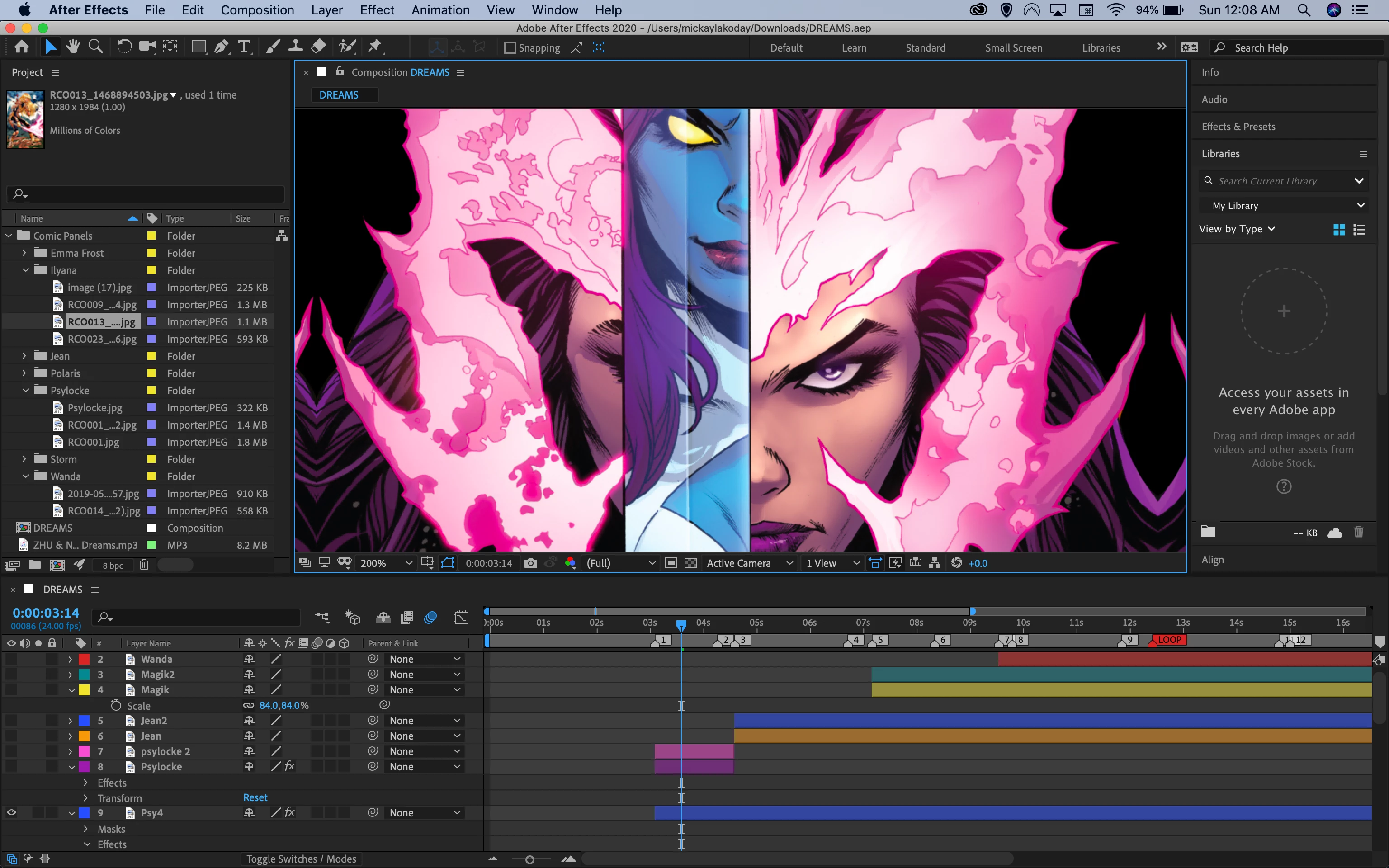
TL;DR: My preview is messed up when not zoomed in wayy too much and preview only shows last frame viewed instead of full project.
 AdChoices