



Question
Implementing a scrollbar in UI
Hello.
I'm writing a script where pressing the "+" button adds rows and pressing the "-" button removes rows.
When adding rows without limits, I need to implement a scrollbar, but I'm having trouble with the implementation. Can anyone help me?
Thank you 🙂
function setSettings(){


function createDockableUI(thisObj) {
    var dialog =
        thisObj instanceof Panel
            ? thisObj
            : new Window("palette","Settings", undefined, { resizeable: true });

            dialog.onResizing = dialog.onResize = function() {
                this.layout.resize();
            };
    return dialog;
}
var dialog = createDockableUI(this);


var group1 = dialog.add("group", undefined, {name: "group1"});
group1.orientation = "row";
group1.alignChildren = ["left","center"];
group1.spacing = 10;
group1.margins = 0;
group1.alignment = ["right","top"];

var plusBtn = dialog.group1.add("button", undefined, undefined, {name: "applybtn"});
plusBtn.text = "+";

var minusBtn = dialog.group1.add("button", undefined, undefined, {name: "applybtn"});
minusBtn.text = "-";

plusBtn.onClick = function(){
    addDialogProperty();
    dialog.layout.layout(true);
}

minusBtn.onClick = function(){
    removeDialogPropety();
    dialog.layout.layout(true);
}

dialog.Group_IconName = new Array();
dialog.Group_PathName = new Array();
dialog.EditPath = new Array();
dialog.Edit_IconName = new Array();
dialog.Edit_FullName = new Array();
dialog.divider = new Array();
dialog.CategoryShortText = new Array();
var fList =  [];
addDialogProperty();


function removeDialogPropety() {
    dialog.remove(dialog.Group_IconName.pop());
    dialog.remove(dialog.Group_PathName.pop());
    dialog.remove(dialog.divider.pop());
}

function addDialogProperty(Category_Short, Category, FolderPath) {

    var groupIconName = dialog.add("group", undefined, {name: "IconName"});
    groupIconName.alignChildren = ["left","center"];
    groupIconName.spacing = 10;
    groupIconName.margins = 0;
    groupIconName.alignment = ["left","top"];
    dialog.statictext1 = groupIconName.add("statictext", undefined, undefined, {name: "IconNameStatictext"});
    dialog.statictext1.text = "Name:";

    dialog.Group_IconName.push(groupIconName);


    var groupPathName = dialog.add("group", undefined, {name: "PathName"});
    groupPathName.alignChildren = ["left","center"];
    groupPathName.spacing = 10;
    groupPathName.margins = 0;
    groupPathName.alignment = ["left","top"];

    dialog.statictext2 = groupPathName.add("statictext", undefined, undefined, {name: "PathNameStatictext"});
    dialog.statictext2.text = "Path:";

    dialog.Group_PathName.push(groupPathName);
    var editPathName = groupPathName.add("edittext", [0,0,510,30], undefined, {name: "PathName" + i});


    var divider = dialog.add("panel", undefined, undefined, {name: "divider"});
    divider.alignment = "fill";
    dialog.divider.push(divider);
}

function showWindow(myWindow) {
    if (myWindow instanceof Window) {
        myWindow.center();
        myWindow.show();
    }

    if (myWindow instanceof Panel) {
        myWindow.layout.layout(true);
        myWindow.layout.resize();
    }
}

showWindow(dialog);
}
 setSettings()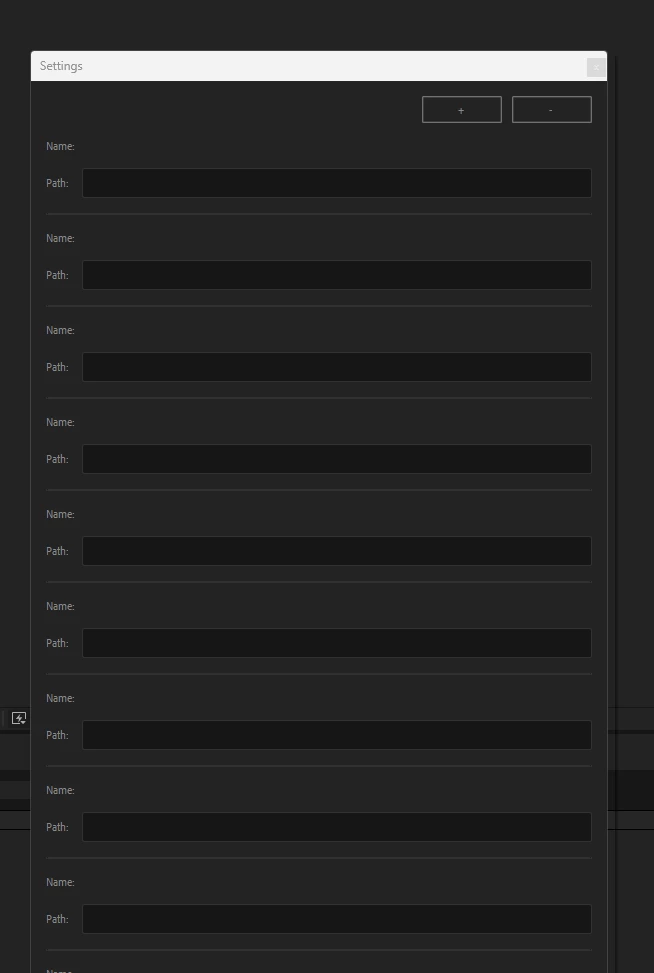
 AdChoices