
Resuelto
Import Ae 2027 content into Pr 2027 message error After Effects 2027 is not installed, while Ae 2027 is open.
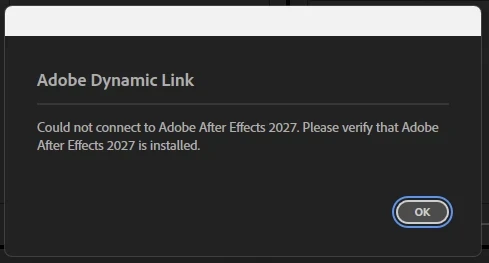
I have this issue on an Apple Mac mini, macOS Golden Gate v 27.0.1, with v27.0 of Premiere Pro and After Effects. I’ve also tried reinstalling the v26.5.2 of Premiere Pro and v26.5.3 of After Effects, but it didn’t work either.
I tried to import the Ae file both dropping it directly from the finder on my Mac to the Project folder inside Pr and also pushing the Import button on the top menù inside Pr.
I also tried doing the same thing with a file made with the v26.5.3 of Ae, importing it in the v26.5.2 of Pr, but that also didn’t work (it did until last week).
 AdChoices