
Participant
November 22, 2019
Question

import folder into After Effects CC by using ExtendScript

  • November 22, 2019
  • 2 replies
  • 4480 views

Hi, I am trying to create a function to import folder by using Adobe Extendscript into AE CC2018. The function should be same as AE import folder function. Please see attachment below.
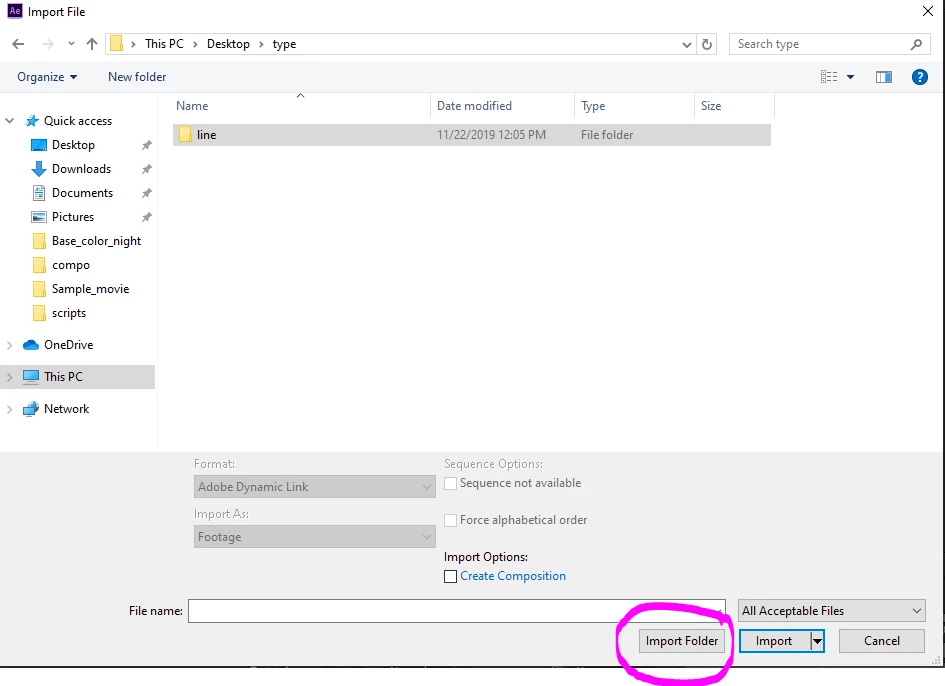


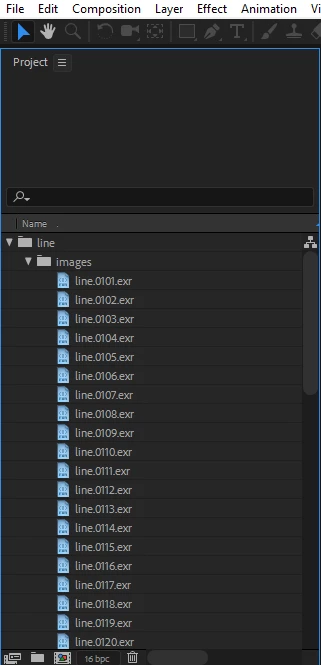
Attachment below is result in AE after  "Import Folder" button is pressed.


I try to using import file method to import folder, but with no luck. 

app.project.importFile(new ImportOptions(new Folder("C:\\Users\\Username\\Desktop\\type\\line")));

After Effects error: File can not be opened is show out.


Hopefully any AE master can help me solve my problem. Thank you very mucher!


This topic has been closed for replies.

2 replies

Nathan Lovell_52
Inspiring
November 24, 2019

I believe this should do what you need!


var folder = new Folder;
folder = folder.selectDlg("Please select a folder");

if(folder.exists) {
    var files = folder.getFiles();
    importFiles(files, folder.name.replace(/%20/g, " "));
}

function importFiles(files, folderName) {
    app.beginSuppressDialogs();
    // additionally you can create the folder in AE to put all your imported files into
    var folder = app.project.items.addFolder(folderName);
    var imported;
        for(var i = 0; i < files.length; i++) {
            // only import it if its not a folder
            if(files[i].name.indexOf(".") != -1) {
            imported = app.project.importFile(new ImportOptions(files[i]));
            imported.parentFolder = folder;
            }
            }
    app.endSuppressDialogs(false);
    }


This particular script avoids folders, and doing a deep search to recreate ANY given folder hierarchy would require a bit more.

Participant
November 25, 2019

Hi Nathan_Lovell_52,


Thanks for your reply, I already tried your script. The script is working if multiple subfolders exists.


Let say my folder is "~/type/line/images/####.exr". If I choose "type" folder, the script will only import a blank folder without next subfolder.


The script is worked if without subfolder. Example: "~/type/####.exr"


Thanks!

Nathan Lovell_52
Inspiring
November 25, 2019

Yes, as mentioned it's going to be a bit more complicated to do n number of folders. You will need to assume each file can be a file or folder, in which case you can add an else statement to the current for loop. Inside the else would be for folder cases, where you could then create another folder using:


app.project.items.addFolder(folderName);


and then parent it to the previously created folder with


folder.parentFolder = folderObject;

Then with your new subfolder, you can use recusion to check if that subfolder has any more files, and continue until you've done a deep re-creation of all the folders.  

Martin_Ritter
Legend
November 22, 2019

From the docs (http://docs.aenhancers.com/general/project/#project-importfile), you can import with dialog. This should be the one from your first screenshot.


To get the same functionality without dialog, I think you have to import file by file. In other words: cycling through every file in a given folder with a for- or while-loop.


But maybe there is another way - let's wait what the scripting guys say.


*Martin

Participant
November 25, 2019

Hi @martinr84659894, very thanks for your reply!


Ya, I currently writing a similar script. Get folder name by looping through entire folder and create folder in AE. At the end import file to specific folder.


I will post my script in here after done