Participant
March 13, 2022
Question

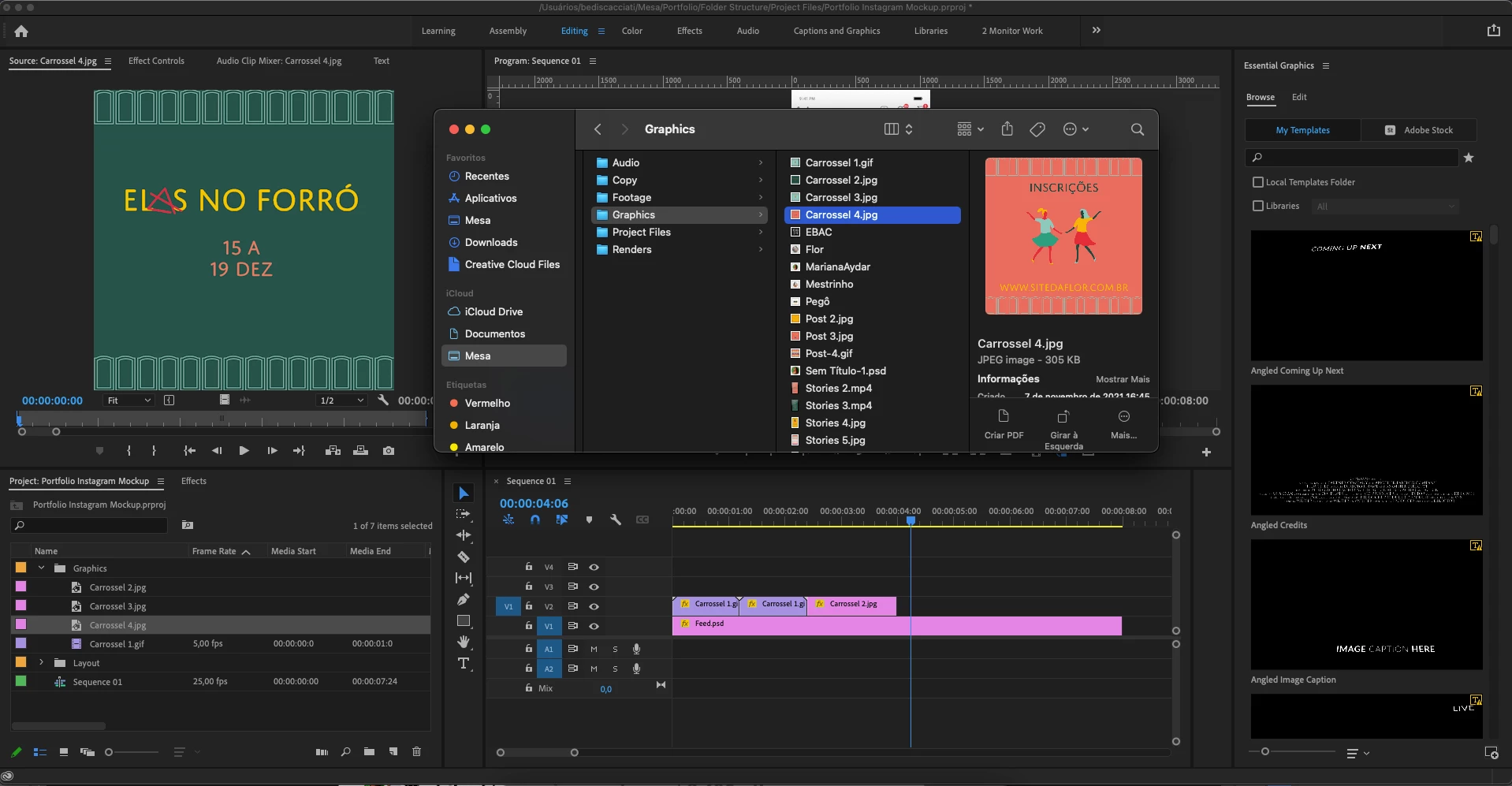
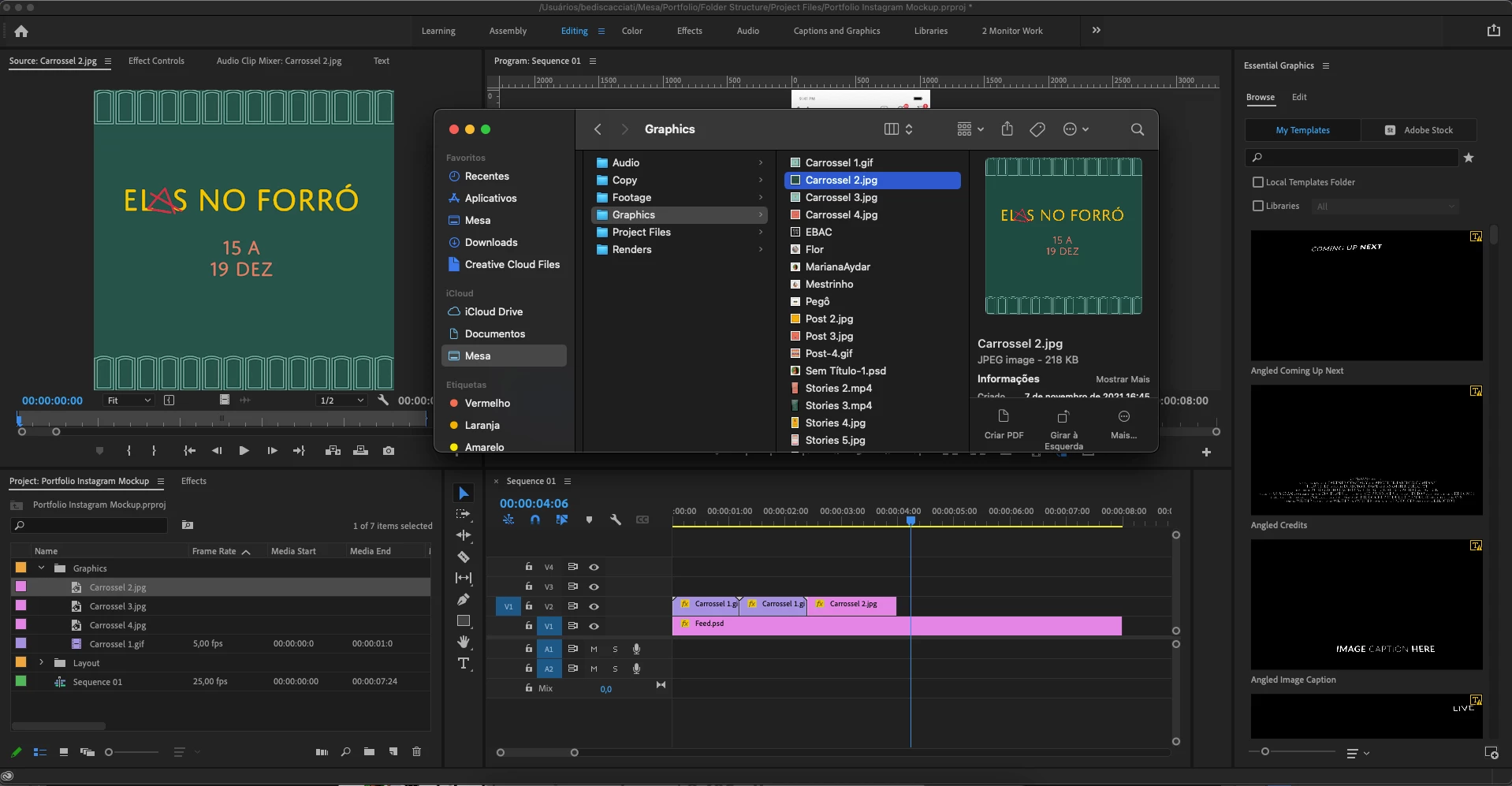
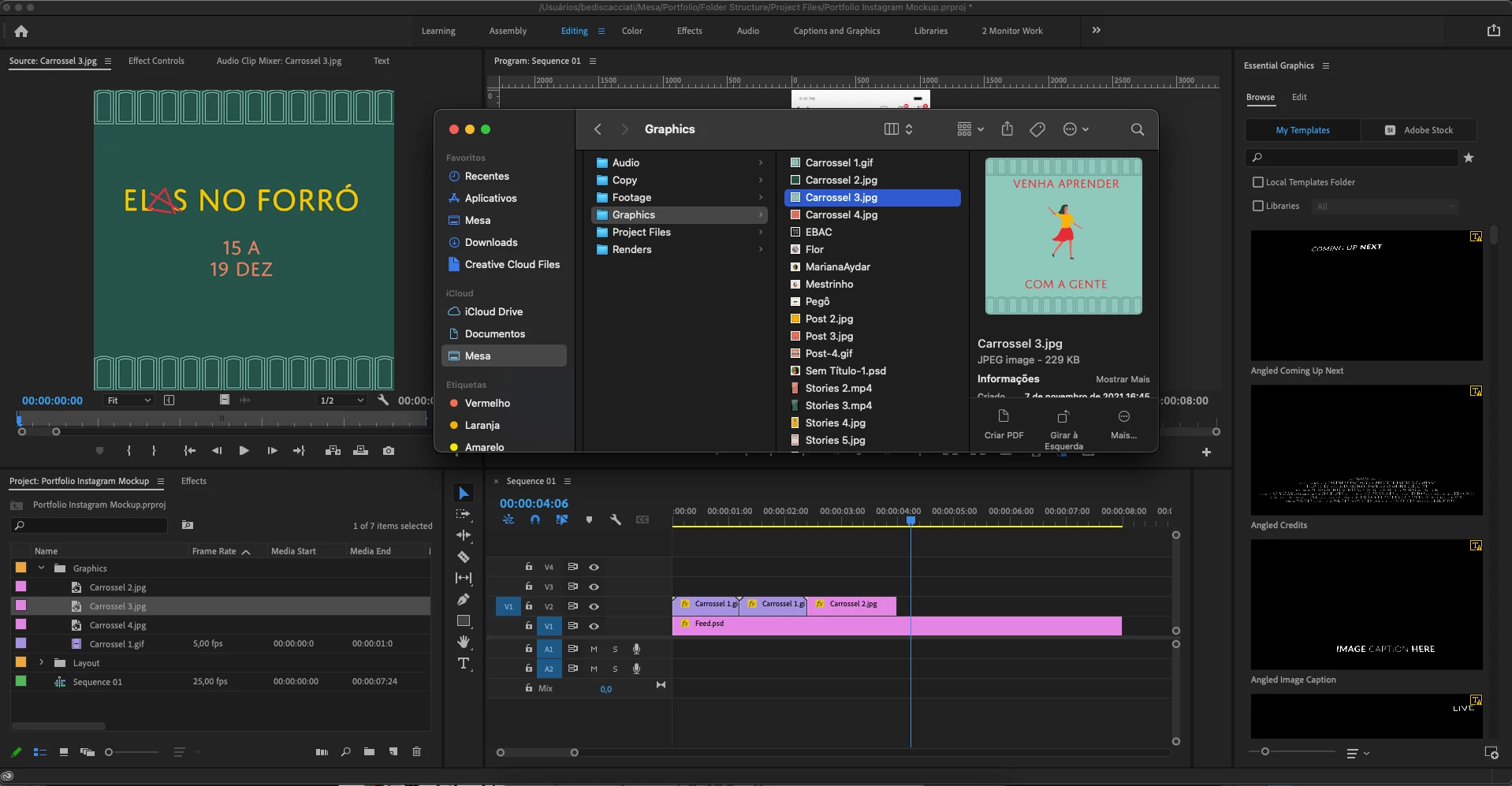
Importando imagem e aparecendo a imagem errada.
  • March 13, 2022
  • 1 reply
  • 403 views


Quando importo imagens para meus projetos, elas aparecem dessa forma. Não condiz o arquivo e a imagem importada. Já tentei fechar o programa e abrir, mas acontece a mesma coisa. Mudei o nome dos arquivoc, continua dando o mesmo problema.
Aconteceu no Premiere e no After Effects.


O que faço pra resolver?

This topic has been closed for replies.

1 reply

ShiveringCactus
Community Expert
Community Expert
March 13, 2022

One possible explanation:

When you import images which are numbered, After Effects will assume they are an image sequence.  The first frame of which is "Carrossel 2.jpg".  There is a checkbox when importing you can uncheck to bring in just the single frame:


I'm not sure that is what is happening here, but that's my first guess.  You could check by scrubbing along "Carrossel 4.jpg" and see if the image changes.

Participant
March 13, 2022

Infelizmente não é esse o problema. Fiz testes aqui pra verificar, mas mesmo importando arquivos com nomes diferentes, eles aparecem na minha timeline, sourcemedia e no video final como se fossem a mesma imagem. A mesma aparcência.


Testei iniciar novos projetos com arquivos salvos em locais diferentes, nomes diferentes, mas acaba no mesmo problema. As imagens se misturam e fico com dois ou três arquivos com a mesma imagem, porém eram pra ser diferentes.

nishu_kush
Legend
March 14, 2022

Hi Betania6C15,


Are these JPEGs files exported from Illustrator? If so, try importing them in Photoshop and export again.

Let us know if it helps.


Thanks,

Nishu