



animakynzie
Participant
Jun 10, 2023 3:36 AM UTC
Question

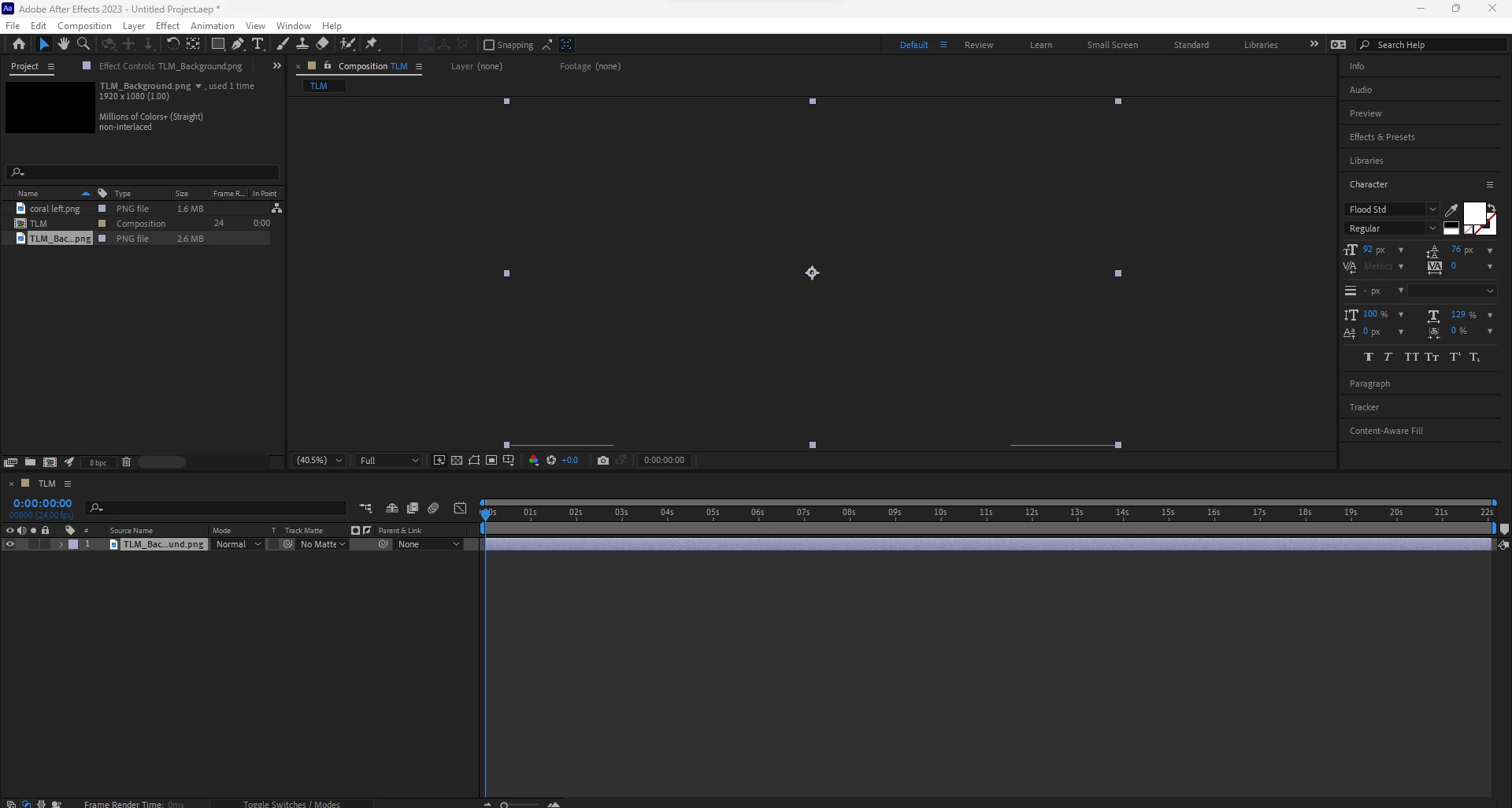
Imported Video/Photo Not Showing Up

Hi there! First time posting something here. I've seemingly looked everywhere and can't find someone who has this same problem. I'm on Windows, AE 2023. Whenever I go to import a video or photo (this case, a .png), it will not show up. It will only outline the borders of it? This is a direct screenshot of what I see when I try to import something. Any ideas would be greatly appreciated! 


Thank you! 
This topic is closed to new replies. Start a new post to keep the conversation going.

3 replies

nishu_kush
Legend
Jun 28, 2024 7:13 PM UTC

Did the suggestion above help?

Feel free to reach out. Moving this thread from Bugs to Discussions for now.


Thanks,

Nishu

Translate
Jun 12, 2023 3:49 PM UTC

If this was a new install of AE, that may be the GPU needing to finish compiling it's shaders to render, though there should be a dialog showing up with progress. Not clear from the screenshot which version of 2023 you're running, but if you leave it for a few minutes, it should complete that step and hopefully rendering then works for you.

Translate
Mylenium
Legend
Jun 10, 2023 6:42 AM UTC

Update your graphics driver and check your hardware acceleration settings.


Mylenium

Translate