
Answered
Importing Ai file as Composition - Layer format is different
when I import an Ai file as a composition into AE, sometimes it will be imported as in the image/unsupported format, which is not accessible.
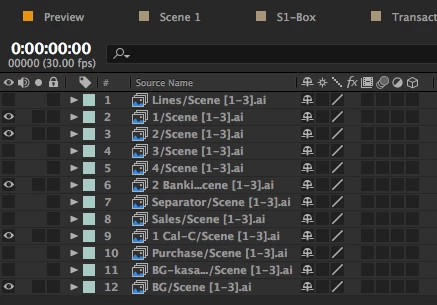
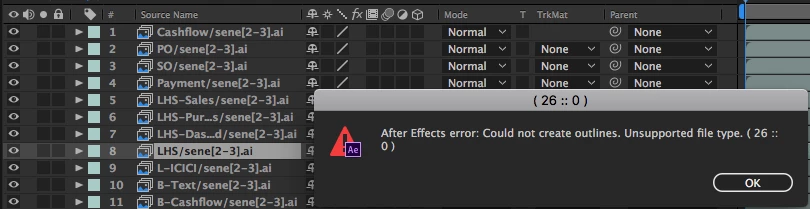
when I import an Ai file as a composition into AE, sometimes it will be imported as in the image/unsupported format, which is not accessible.
You imported the Ai file as sequence. Toggle the sequence option off in the import dialog and import again.
BTW, the reason it was turned on is because the sequential naming of your files triggers this option automatically - a Gotcha that catches vetrans and beginners alike.
Already have an account? Login
Enter your E-mail address. We'll send you an e-mail with instructions to reset your password.
 AdChoices