Inspiring
Dec 19, 2022 3:40 PM UTC
Answered

Importing photoshop layers with layer styles into After Effects not accurate

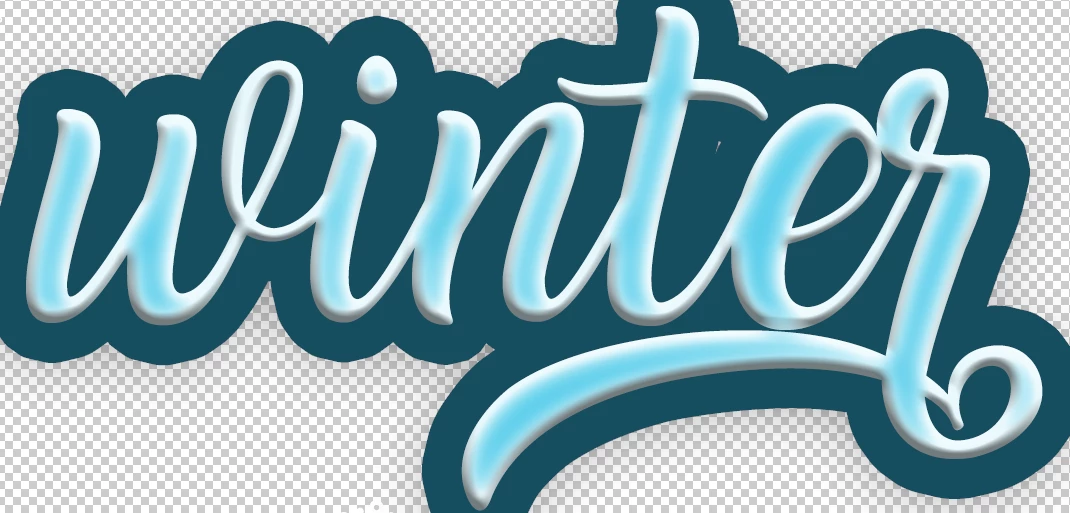
My client sends me photoshop layers to animate. They frequently use layer styles.  When importing it into AE, something changes with regard to inner glow (light blue). Photoshop has 'Quality/Contour' but AE doesn't.  That may be where the problems it.  In these screen shots, transparent backgrount is PS (preferred style) and black background is AE.  I originally thought the problem was converting it to editable text (my preferred way of working) but these screen shots were not converted.  Any ideas or temporaty workarounds?
  

This topic is closed to new replies. Start a new post to keep the conversation going.
Mylenium
MyleniumCorrect answer
Legend
Dec 19, 2022 8:48 PM UTC

You misunderstand. You need to check the project bit depth in AE. Otherwise you have to provide more info as already advised.


Mylenium 

4 replies

Mylenium
MyleniumCorrect answer
Legend
Dec 19, 2022 8:48 PM UTC

You misunderstand. You need to check the project bit depth in AE. Otherwise you have to provide more info as already advised.


Mylenium 

Translate
Steve221Author
Inspiring
Dec 20, 2022 3:47 PM UTC

I see.  When I checked Project Settings for color depth (it was 8 bit) I noticed Working Space was set to "Sony S-Gamut3/S-Log3".  Never been to this dialog box, don't know how it got set to that.  Changing it to "None" fixed it.

Translate
Mylenium
Legend
Dec 19, 2022 3:59 PM UTC

Honestly, that simply looks like you are working in 32 bpc which will affect how blending modes and all that look. That's not a bug or anything, that's expected. That and of course you would have to use color management if your stuff is based on approved PS artwork or else you'll always run into these issues. Same if your file is CMYK or Lab. It needs to be converted to RGB. Anyway, you have not provided any info about these things and made your screenshots useless by cropping away the relevant infor from the project panel, comp viewer and timeline so we can't reall tell you more than that. Again, to me it looks liek a workflow issue, not per se a bug in AE.


Mylenium

Translate
Steve221Author
Inspiring
Dec 19, 2022 8:24 PM UTC

Thanks, Mylenium.

I'm not sure that's it.  The original PS file is RGB 8 bit.

As a temp fix, I'm exporting all PS layers as PNGs.

It's an OK bandaid.


Translate