Participant
May 26, 2023
解決済み

In an After Effects text layer, the text does not display as intended

  • May 26, 2023
  • 返信数 5.
  • 832 ビュー

I have an issue with text not displaying properly. I have a sample text of what I want it to be:

"© 2023, Website Marketing, LLC"


But After Effects displays it like this instead:

"Website Marketing, LLC ,2023 ©"


It becomes inverted just for that part with the year and tyhe special character.


I couldn't explain in writing. SO better to show you in screen capture:

https://www.loom.com/share/865c4c8bc5f6494a93b6c514c43755b9


Can anyone help me with this issue please?
このトピックへの返信は締め切られました。
解決に役立った回答 DaciaSaenz

Hi @krisk19889349 


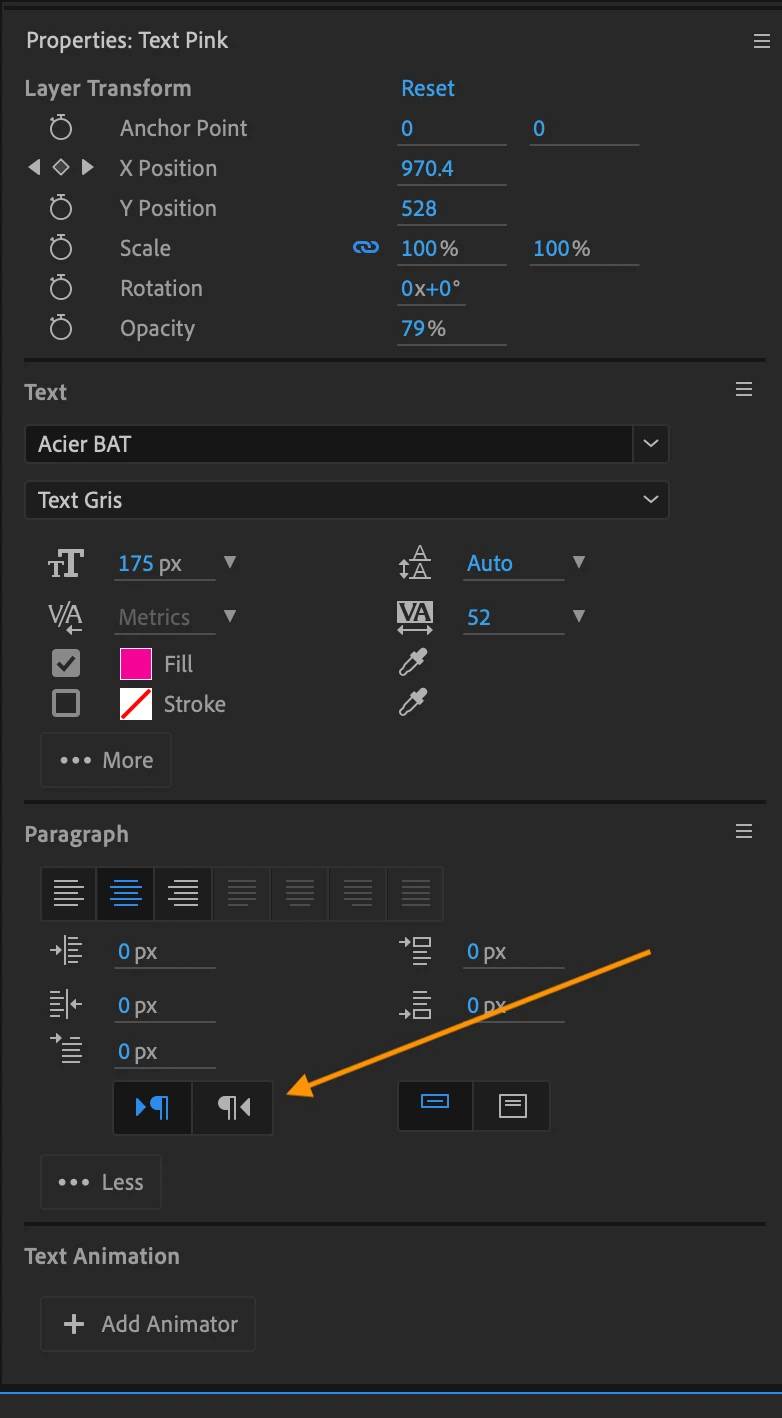
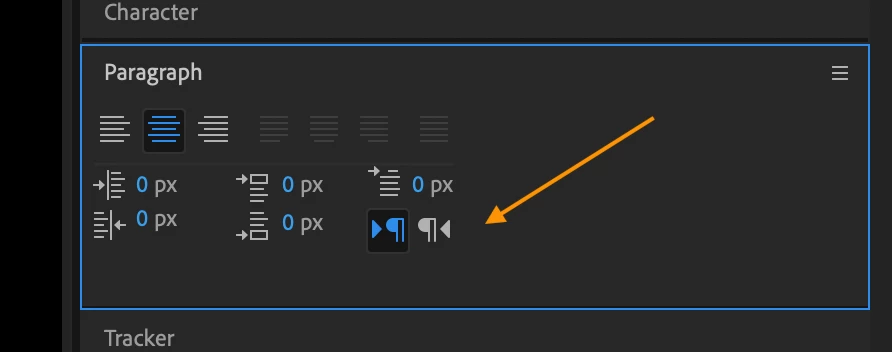
Please select the text layer and check that the layer is not set to Right to Left. You can do that in the Paragraph or Properties Panels. 

Cheers, 

返信数 5

DaciaSaenz
Community Manager
DaciaSaenzCommunity Manager解決!
Community Manager
May 26, 2023

Hi @krisk19889349 


Please select the text layer and check that the layer is not set to Right to Left. You can do that in the Paragraph or Properties Panels. 

Cheers, 

- Dacia Saenz, AE & PR Engineering Teams
krisk19889349作成者
Participant
May 26, 2023

Hi Douglas, where is that setting in AE?


Though one thing worked based from your suggestion. I right clicked on notepad and found a "Insert Unicode Control Character" Option which had a Left to Right Mark which basically adds a mark that the line should be read Left to Right. Pasted it in AE text layer and worked as intended. So, thank you for the idea.

krisk19889349作成者
Participant
May 26, 2023

I checked the settings in Notepad which aren't many. Tried using MS Word, yielded same results. I tried removing the copyright symbols but it seems the numbers also cause the issue. Will try other route


Adobe Employee
May 26, 2023

I think you set Right To Left Paragraph Direction by accident.


Douglas Waterfall

After Effects Engineering

Andrew Yoole
Inspiring
May 26, 2023

No solution, sorry, but for the record, I've tried reproducing this issue on a Mac with exactly the same text and fonts, but it works normally for me.  


Some troubleshooting ideas to isolate the problem:

 • Try a different font

• Try copying the text from a different application, rather than Notepad.  

• Apple TextEdit (equivalent to Notepad) has an option to convert rich text to plain text.  Can Notepad do that?

• Try removing the copyright symbol - special characters can sometimes do weird things