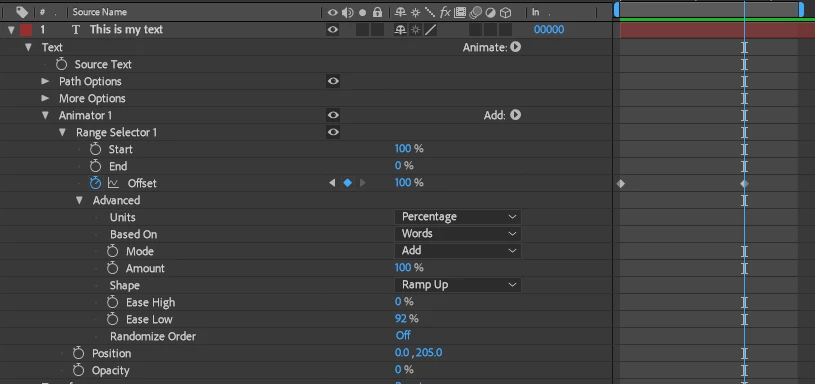
You only need one Animator Group and TWO Animator Properties (Position & Opacity). When working with the Text Tool, LESS is MORE.
The workflow for the Text Tool is this -
1) Type your text and set its attributes and Transform values to suit your needs.
2) Decide which properties/attributes you want to animate.
3) Create a Text Animator Group; based on the properties and attributes you want to animate - add these attributes and properties as required
4) Understand the following - the Text Tool has an auto-animation feature. The Range Selector properties allow you to define a range of text characters that are selected/unselected. As text characters get selected/unselected, they auto-animate by being offset from/to their original attributes and Transforms.
The Range Selector requires both the Start and End properties to work - one of these on its own does nothing - you need to have both of these working strategically to achieve your goals. These two properties are required for the Square Shape. The other Shape Types require the Range Selector's Offset property, in addition to Start and End. This Offset property shifts the Range defined by the Start and End properties. The Offset property has minimum and maximum values of -100% and 100%, respectively.
To achieve expected results when working with a Shape Type other than Square, you leave Start and End at 0 and 100 (or vice versa) - there is no need to animate these two properties when a non-Square Shape Type is active. Then, you keyframe/animate Offset, going from -100% to 100% or reverse these values; depending on what you want to achieve.
For easing in, use the Ease High/Low properties. What these properties get ultra-difficult when you add plethora of combinations available when you combine Range Selector properties together with Modes, Shape Types and whether you want to animate in or out or simply jiggle text that is already on-screen.
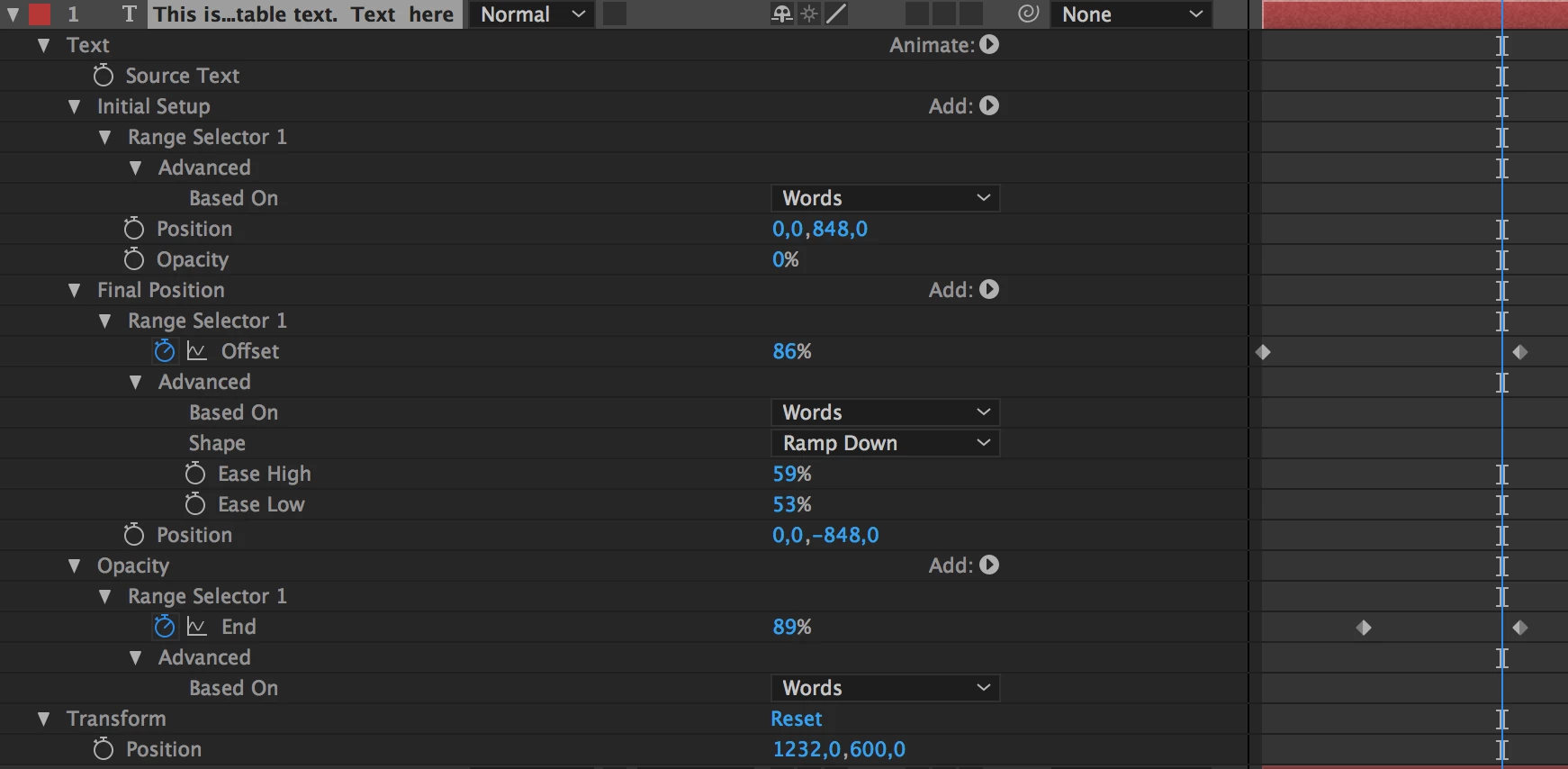
Back to your issue, your first and second Animator Groups' Position Animator Property cancel each other out - this is the primary cause of your unexpected result. Here's a set up that should achieve what you want. Take note that I've keyframed the Offset value; going from -100% to 100%.



 AdChoices