
Question
Inquiry regarding Arithmetic Operators (+/-) in Composition Settings Duration Field
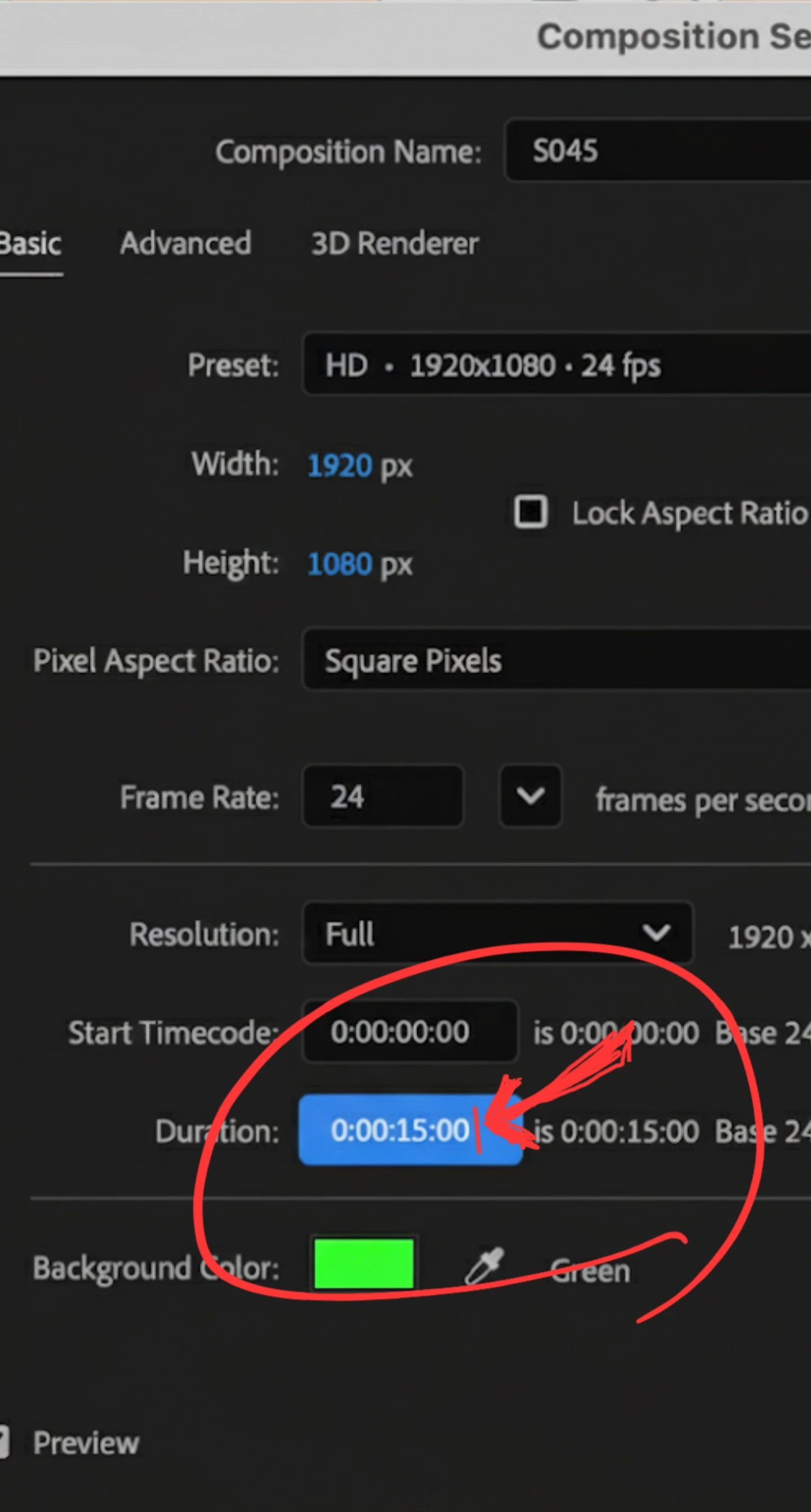
I am an After Effects user currently developing a streamlined workflow for my projects. I am writing to inquire about the correct usage of arithmetic operators within the Composition Settings (Cmd+K) dialog, as they are not functioning as I expected.
1. Procedure followed:
- Open the Composition Settings dialog (Cmd+K) and place the cursor at the end of the current timecode in the Duration field.
- To add a specific amount of time to the current value, I enter +3. (to add 3 seconds) or +300 (to add 300 frames) and click OK.
2. Current Issue:
- After clicking OK, the value does not update and simply reverts to the original number.
- I have attempted this using both keyboard and mouse inputs, but the result remains the same.
3. Specific Questions:
- Is the method I am using (+3.) the incorrect way to input these values?
- Are there specific Preferences that might disable this feature, or are there different input rules depending on the timecode base or frame rate?
4. Context:
I am in the process of automating several workflow steps, so understanding how to utilize this feature correctly is vital to my project.
I would greatly appreciate any guidance or documentation on the correct input rules for this field.
Thank you for your assistance.


 AdChoices