


yumiifmb
Known Participant
Nov 20, 2024 8:49 PM UTC
Question

invert effect not working?
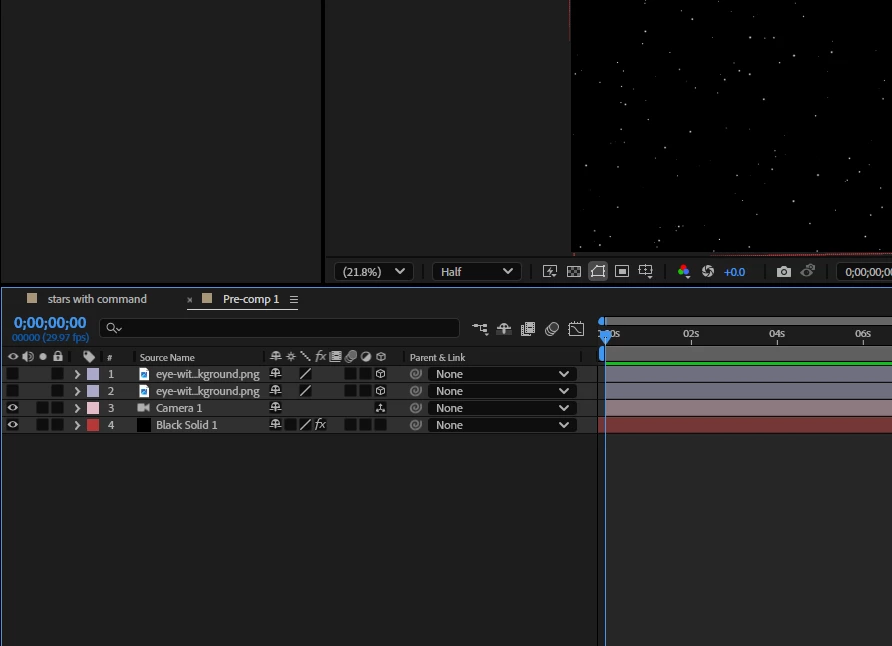
fig 1. is before adding the invert effect,
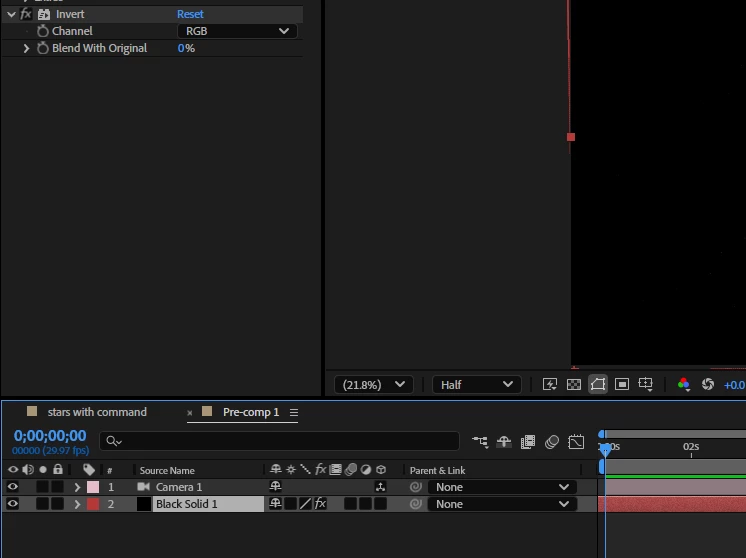
fig 2. is after adding the invert effect, the whole thing goes black instead of being inverted. Changing the channels doesn't fix the problem.

I tried doing it to a regular layer, and then to a pre-composed layer/composition. Doesn't solve it either.


Does anyone have any idea what the issue is?

This topic is closed to new replies. Start a new post to keep the conversation going.

2 replies

Mylenium
Legend
Nov 20, 2024 10:07 PM UTC

Use Channel Combiner or any other similar effect.


Mylenium 

Translate
yumiifmb
yumiifmbAuthor
Known Participant
Nov 20, 2024 10:14 PM UTC

I tried, it doesn't work. The problem is the same. What other similar effect are there?

Translate