BETHOTHEBOSS
Participating Frequently
January 21, 2026
Question

Is it possible to create a diagonal taper on a Shape Layer stroke in After Effects?

  • January 21, 2026
  • 2 replies
  • 53 views

Hi everyone,
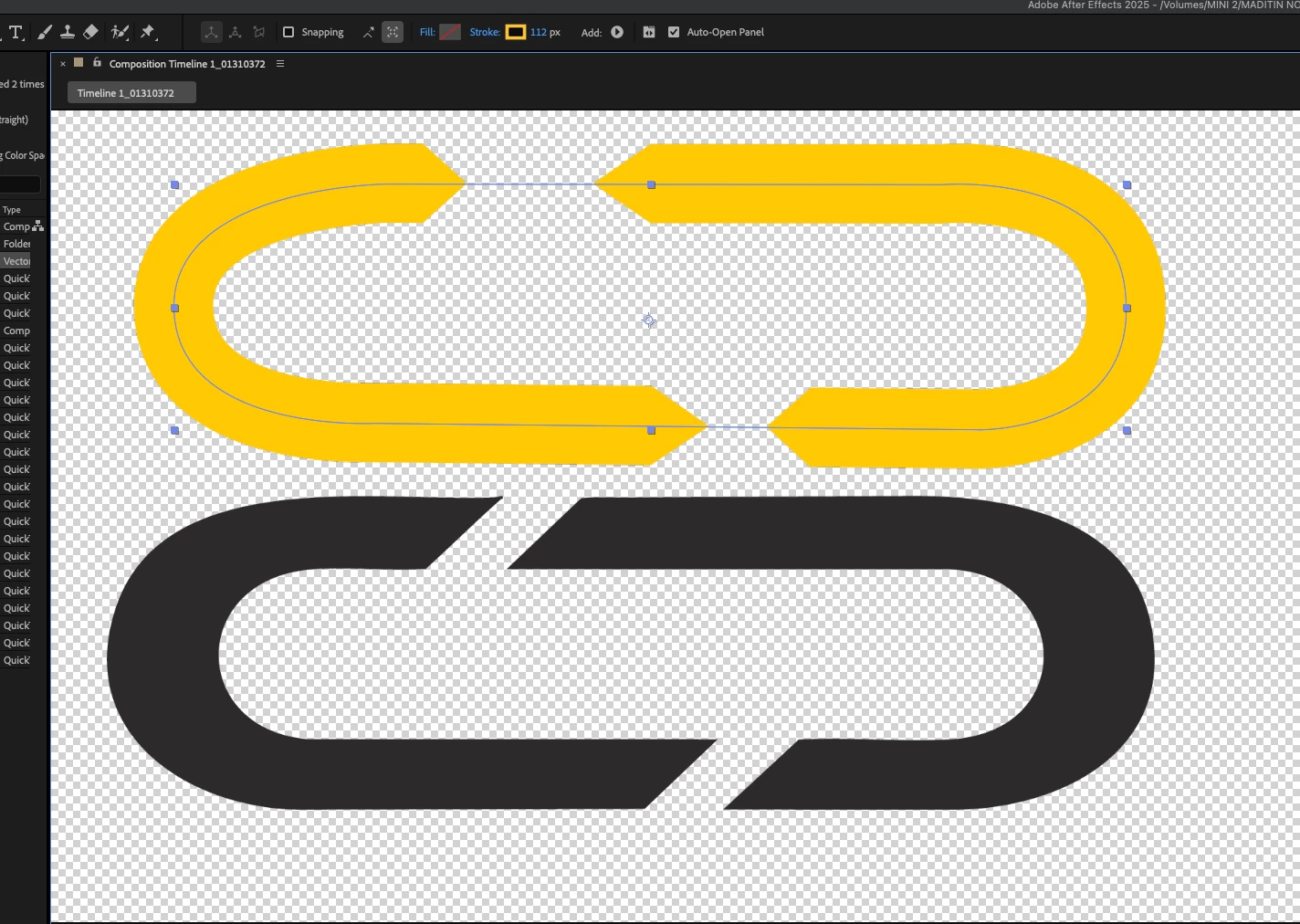
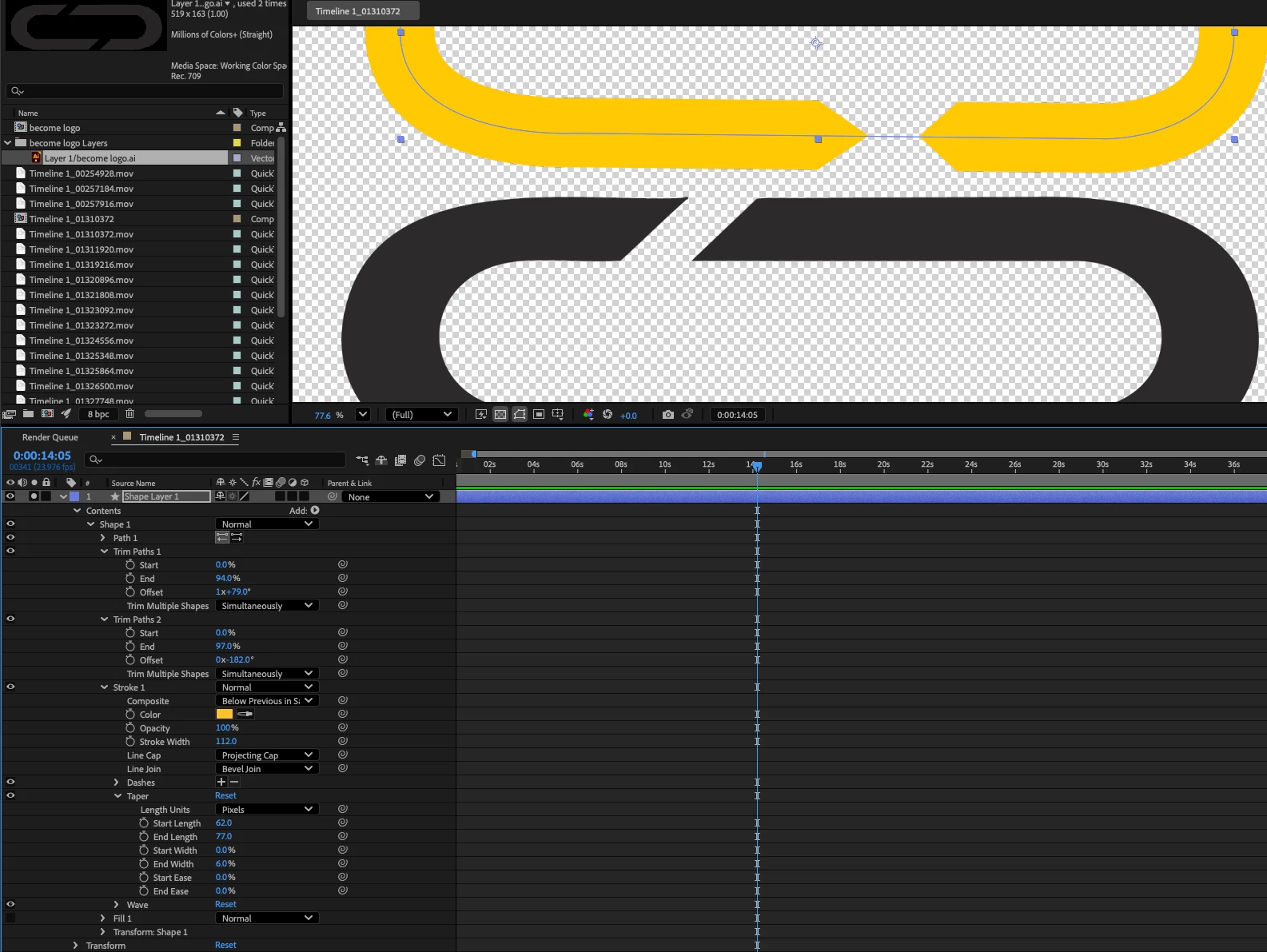
875896i7D0C14BAC9F82F39.png875897iA3C0F37B03F2F843.pngI’m trying to recreate a logo animation where the stroke ends with a diagonal similar to a chamfered edge.

I’m currently using a Shape Layer with Stroke, Trim Paths, Taper to Start and End Width

I can make the stroke end “pointy”, but the cut is always perpendicular to the path. What I’m looking for is a true diagonal end on the stroke itself, not a symmetrical taper.

I’ve already tried editing the path points taper settings Line caps / joins (butt, miter, round and multiple Trim Paths

I want to be sure I’m not missing something obvious.

Thanks in advance.

2 replies

Community Expert
January 23, 2026

I would start by converting your race track shape (the rectangle with round corners) to a Path, then create a small rectangle on another layer at the default location, then rotate the rectangle, copy the Path from the converted rectangle (easiest by setting a keyframe then cut (ctrl/cmnd + x), then paste it to the Position property of your small rectangle. You can add a loopOut() expression to the motion path. Your small rectangle will now loop around the racetrack path. 

876385iC6A9E0C1B2AADE9D.gif

Here are a couple of projects for you to look at:


ShiveringCactus
Community Expert
Community Expert
January 22, 2026

Hmm, that's n interesting challenge.  I'm wondering if CSS triangles might be the way to solve this.  In HTML/CSS you'd create a square, rotate it and cut off one side using a container.  So could you duplicate your shape, enlarge the path so it overlaps the outer half of the stoke, and then use a track matte to hide it.  That way your pointy end would appear diagonal.


Another possible solution would be to make a solid shape for the loop, then use another cut out shape as a track matte for the loop.  If you need to animate it, you can convert the loop's path to bezier curve and copy the path property into the position property of the cutout.