
Inspiring
April 1, 2026
Question

Is there a way to insert or remove time?

  • April 1, 2026
  • 2 replies
  • 29 views

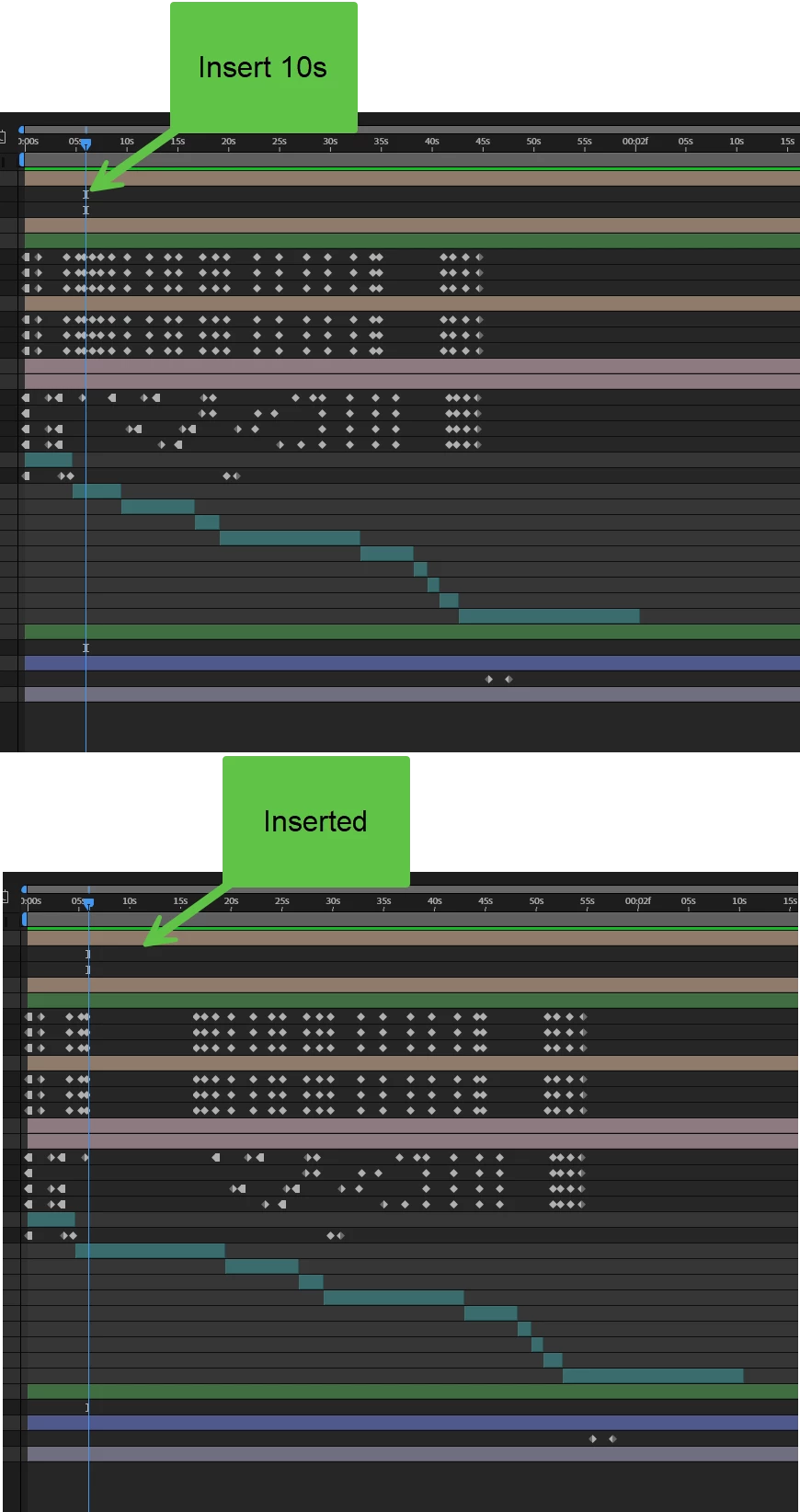
I'd like to extend my composition by basically shifting everything after a point by a defined duration... is there a way to do this? Similarly, I imagine there could be cases where I'd want to 'cut out' a range of time.


    2 replies

    ShiveringCactus
    Community Expert
    Community Expert
    April 2, 2026

    When I’ve had to do this in the past, I’ve either!

    • added the comp to another and time remapped using hold keyframes to add a gap
    • set markers on the comp for the gap, then used U to highlight all the keyframes on all the layers, dragged a box to select them all at once and then moved them as a group to the second marker.

    The first way gets the job done, but if you are concerned about future changes, then the second way is still pretty quick.

    Kevin J. Monahan Jr.
    Community Manager
    Community Manager
    April 1, 2026

    Hi,

    Thanks for the question. Have you tried splitting layers, selecting everything forward of that, and dragging all the layers forward? Then you can drag the trailing layers forward to meet them. Let me know if that works for you.


    Thanks,
    Kevin


    Kevin Monahan - Sr. Community and Engagement Strategist – Adobe Pro Video and Audio
    Inspiring
    April 1, 2026

    yes, I started going down that path, but the realized this would become a maintainence nightmare resulting in 2x the number of layers to manage --> when I need to change something about a layer, I would need to change that on its duplicate as well for the lifecycle of the project.

    Community Manager
    April 1, 2026

    Hey there,

    I believe there are scripts for extending or deleting in the middle of layers. I hope the community can offer better suggestions for you. Sorry for the frustration.


    Thanks,
    Kevin