Answered

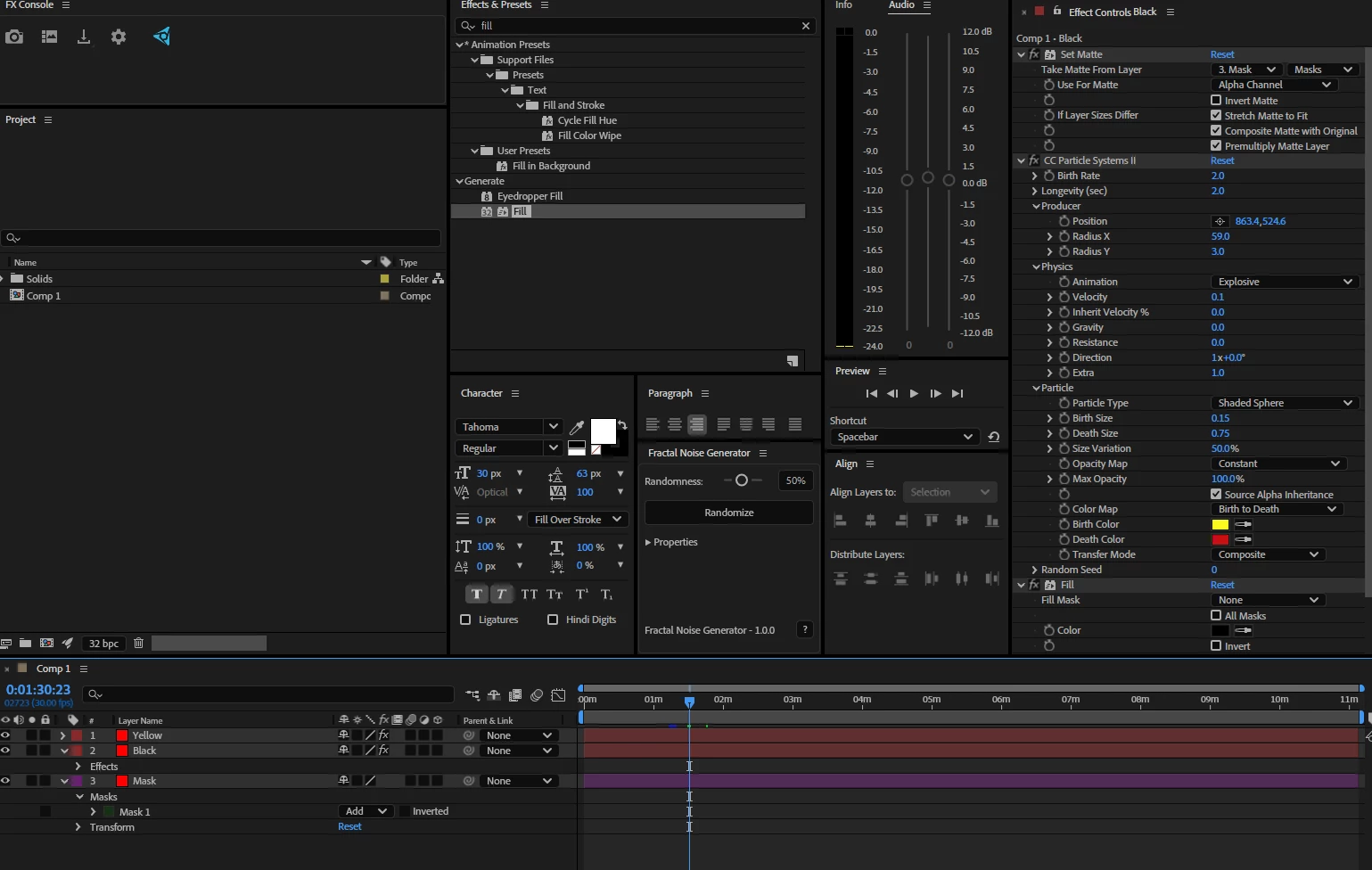
I'd use CC Particle Systems II.
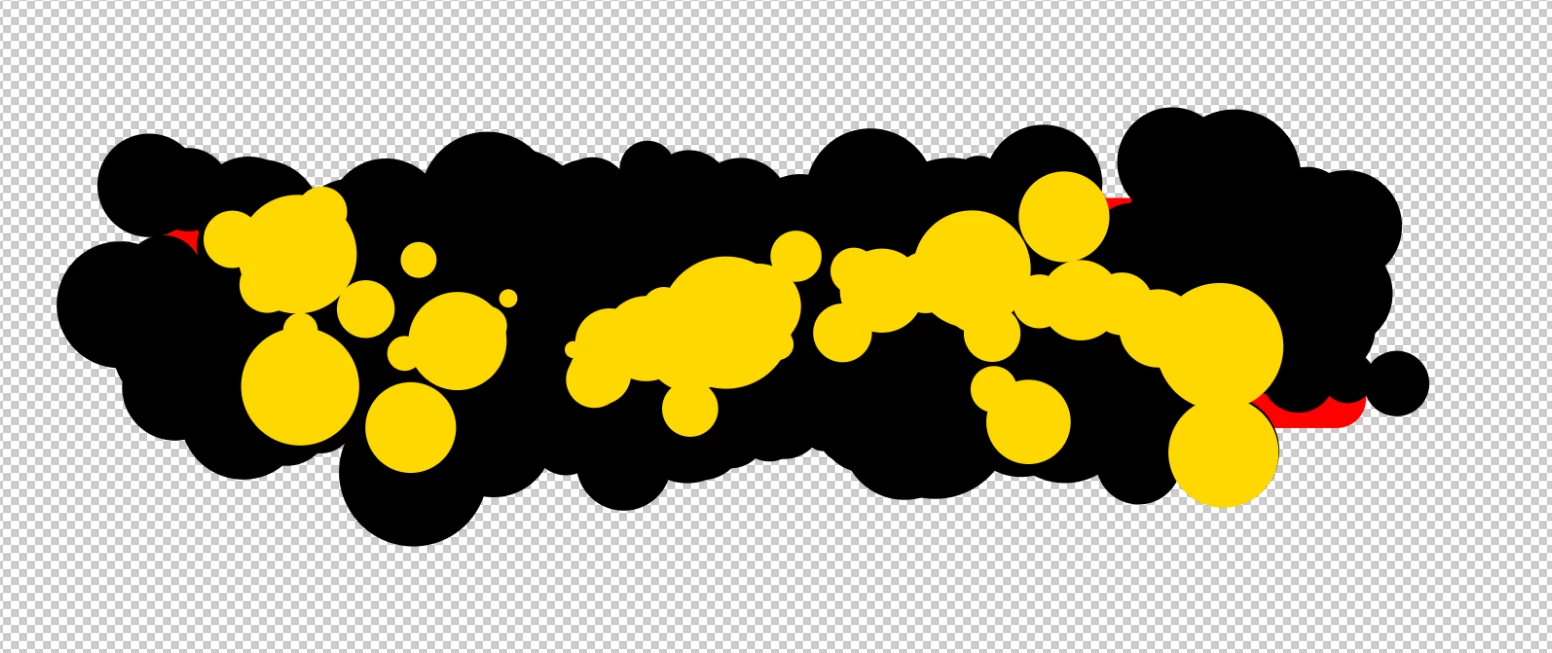
Mask out your object, then on a new layer, add the Set Matte effect and point it to the layer with a mask. Add Particle Systems to the new layer. I went with Shaded Sphere and checked the box for Source Alpha Inheritance (this doesn't work well on masked layers, that's why you need the separate layer). You'll get faded circles, so next add a Fill effect to set one colour (e.g. Black)
Duplicate the layer and drop the birth rate and change the colour to yellow.


Sign up
Already have an account? Login
To post, reply, or follow discussions, please sign in with your Adobe ID.
Sign inSign in to Adobe Community
To post, reply, or follow discussions, please sign in with your Adobe ID.
Sign inEnter your E-mail address. We'll send you an e-mail with instructions to reset your password.
 AdChoices