


Participant
July 31, 2024
Question

Is there an expression for auto-resizing just the width of a shape for the purpose of a lower third?

  • July 31, 2024
  • 2 replies
  • 205 views

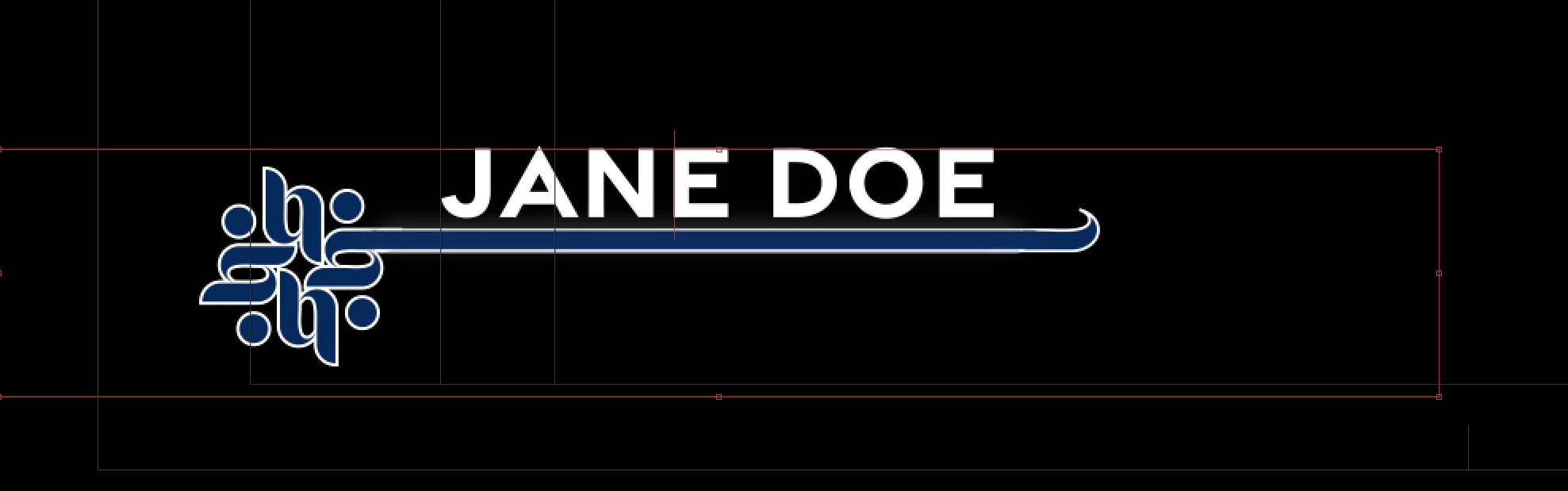
Hello! Before I begin, I just want to disclaim that I am relatively new to after effects–especially on the graphic end of things. Previously, I was building the lower third in premiere for each edit, but I can't afford to spend my time so tediously. I'm trying to create a .mogrt that I can import into premiere as an easy customizable lower third to save time. However, is there an expression to just make the width of the line adaptable to the text? The only YouTube videos I can find deal with "sourceRectAtTime();", however I do not want the height of the line to expand, and I've tried to use it with just width and not height but get the error code: expression result must be of dimension 2 not 1. Am I using the wrong expression? Is there a better way to achieve what I need with the layout of this lower third? Open to any and all tips, I am strugglingggg
 

This topic has been closed for replies.

2 replies

Adam24585301qycn
Inspiring
August 1, 2024

all you have to do for the source rect at time expression is change the y value to a fixed number, so here is an example of the syntax. a = thisComp.layer("text").sourceRectAtTime().width+760;
x=960+a/2;
[x,540]

you see the height value is fixed in this case, so if you go back to your youtube videos and change the 2nd value to a fixed number, you should get what you are looking for

if you cannot figure it out post your project in here.

Legend
July 31, 2024

It's a bit complicated to set up, especially for a beginner, as there are many subtleties:
- Align the text to the left
- Parent the shape layer to the text layer

- The order in which you plotted the points
- Detect the points that are to the right of the text and shift them by the length of the text


path expression:

oldPts = content("Shape 1").content("Path 1").path.points();
pts = [];
iTangents = content("Shape 1").content("Path 1").path.inTangents();
oTangents = content("Shape 1").content("Path 1").path.outTangents();
txtWidth = parent.sourceRectAtTime().width;

for (var i = 0; i < oldPts.length; i++) {
  if (i > 3 && i < 😎 {
    pts.push([oldPts[i][0] + txtWidth, oldPts[i][1]])
  } else {
    pts.push(oldPts[i])
  }

}
createPath(pts, iTangents, oTangents, true)